Running workflows
A workflow is a defined sequence of states, such as Prospective → Checks running → Checks returned → Engagement pending, with rules about who may move it on. An instance is one run of a workflow over one record. Running workflows is where you find the instances, see where each one has got to, and move one on when it is yours to move.
Where a task asks "please do this", an instance answers "why has this not moved?". If you are holding a task and want to know what it is part of, follow Open the workflow from the task.
The register
Choose Work, then Running workflows.
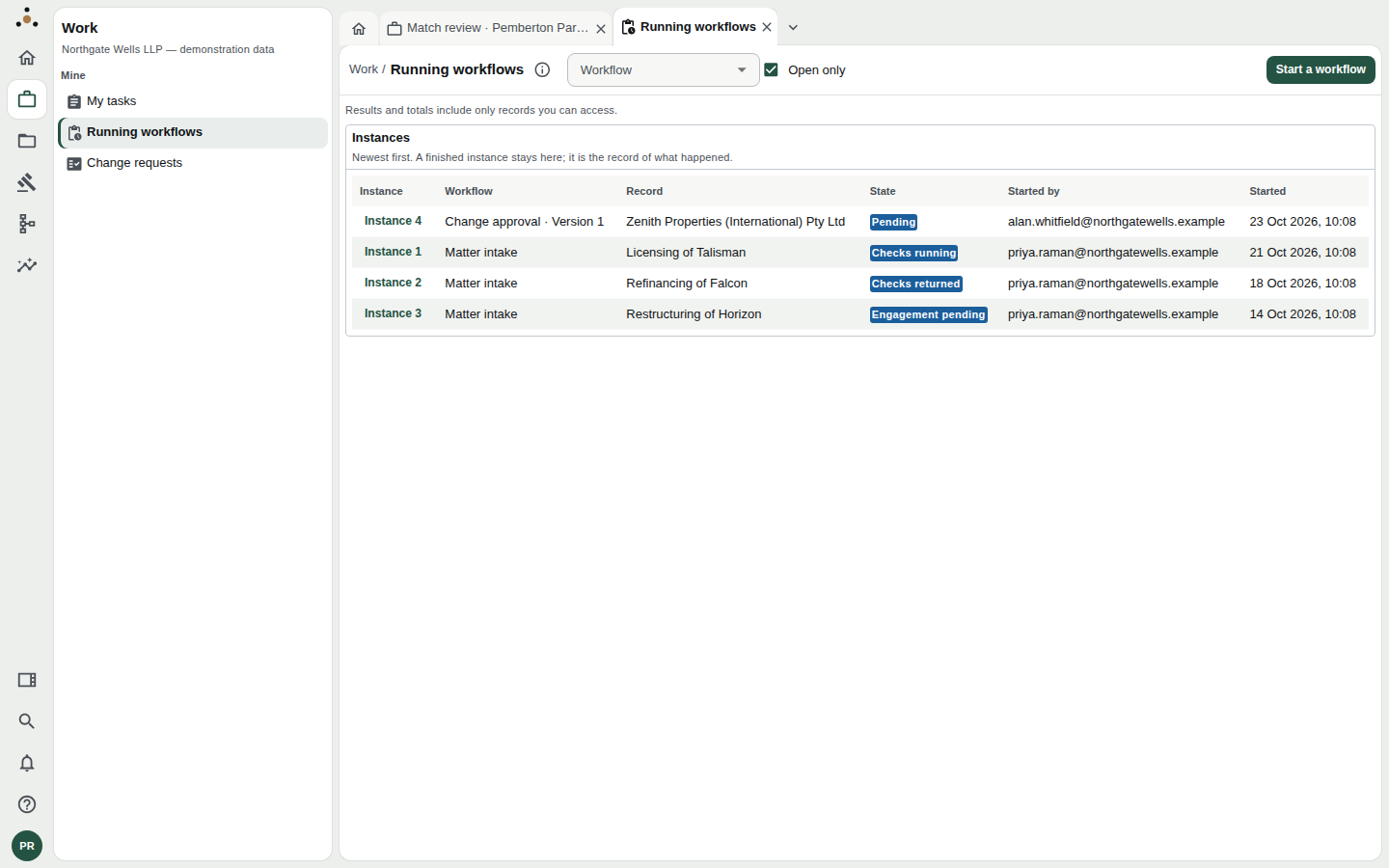
The register lists every instance, newest first. A finished instance stays here, because it is the record of what happened.
Each row gives:
| Column | Meaning |
|---|---|
| Instance | Its number. Click it to open the instance. |
| Workflow | Which workflow, and for a versioned one, which version (for example Change approval · Version 1). |
| Record | The record the instance is about. |
| State | Where it stands now, as a coloured label such as Checks running. |
| Started by | The person who started it, and when. |
Two controls at the top narrow the list. Workflow shows one kind of instance; Open only (ticked by default) hides finished ones. Untick it to see the whole history.
Open an instance
Click an instance number. A panel opens beside the register.
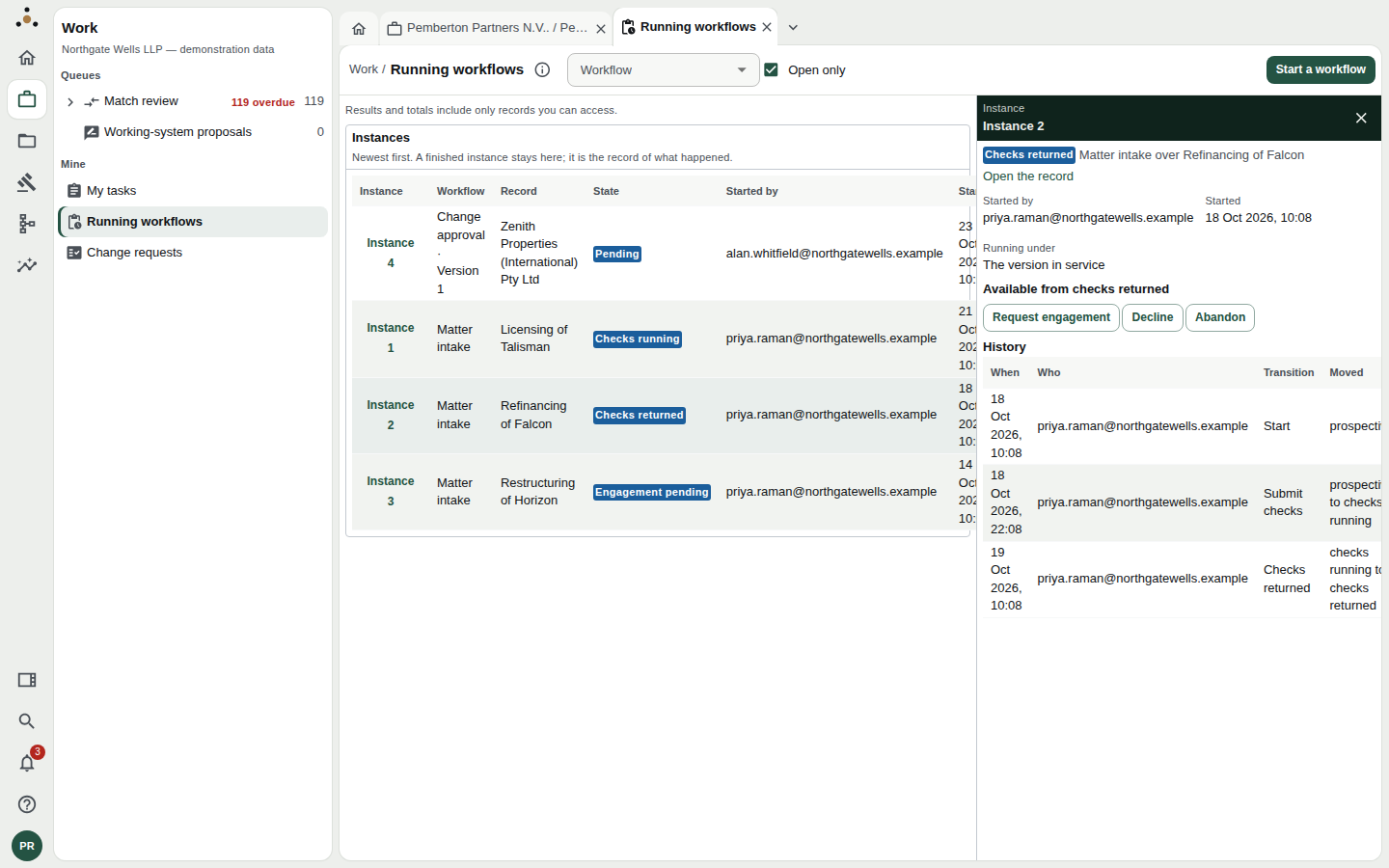
Instance 2, a matter intake that has reached Checks returned. The three buttons are the moves its definition allows from here.
It shows, top to bottom:
- The state and the sentence that describes the instance, such as Matter intake over Refinancing of Falcon, with Open the record.
- Started by, Started, and Running under. An instance runs under the version of the workflow that was in service when it began. If a newer version has since been published, the instance carries on under the old one until it finishes, so a change to a definition never alters work in flight.
- Available from [state]: the transitions it can make now.
- History: every move, with When, Who, the Transition used and what it Moved from and to.
Moving an instance
Each button under Available from… fires one transition. The list is the engine's own answer for the version this instance runs under, not a guess made by the screen, so what you see is exactly what is permitted.
Some transitions need a comment. The field is then labelled Comment (required), with the note that the definition requires it and a blank one is refused. Others are guarded: the screen warns This transition is guarded and may be refused, and quotes the reason if it is. A refusal is the workflow doing its job, not a fault.
Moving an instance changes what happens next, often something that cannot be pulled back. Read the history first. If you are unsure which button is right, the person who started the instance, named under Started by, can tell you.
When nothing is available
Two messages explain an instance with no buttons.
- Nothing leaves [state] in the version this instance is running under. It is where this workflow ends. The workflow reached an end state.
- This workflow finished in [state]. A finished instance takes no further transition. The platform refuses one even if you try.
Change approvals are decided elsewhere
An instance of Change approval is the workflow behind a change request. Its panel says so, and offers Open Change requests instead of buttons. Approving, rejecting or withdrawing happens there, because that is where the change is applied and the request and its review task are closed together. Firing the workflow's transition by hand would move the state without applying the change.
Start a workflow
Press Start a workflow at the top right.
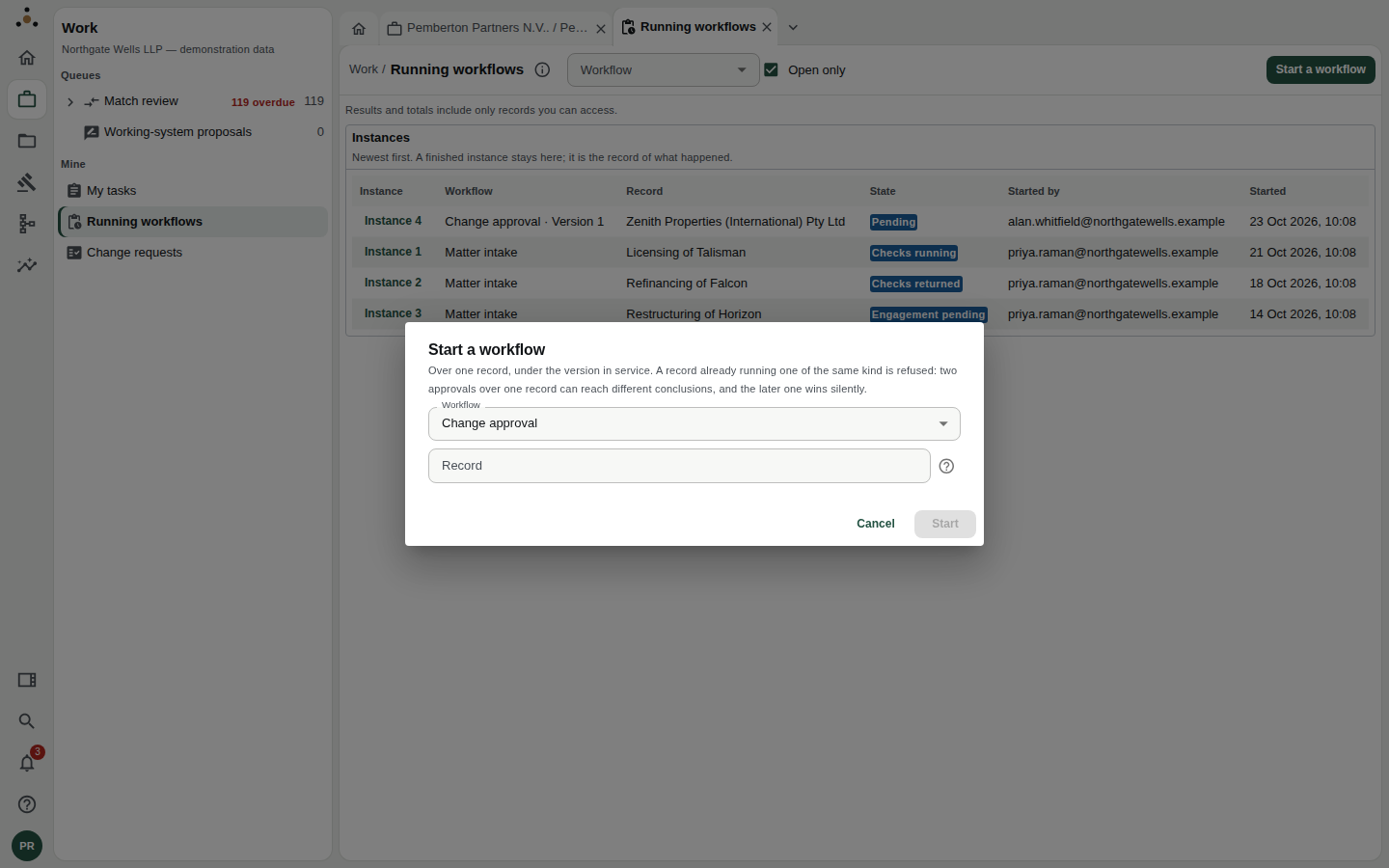
Choose the workflow and the record it is about.
- Choose the Workflow. It runs under the version currently in service.
- In Record, give the record's number (a matter number, say) or its identifier.
- Press Start.
If no record you can read has that number or name, the dialog says so and starts nothing. If the number matches more than one record, it asks you to be more specific.
A record that is already running a workflow of the same kind is refused. Two approvals over one record can reach different conclusions, and the later one would win silently. Finish or abandon the first, then start again.
Access you need
Reading instances needs only the ability to read records. Starting a workflow and firing a transition need stewardship rights. Without them the register is still readable and says Starting a workflow and firing a transition need the stewardship endpoint class, which this session does not hold.
As with every list in Datum, you see instances over records you can access and no others.
Questions people ask
Why does an instance show a state I do not recognise? States are named by whoever defined the workflow. The workflow's own diagram, with every state and the transitions between them, is in the Model area; see the data architects' guide.
Can I edit a workflow from here? No. This screen runs workflows; it does not change them. Definitions are authored and published by data architects and legal operations.
Who sees the comments on a transition? Like comments on tasks, they may be withheld from a role that does not read every field of the record. The history row is still shown.