Delegation and cover
Stewards take leave, and tasks have SLAs that do not. Delegation is how a steward hands their inbox to a colleague for a fixed period and gets it back afterwards, without moving tasks one at a time and without anyone remembering to undo it.
The design rule behind it is that delegation is dated cover. It always ends, it hands back what was not started, and it is checked as work moves.
Where it lives
Delegation is not a separate screen. It is the Delegations section at the foot of the task panel in My tasks. Open any task and scroll the panel: you will see Delegate to, Reason, Back on and Delegate my tasks.
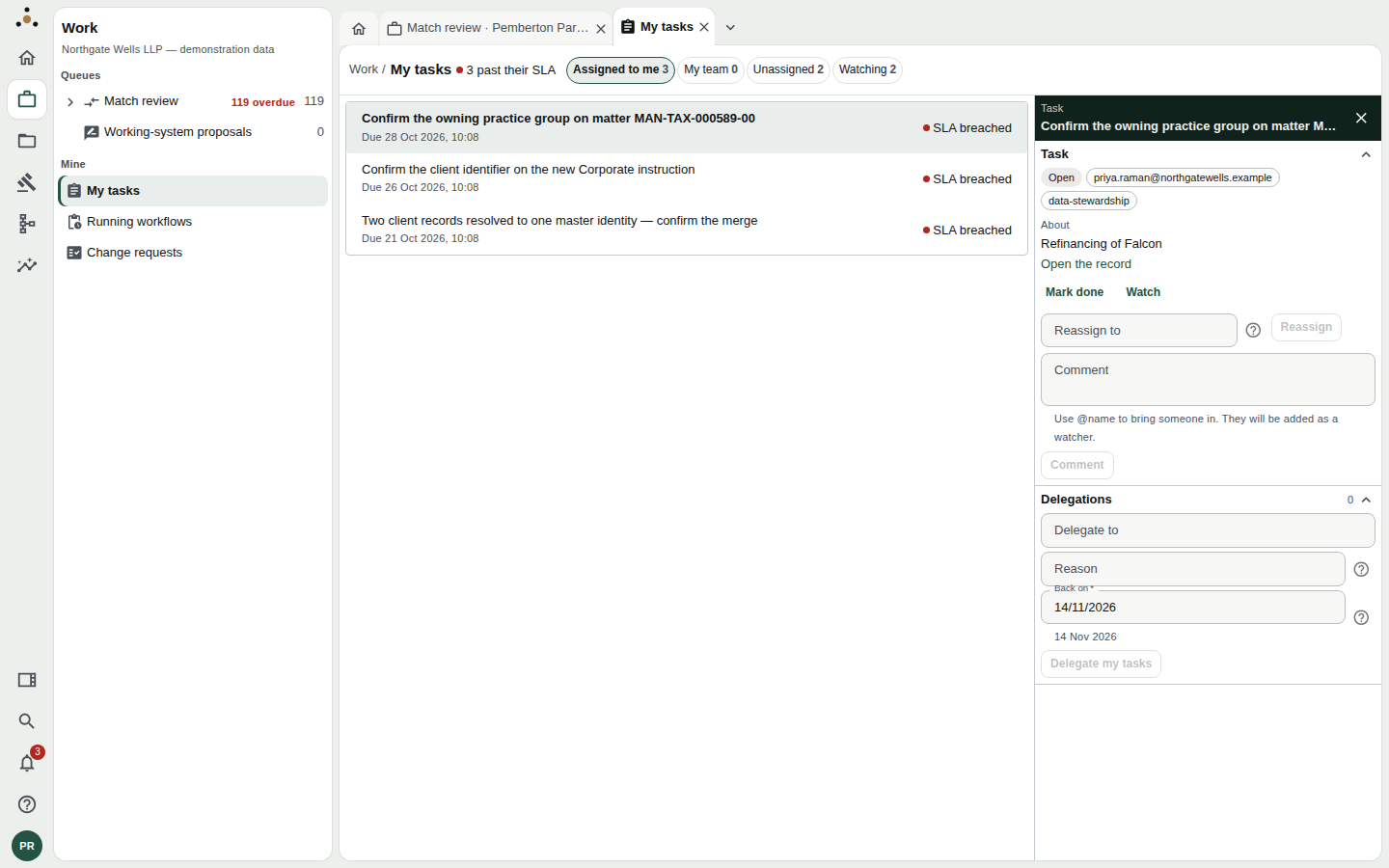
The Delegations section. Back on is pre-filled with a date two weeks away.
Hand your work over
- Delegate to: the address your colleague signs in with. It must be a steward, because a delegate has to be able to claim and complete your tasks. Datum refuses a typo, a fee earner or a service account.
- Reason: for example Annual leave. Optional to write, but useful to your colleague.
- Back on: the day you return. It is filled in with a date two weeks from today, and must be after today and no more than 90 days away.
- Press Delegate my tasks.
A delegation with no end runs until someone remembers to end it, and the person best placed to remember is on a beach. Ninety days covers a long leave. Anything longer is a change of who does the work, which is a reassignment or a routing rule, not cover.
What moves
- Tasks you have not started move to your colleague: not only new ones arriving during the cover, but the ones already in your inbox.
- New tasks that would have been routed to you go to them for the period.
- Tasks you have started (claimed, or marked blocked) stay with you. You are part-way through them, and taking them out of your hands without warning would be worse than leaving them.
While you are away
Your colleague's My tasks shows the work as theirs, in the Assigned to me bucket. They work it exactly as their own: claim, mark done, comment, reassign. The SLA keeps running: a delegated task is not given a fresh clock.
Your colleague does not gain any access they did not have. They do the work with their own rights over records they can already read, so cover never widens who can see what. Datum also checks the delegate's ability to do the work as work moves, not only once when you delegate, so a delegate who loses the stewardship role mid-cover stops being sent work they cannot claim.
When you return
On the Back on date the platform hands the work back by itself. A scheduled job runs every fifteen minutes and, for each delegation past its end date, returns to you every task it moved or routed that is still open. Tasks your colleague claimed or marked blocked stay with them; you will not find them taken back mid-way.
Two notices go out:
- You are told how many tasks came back.
- Your colleague is told how many went back, and that the ones they had started stay with them.
You do not have to do anything. The hand-back happens once.
Ending cover early
If you return sooner, open the Delegations section. A delegation you made reads Your tasks go to [colleague]. Ending the delegation sends new work to you again, and hands back the tasks [colleague] has not started. Press End delegation. The result reads Delegation ended. 3 tasks came back to you. Ending by hand is recorded in the same way as an automatic hand-back, so it cannot be announced twice.
If you are the colleague covering
You do not accept or decline cover; it simply arrives. What to expect, using the demonstration firm's two stewards as the example:
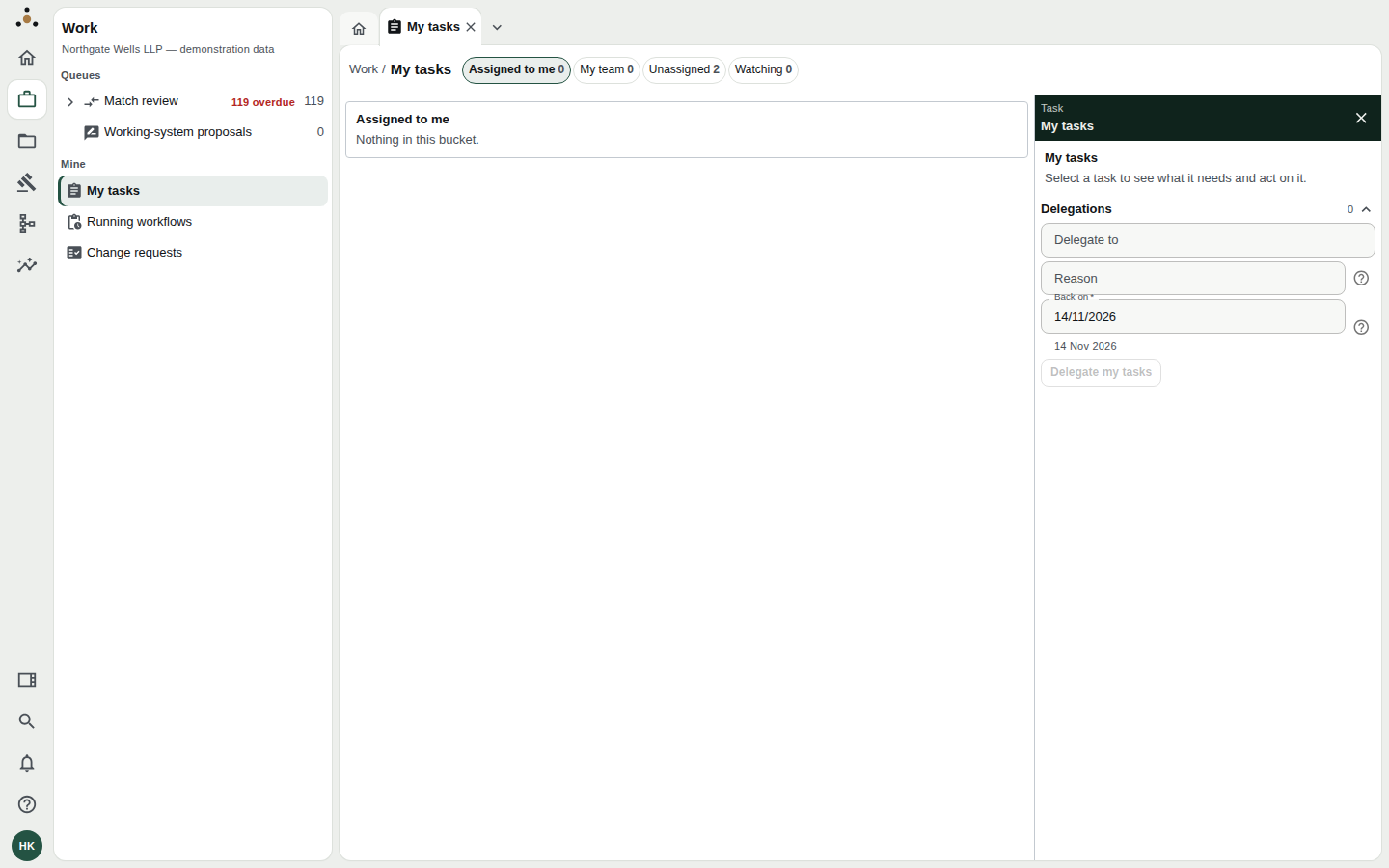
A covering steward's inbox before any cover arrives: nothing assigned, and the same Delegations panel a steward uses to hand work on.
- Priya Raman is away and delegates to Hannah Kowalski, who is a steward in another practice group.
- Hannah's inbox gains Priya's unstarted tasks, and new work routed to Priya arrives with her.
- The ones Priya had already started stay with Priya, and Hannah will not find them.
- On the return date, whatever Hannah has not started goes back to Priya automatically. What Hannah has started stays with her until she finishes it.
If you have started a task you will not be able to finish, reassign it to the person who should have it rather than leaving it to sit with you after the cover ends. The hand-back does not take back anything you have claimed.
Who can see a delegation
- You and your colleague see each other's delegation, including the reason you gave.
- Administrators see that a delegation exists, not why. They can see who covers whom and for which dates, which is what they are asked about when work seems to be missing. The reason is withheld from them, because a reason is often "on leave" or "medical" and an administrator needs it for nothing they do.
- Nobody else sees it.
Delegation or reassignment?
| You want to… | Use |
|---|---|
| Move one task to a colleague permanently | Reassign on the task |
| Cover everything for a fixed time, with it coming back | Delegate my tasks |
| Change who receives a kind of task for good | Ask an administrator to change the routing rule |
| Take on a colleague's work during their cover | You do not need to do anything; it arrives |
Troubleshooting
"Delegating needs the stewardship endpoint class." Your session does not hold stewardship rights. A fee earner cannot delegate, because they have no steward tasks to hand over.
"Choose a day after today and no more than 90 days away." The Back on date is outside the permitted range. Pick another.
The colleague is refused. The address must be a steward who can claim and complete tasks. Check the spelling, and that they hold the stewardship role.
Tasks I expected to move did not. Those were already started by you. Reassign them by hand if they should go.