Registry verification
A golden record says a company is called Eastgate53 Holdings Limited. The company registry may say something different — a changed name, a dissolved company, two registry entries that could be it. Registry verification compares Datum's organisation records with the registry (in the demonstration firm, Companies House) and shows what it found.
Open it from Legal operations → Registry verification.
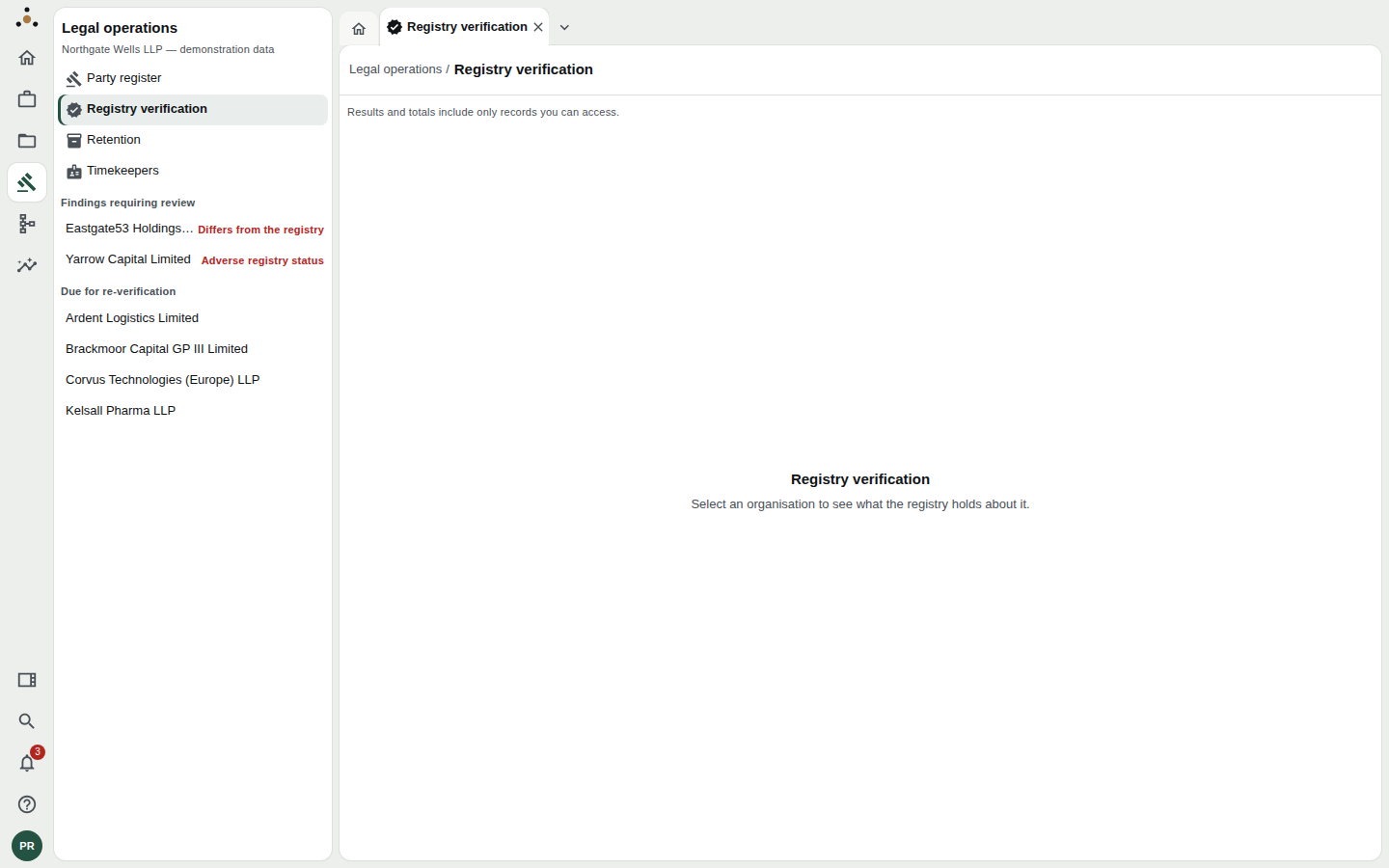
The navigator does the sorting: Findings requiring review first, then organisations Due for re-verification.
The navigator is your worklist
Two lists, in priority order.
Findings requiring review — organisations where the last check turned up something a person should look at, each with a red label saying what:
- Differs from the registry — the registry disagrees with the golden record on one or more attributes.
- Adverse registry status — the registry reports a status such as dissolved.
Due for re-verification — organisations whose last verification has passed its re-verify after date. Nothing is wrong that you know of; the check is simply stale.
If both lists are empty the screen says so: No registry findings require review and Nothing is due for re-verification.
Select an organisation to see its verification. Each opens in a tab of its own.
The statuses
An organisation's verification has one of these statuses:
| Status | In words |
|---|---|
| Verified | Found in the registry and agrees |
| Differs from the registry | Found in the registry, which disagrees |
| Adverse registry status | Found in the registry, with an adverse status |
| Ambiguous | Several registry records could be this one |
| Not found | Not found in the registry |
| Verification is out of date | Checked once; the check is past its date |
| Not verified | Not yet checked against the registry |
Reading a finding
Differs from the registry
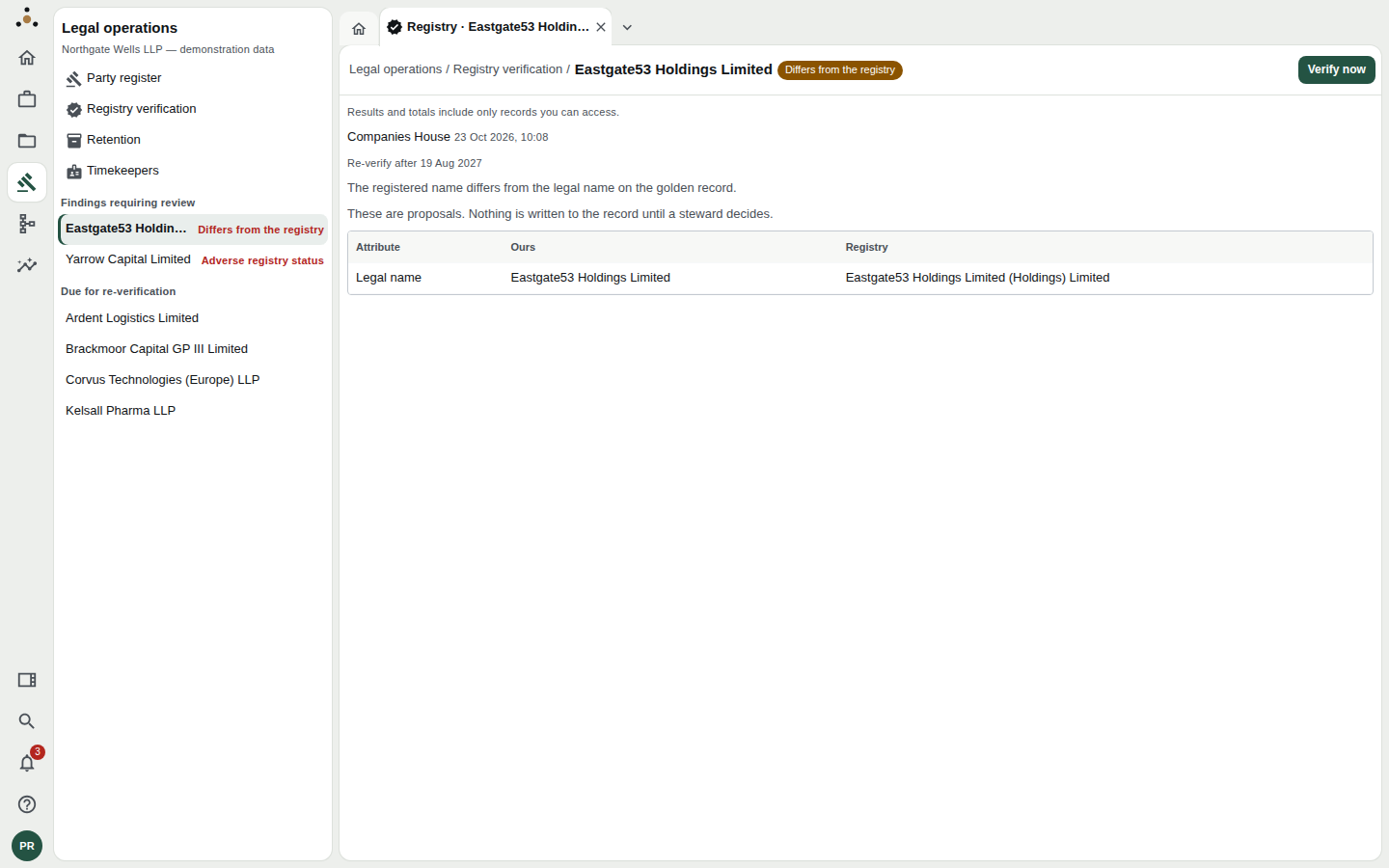
The finding names the attribute and sets the two values side by side.
The page header carries the status chip and Verify now. Beneath it:
- the registry consulted and when (Companies House, 23 Oct 2026, 10:08);
- Re-verify after — the date at which this check goes stale;
- a sentence saying what differs — The registered name differs from the legal name on the golden record;
- a table of Attribute · Ours · Registry for each attribute that differs.
Here the registry holds Eastgate53 Holdings Limited (Holdings) Limited against Datum's Eastgate53 Holdings Limited. Which is right? The registry usually is — but a registry name that has doubled itself like this is as likely to be a data-entry error at the registry or a mis-parse as a rebrand. That judgement is yours.
Datum states it above the table: These are proposals. Nothing is written to the record until a steward decides. Verification never silently overwrites the golden record. The registry's values are offered as proposals, and a steward decides.
Adverse registry status
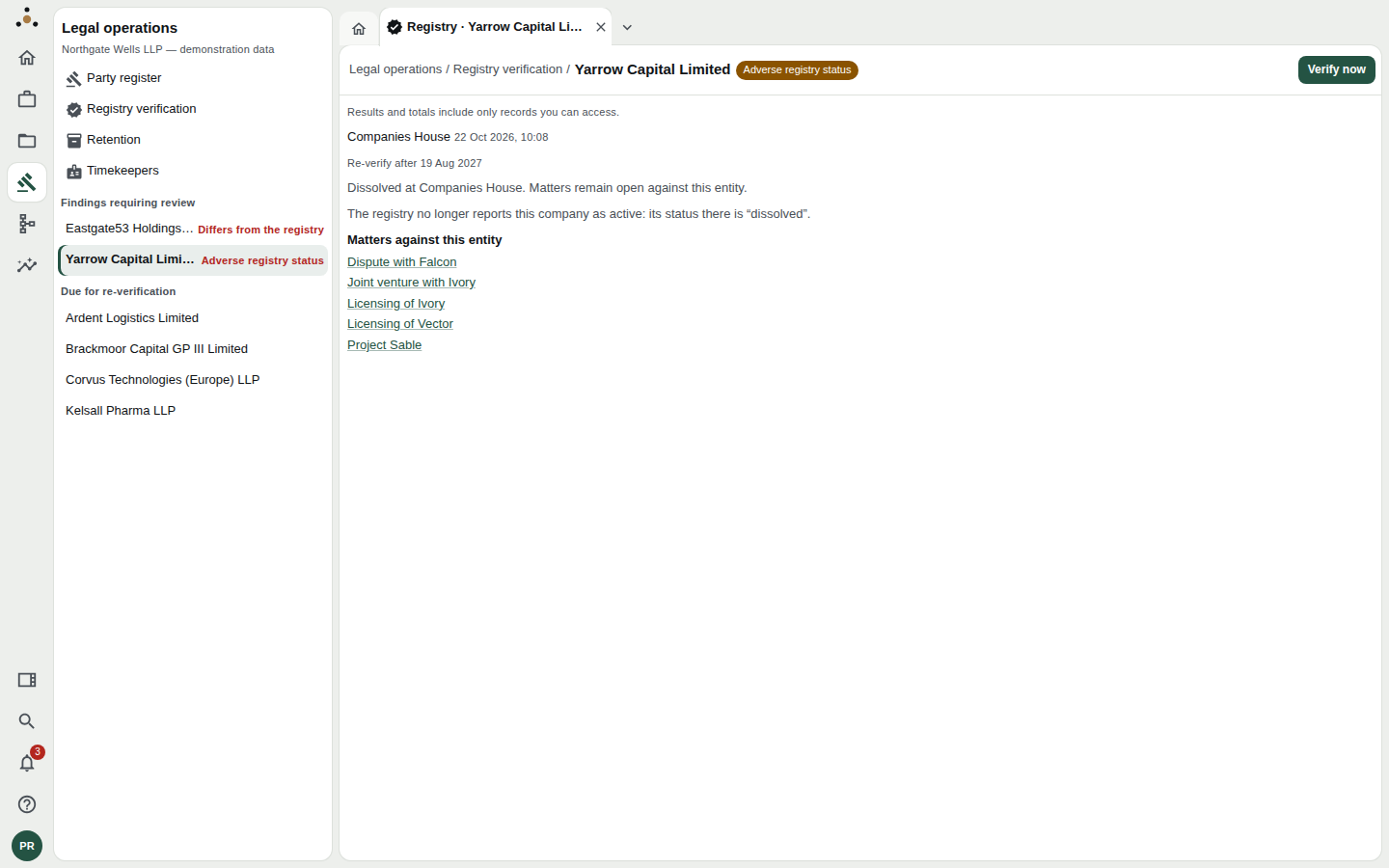
Yarrow Capital Limited is dissolved at Companies House — and matters remain open against it.
The registry no longer reports this company as active: its status there is "dissolved". The verification's note here adds the point that matters us most — Matters remain open against this entity — and the screen lists the Matters against this entity so you can see what is affected.
Datum cannot know why a company was dissolved or whether it matters to the firm. What it can do is stop the fact from being invisible. Typical next steps: tell the matter's responsible partner, and check whether a successor entity should replace this one.
Out of date
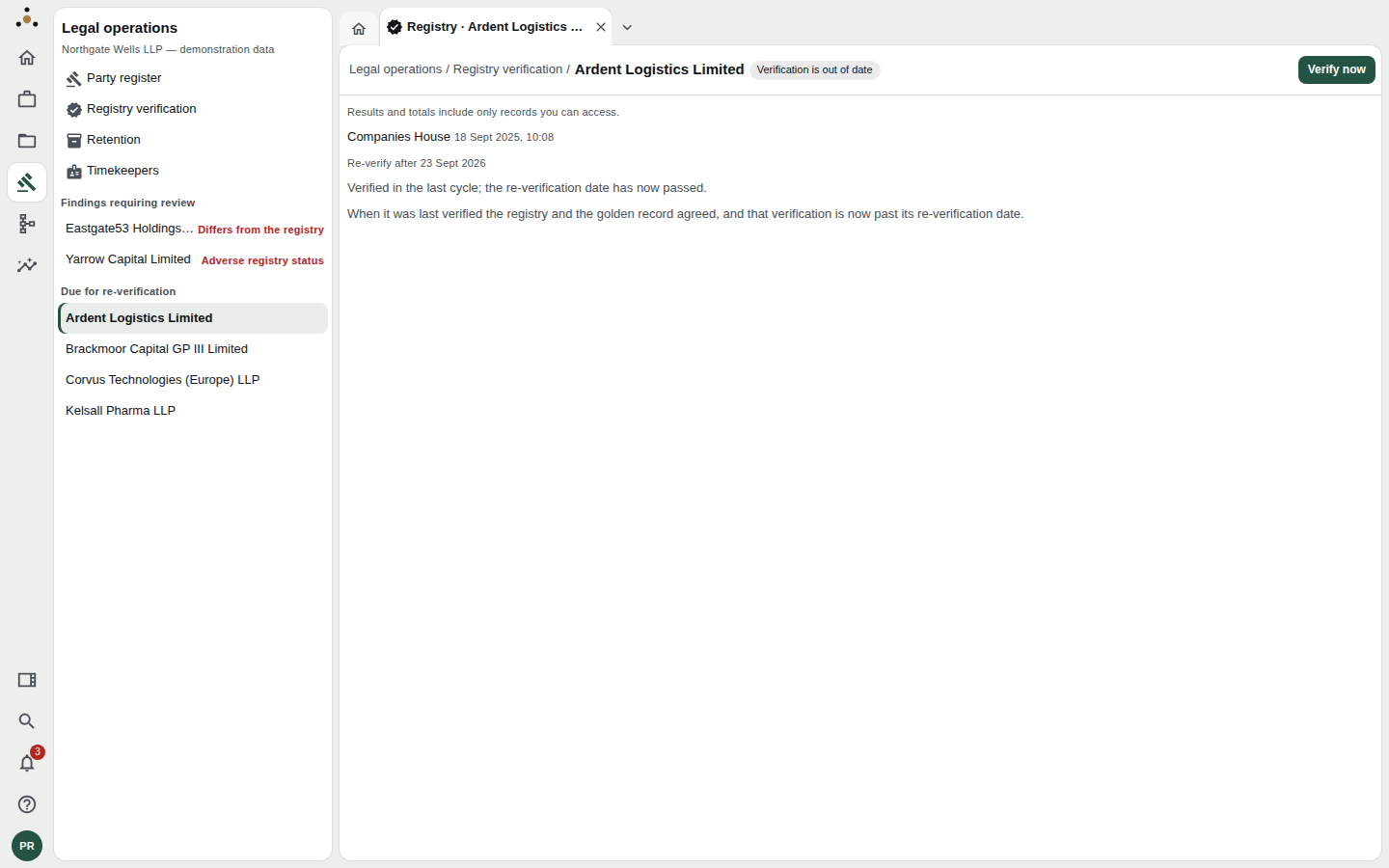
No disagreement — just a check that has aged out.
When it was last verified the registry and the golden record agreed, and that verification is now past its re-verification date. Nothing is wrong that Datum knows of. Press Verify now to check again.
Verifying now
Verify now, at the top right of the page, checks the organisation against the registry immediately and replaces the displayed verification with the result. A new check begins a new re-verification period.
Use it:
- on a due organisation, to clear it from the list;
- on a finding, after the registry has had time to correct itself (or after you have corrected your record), to see that the two now agree;
- on a Not verified organisation, the first time.
In the demonstration, Datum answers from a recorded registry rather than a live Companies House call, so the demonstration works anywhere and gives the same answer each time. In a real tenant the check reaches the registry the administrator configured.
If an organisation has never been checked, the page says Datum has not checked this organisation against a company registry yet, so there is nothing the registry said to show.
What other roles see
Anyone with read access can see findings and verifications. Verify now needs the stewardship permission: without it the page shows the last verification as it stands and says why there is no button. Administrators, who hold no data-read permission, cannot see this screen's content at all, and are told so.
Good habits
- Work findings before the due list. A finding is a disagreement somebody should resolve; a due check is housekeeping.
- Record why you kept our value. If you decide the registry is wrong, the reason is worth a line for the next steward who sees the same finding.
- Look at the matters on any adverse finding before you close it. The status of the entity is rarely the interesting part; the live work against it is.