Party register
The Party register is a search over every party Datum holds: clients, former and prospective clients, and the adverse, related and third parties recorded when matters were opened. It searches names, former names, trading names and identifiers, and it reaches the other members of a corporate group.
Open it from Legal operations → Party register.
The party register does not clear anything. It issues no "clear" or "not clear", no traffic light, no score, and no decision of any kind. Datum masters the data a conflicts system searches; it is not itself a conflicts system, and this boundary is built into the product on purpose (ADR-0011).
Every search says so, in bold, above the results:
This is a party register search. It is not a conflicts clearance and no clearance decision is expressed or implied.
A search that returns nothing does not mean there is no conflict. It means no party you can access matched. Use the firm's conflicts process and its conflicts system for clearance; use this screen to find and understand the parties.
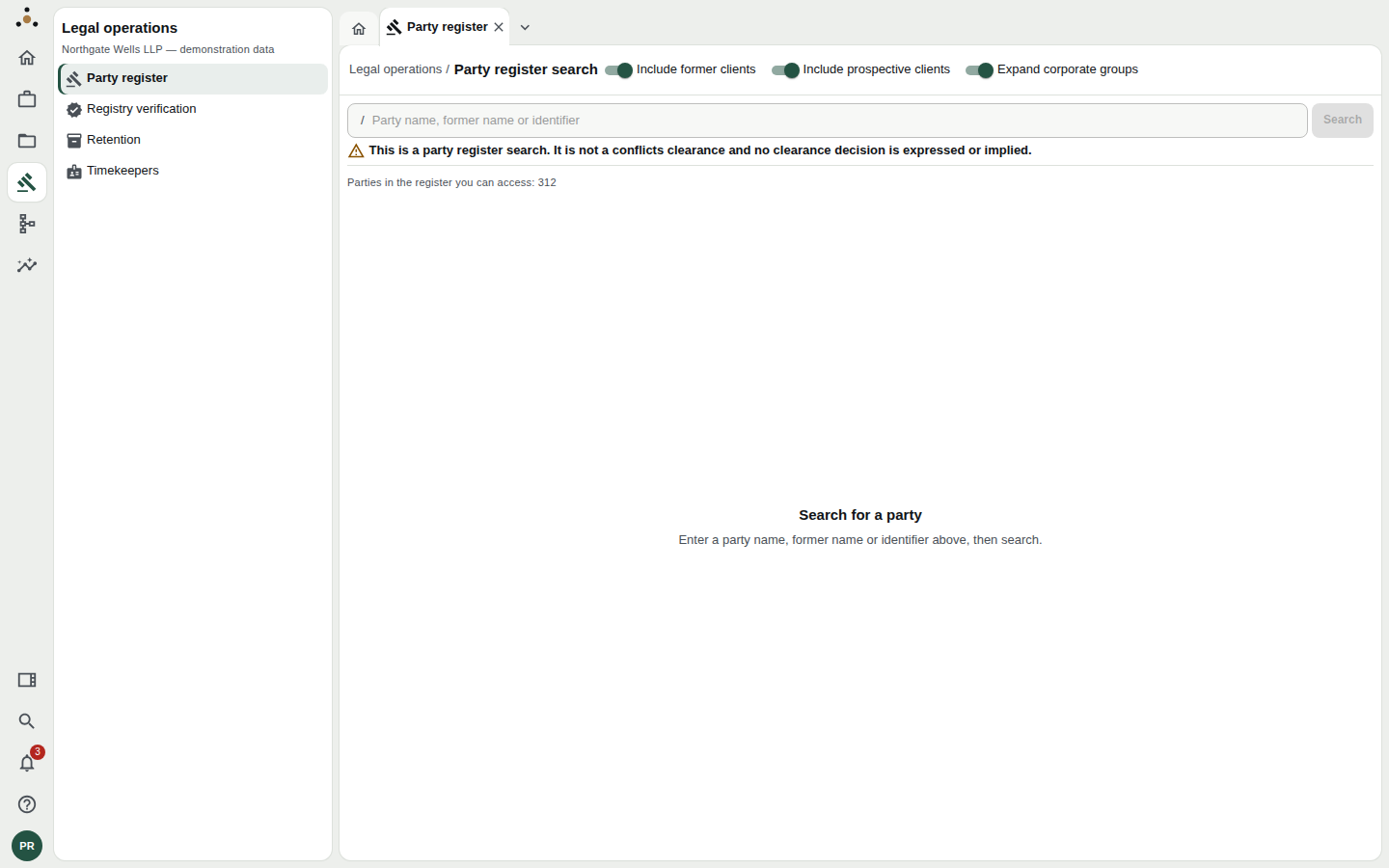
The search box, the three switches, and the standing warning. The line beneath shows how many parties are in the register you can access.
Searching
- Type a party name, former name or identifier — a company number, a client number — into the box.
- Choose which kinds of party to include with the three switches (below).
- Press Search or Enter.
Before your first search the screen invites you to Search for a party. After it, you see how many hits were found and the exact variants that were searched: Searched as: Acme Resources · ACME RESOURCES. If a search returns more than you want, narrow the wording; if less, try a shorter stem.
The three switches
| Switch | On (default) | Off |
|---|---|---|
| Include former clients | Clients the firm no longer acts for are included | Current clients only |
| Include prospective clients | Parties who never became clients are included | Excludes them |
| Expand corporate groups | Members of the same group as a hit are included too | Direct hits only |
A conflicts-style search is deliberately wide, so all three start on. Turn them off to narrow a result for a different purpose — for instance, finding only a client's own entry.
Reading the results
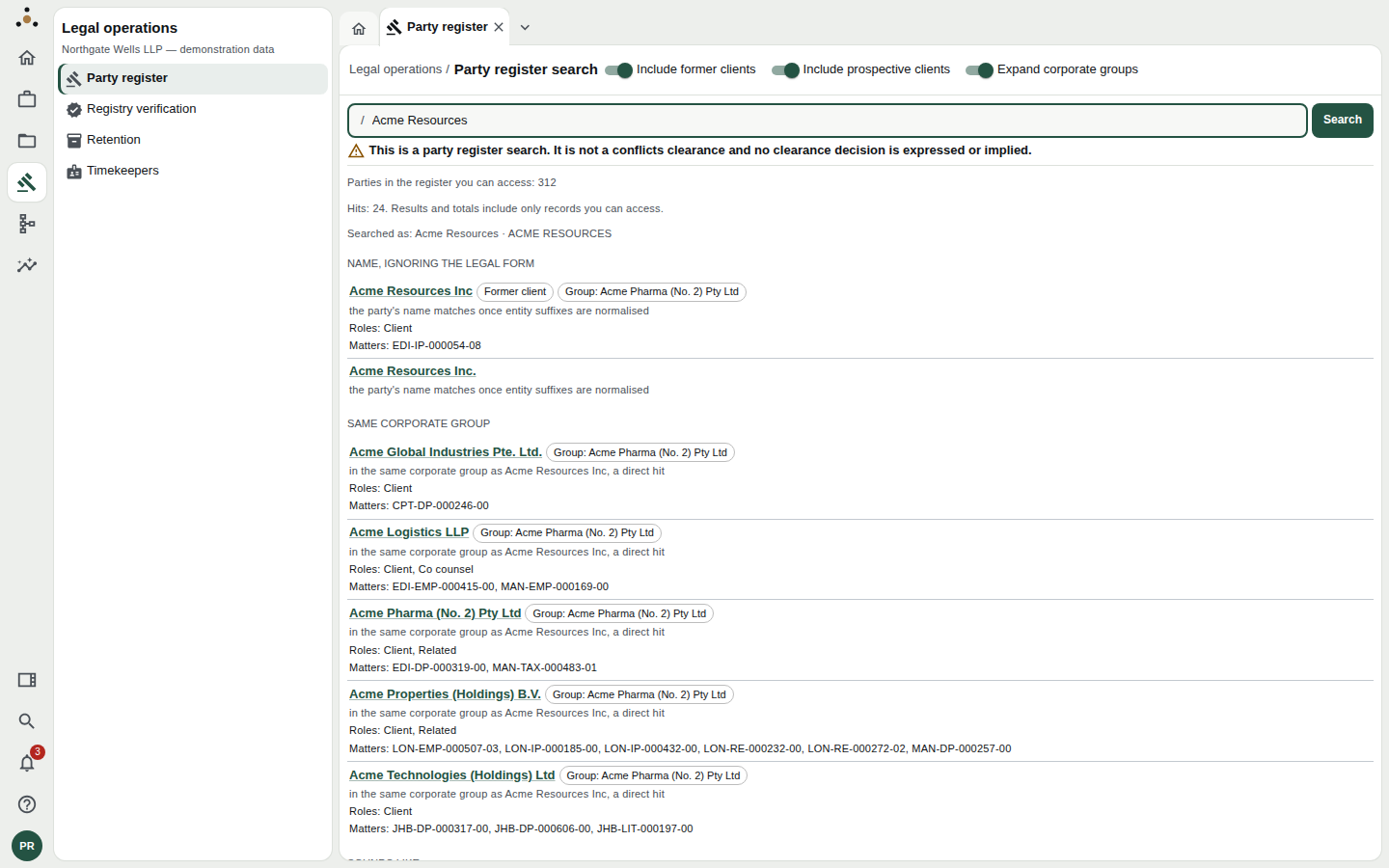
Results are grouped by why they matched.
Hits are grouped by the reason they matched, in order of how direct the match is. The group heading is the answer to "why is this here?":
| Group | The party… |
|---|---|
| Name | has exactly the name you typed |
| Name, ignoring the legal form | matches once suffixes such as Ltd, Inc., GmbH are set aside |
| Part of the name | contains what you typed |
| Former name | used to be called this |
| Trading name | trades under this name |
| Name the firm bills the client under | is billed under this name |
| Identifier | has this identifier |
| Related party | is recorded as related to a party that matched |
| Same corporate group | belongs to the same group as a party that matched |
| Sounds like | sounds like your query; spelling and transliteration variants are frequent |
Each hit shows:
- the party's name, as a link to its golden record;
- chips for Former client or Prospective client, and for its Group;
- a one-line reason, in words: "in the same corporate group as Acme Resources Inc, a direct hit";
- its Roles — Client, Co counsel, Related, and so on;
- the Matters it appears on, by matter number.
The Sounds like group is there because names in legal data are spelled inconsistently — Holdigns for Holdings, a name transliterated from another script. It is the group most likely to contain false positives, which is why it comes last.
Open the hit to read the party's golden record. A group member listed under Same corporate group is not necessarily a conflict; it is a party you would want to know about before deciding. That decision belongs to the person doing the conflicts check.
What the register can and cannot show you
It shows what you may access. Like every list in Datum, the register counts and lists only records you can access: Parties in the register you can access: 312 is the size of your register, not the firm's. A screened lawyer and an unscreened one will see different results for the same search, and neither is told what the other sees. A count of "parties withheld" would itself reveal that a screened client exists, which is the one thing the wall is there to prevent. Do not read a short result as a complete one.
It cannot be searched by an administrator. The platform administrator holds an administration role, which is not a licence to read the firm's data. Searching needs the read permission, so an administrator who opens the screen is told: Searching the party register needs the mdm:read endpoint class… Administering the platform is not a read of the firm's parties.
It shows structure, not opinion. Roles and matters come from matter intake and the golden record. If a party looks wrong — a duplicate, a wrong group, a missing former name — the fix is a stewardship action on the record or in the hierarchies, not a note on this screen.
Working with the register as a steward
The register is a quick way to answer questions that arrive by email:
- "Is X a client of ours?" — search the name with Include former clients on, and read the Roles and Matters on the hit.
- "What other entities are in this client's group?" — search with Expand corporate groups on; the Same corporate group heading lists them.
- "What was this client called before?" — search the old name; the hit appears under Former name.
- "Why do I have two Acme records?" — if two parties appear under Name with near-identical details, take them to the match queue rather than choosing one.
If the platform cannot answer, the screen says so rather than showing an empty result: The search was refused… so this is not a search that matched nothing. A refusal and an empty result are different, and you will always be told which you have.