Match review
Match review is the queue of pairs of records that might be the same real-world party, and that the matching model was not sure enough about to decide alone. It is the largest and most important queue in Datum, and it is built to be cleared from the keyboard.
What the queue contains
When Datum loads records from your source systems, it compares them and scores each candidate pair as a probability. It then does one of three things.
- Above the merge threshold, it merges the pair automatically.
- Below the review threshold, it treats the pair as different and leaves it alone.
- In between, it puts the pair in front of a person. That is this queue.
The thresholds are deliberately conservative, so the queue is large at first and gets smaller as the model is tuned against what stewards decide. The thresholds are set on the Match thresholds screen in the Model area; see the data architects' guide.
A confidence of 92.5% means the model, using the evidence it has, estimates a 92.5% chance that these are the same party. It is measured against a labelled set whenever the model changes. It is not "92.5% of the letters match".
Open the queue
Choose Work in the rail, then Match review in the navigator. The header shows the number of pairs waiting and, beside it, the reminder that totals include only records you can access.
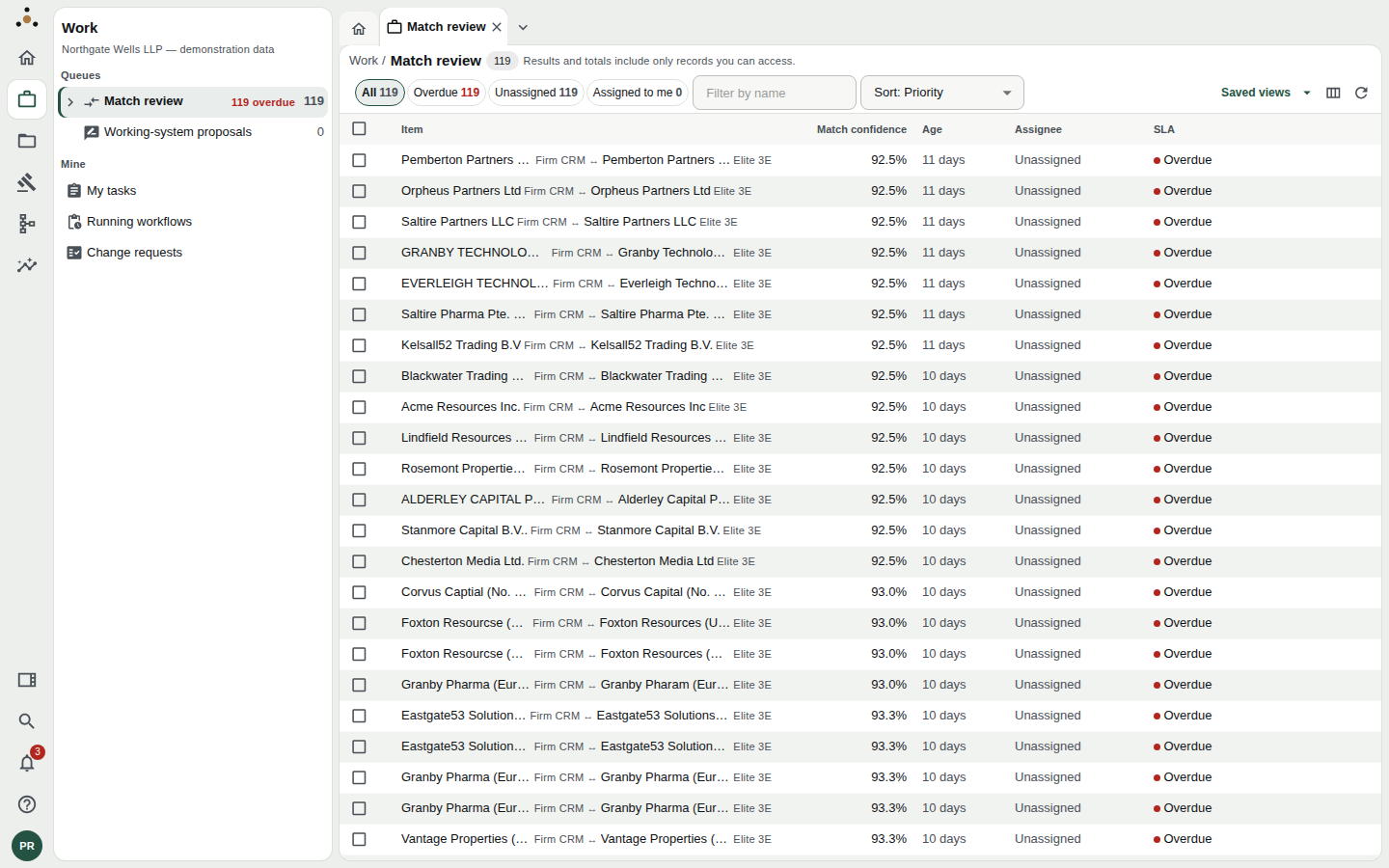
The queue. Each row is one pair: the two records and the systems they came from, the model's confidence, how long it has waited, who holds it, and its SLA state.
Each row shows the two records (for example Firm CRM against Elite 3E), then:
| Column | Meaning |
|---|---|
| Match confidence | The model's probability that the pair is one party. |
| Age | How long the pair has been waiting. |
| Assignee | Who has claimed it, or Unassigned. |
| SLA | Within target or Overdue (with a red dot). |
Filter, sort and find
The chips above the table filter the queue: All, Overdue, Unassigned and Assigned to me, each with its count. Filter by name narrows by text. Sort offers Priority (the default), Oldest first, Newest first and Most likely first.
Columns and saved views
The columns button at the right of the toolbar lets you show, hide, pin and reorder columns, and Reset to default undoes your changes. Saved views keeps a layout under a name.
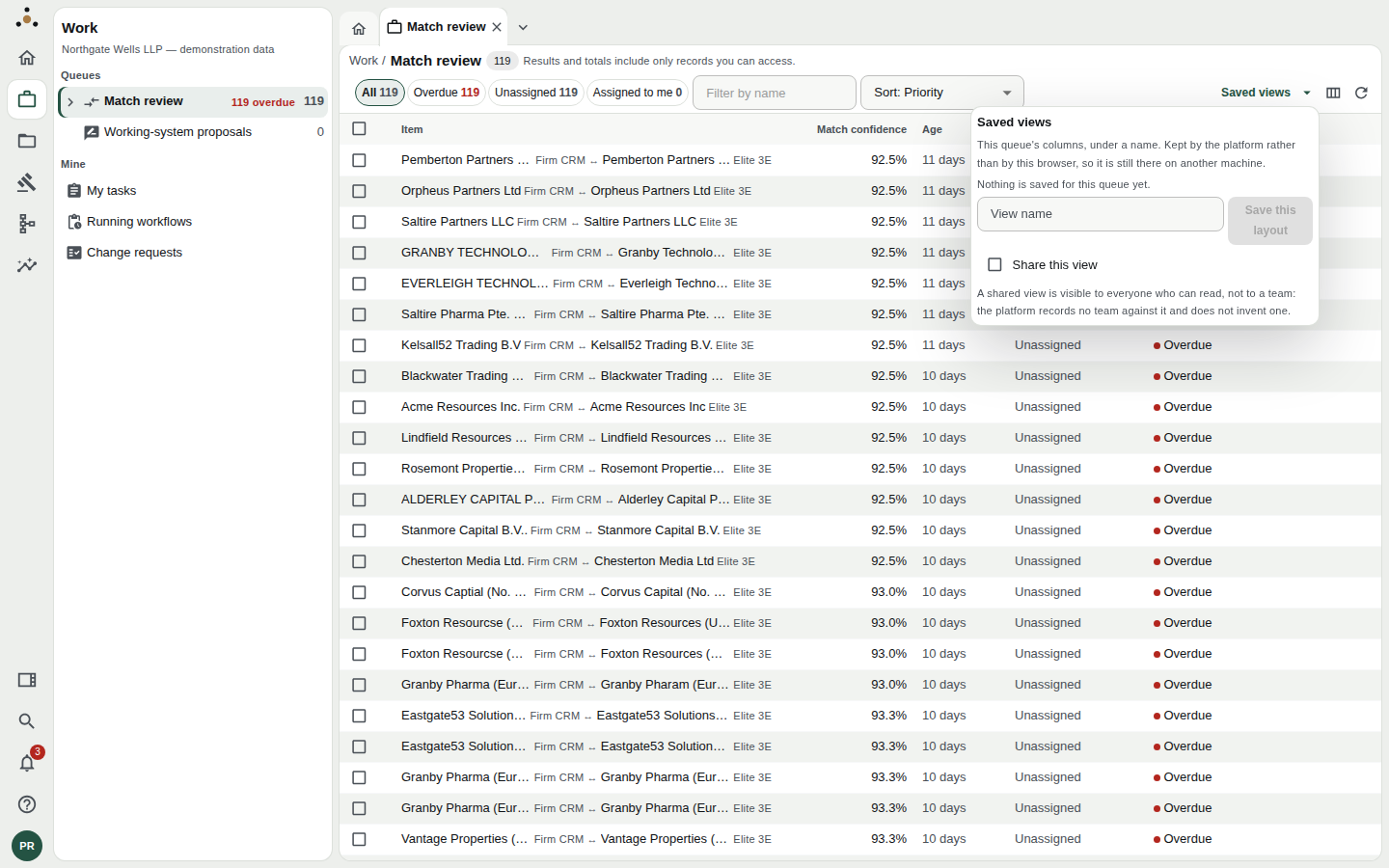
Saved views are kept by the platform, not by your browser, so they follow you to another machine.
Tick Share this view to make it visible to everyone who can read the queue. Datum records no team against a view and does not invent one, so shared means everyone.
Review a pair
Click a row to open the pair. It opens in its own tab, titled with the pair, and the address names that pair so you can bookmark or share the link.
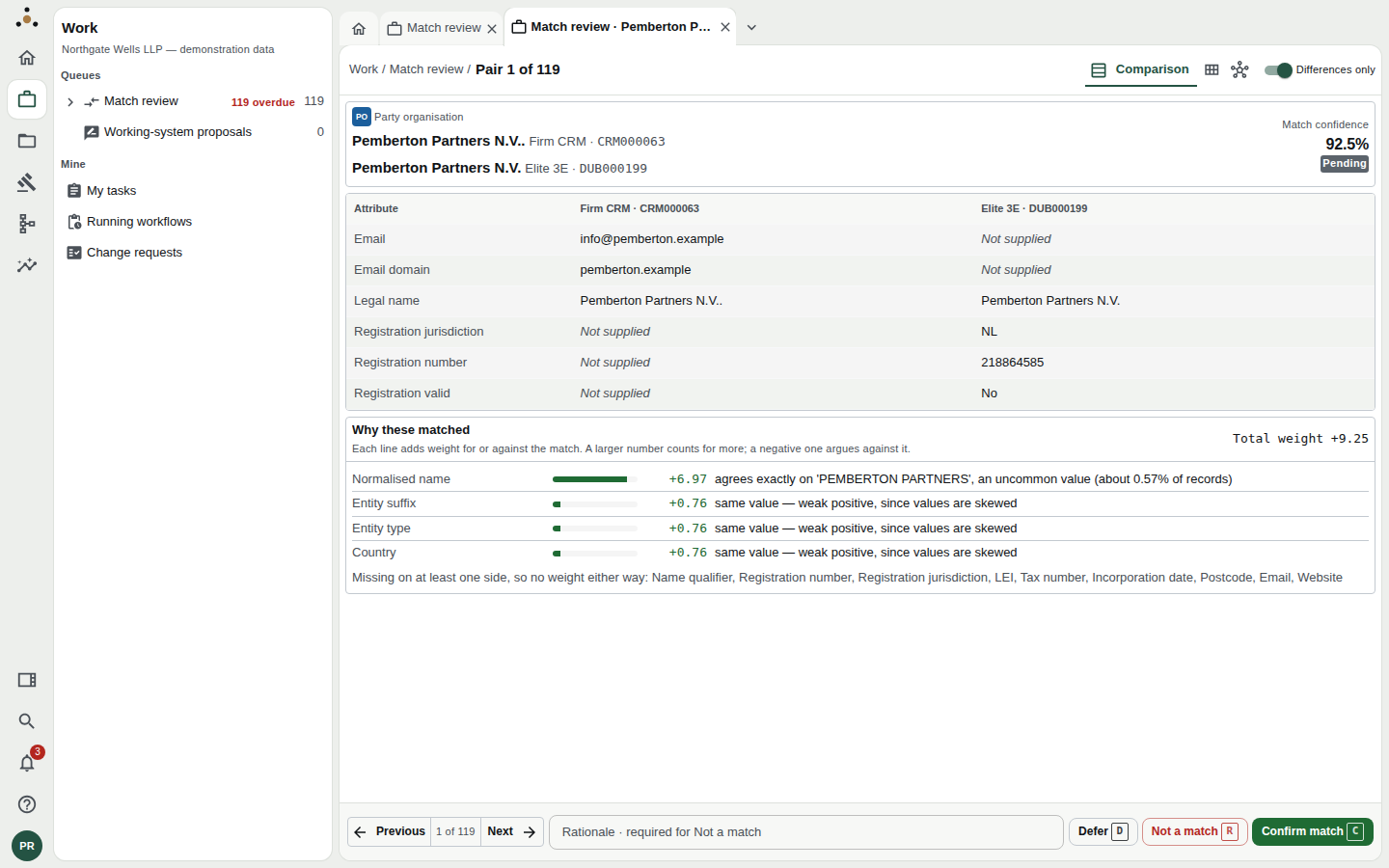
The pair screen. The comparison is on top, the evidence below, the decision bar along the bottom.
The comparison
The table lays the two records side by side, one row per attribute, each column headed by the source system and its key. Not supplied means that source holds no value for the attribute, which is different from holding a different one.
Differences only (top right) hides the attributes on which the two agree, so you read only what separates them. Switch it off to see everything.
Three lenses change how the pair is drawn without changing what it is:
- Comparison: the table above.
- Cards: each record as a card.
- Graph: the two records as nodes, joined by an edge labelled with the confidence and coloured by the rule that produced it. You can drag to pan and zoom.
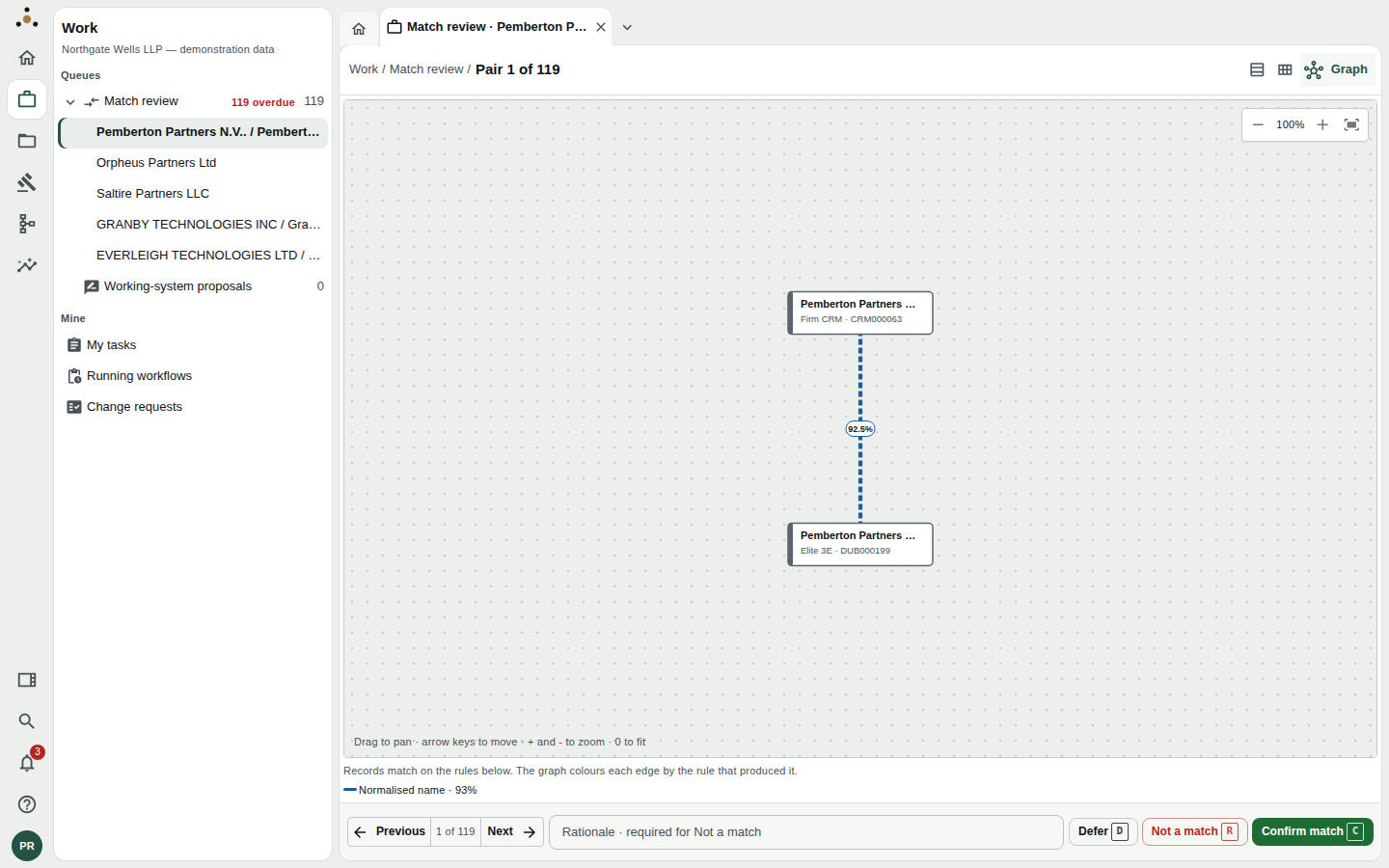
The graph lens draws the pair as two nodes and one edge. It earns its place when a record is linked to several candidates at once.
Why these matched
Beneath the comparison, Why these matched lists every piece of evidence the model weighed. Each line has a weight: a positive number argues for the match, a negative one against, and the bar shows the size. The total weight is at the right.
Read it in this order:
- The largest bar is usually the reason the pair is here. Normalised name agrees exactly on an uncommon value is strong; same value, weak positive, since values are skewed is weak.
- Lines marked Discriminator carry the most risk. Disagreement on a discriminator is strong evidence against a match.
- The final line, Missing on at least one side, names attributes that gave no weight either way. A pair that matches on name alone, with nothing else supplied, is a pair to be careful with.
A confidence of 92% built from one strong name match and four missing attributes is a different proposition from 92% built from name, registration number and country together. The evidence panel is how you tell them apart.
Decide
The decision bar sits at the bottom of the pair. It has three decisions, a Rationale box, and Previous / Next to move between pairs without deciding.
| Decision | Key | What it does |
|---|---|---|
| Confirm match | C | Merges the two records into one golden record. Opens a preview first. |
| Not a match | R | Records that the two are different parties. Requires a rationale. |
| Defer | D | Takes the pair out of the queue until a date you choose. |
← / ↑ and → / ↓ move to the previous and next pair. The keys work only on the review screen, so typing the letter c elsewhere is just a letter.
Confirm match
Confirming does not merge at once. It opens What this merge would do.
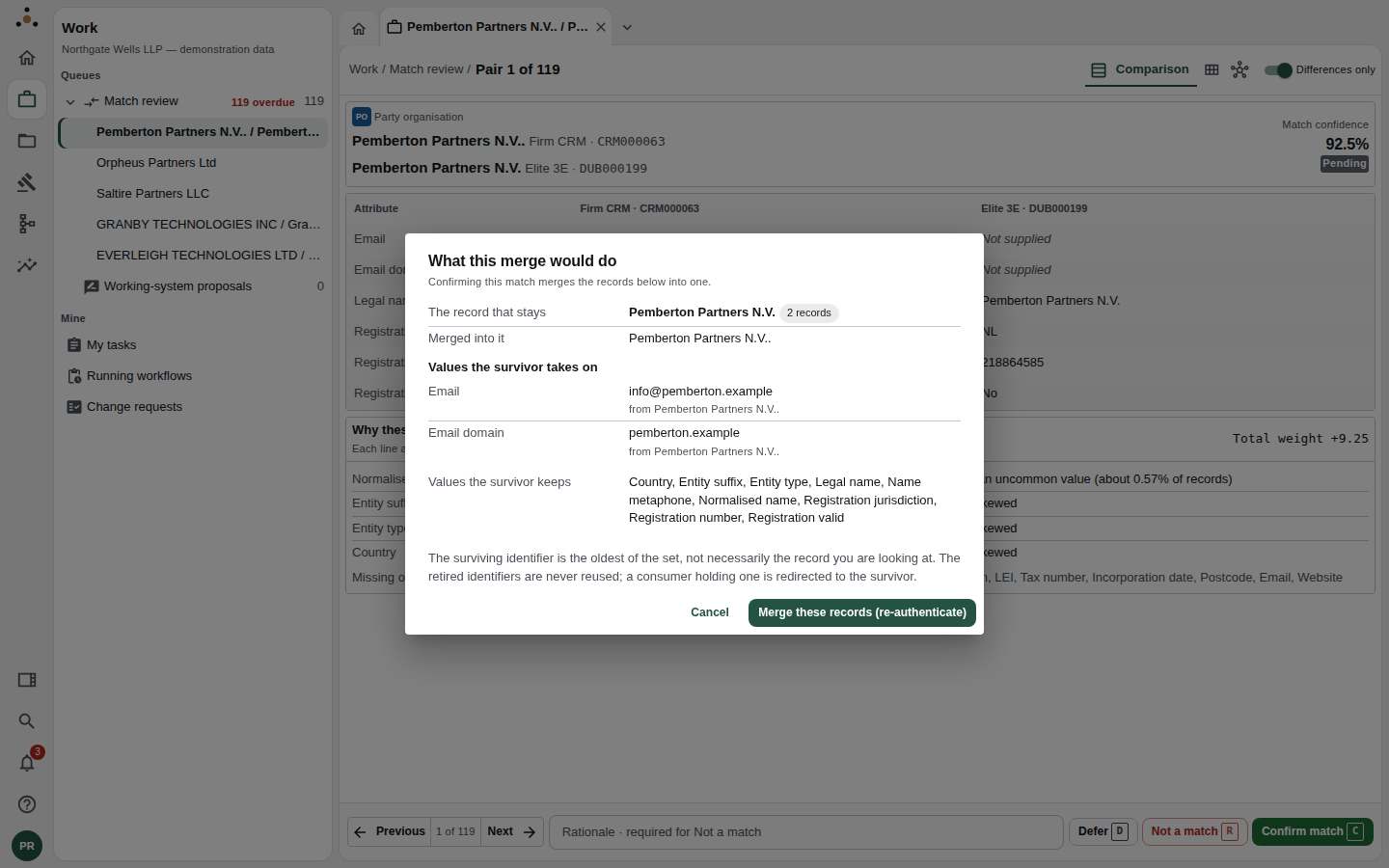
The merge preview. Read it before you press the button.
The preview names:
- The record that stays: the surviving golden record, and how many records it now covers.
- Merged into it: the record being retired.
- Values the survivor takes on, each with the source it came from, and Values the survivor keeps.
The footnote matters: the surviving identifier is the oldest of the set, not necessarily the record you were looking at, and a retired identifier is never reused. Anything that held it is redirected to the survivor.
Merge these records (re-authenticate) commits the merge. A merge changes the firm's master data, so Datum asks you to have signed in recently; if your sign-in is too old you are sent to the identity provider and returned to the same pair. Your draft rationale is kept for the round trip.
Not a match
Press R or Not a match. If the rationale is empty, the box turns red and the decision is not sent.
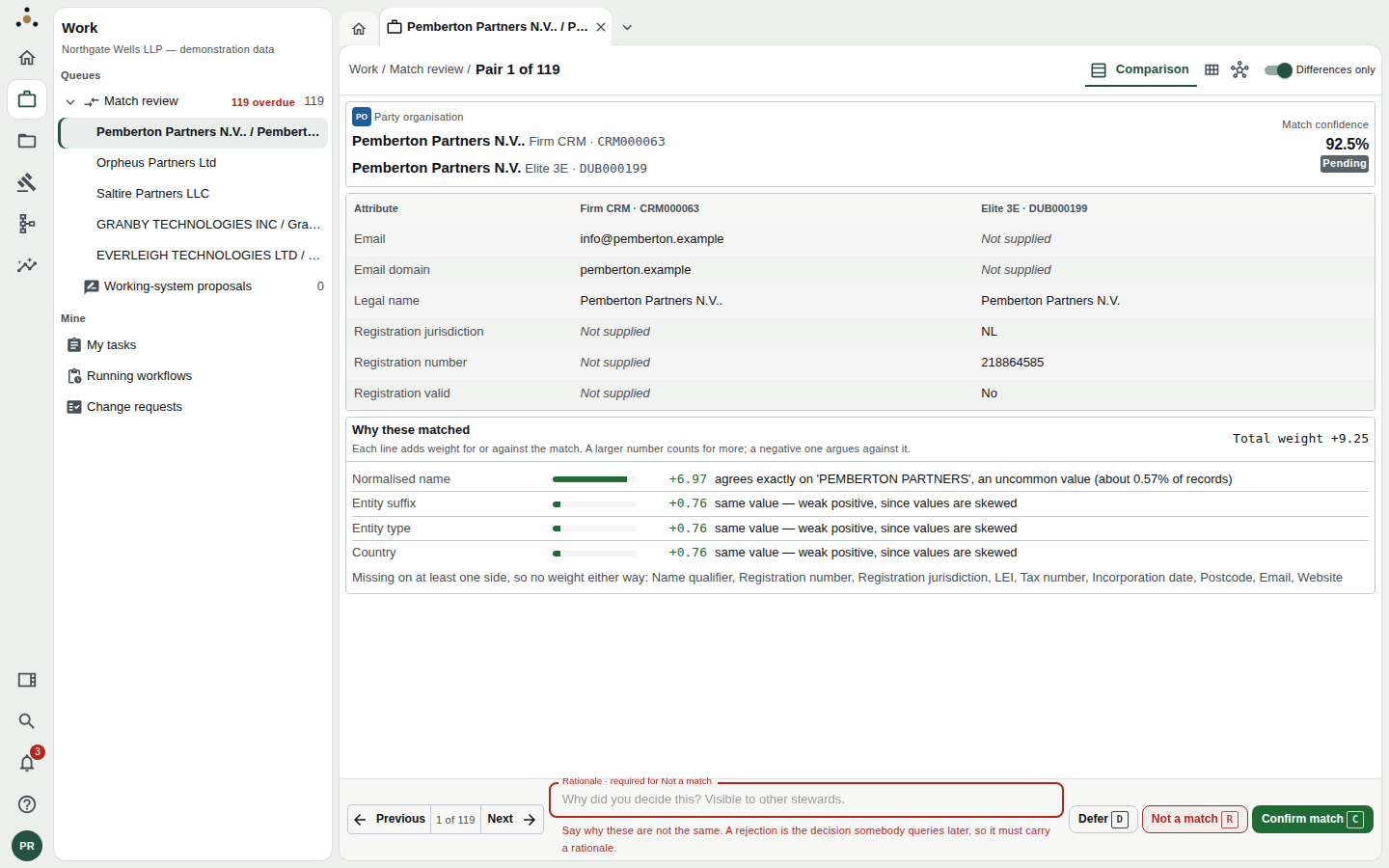
A rejection with no reason is refused on the spot.
Rejecting a pair settles it: the two records are recorded as different, and the pair does not come back. The rationale is visible to other stewards and is the only thing that will explain the decision a year from now. Write the reason, for example "Different registration numbers; the Dublin entity is a subsidiary", not "different".
Defer
Press D and choose a date.
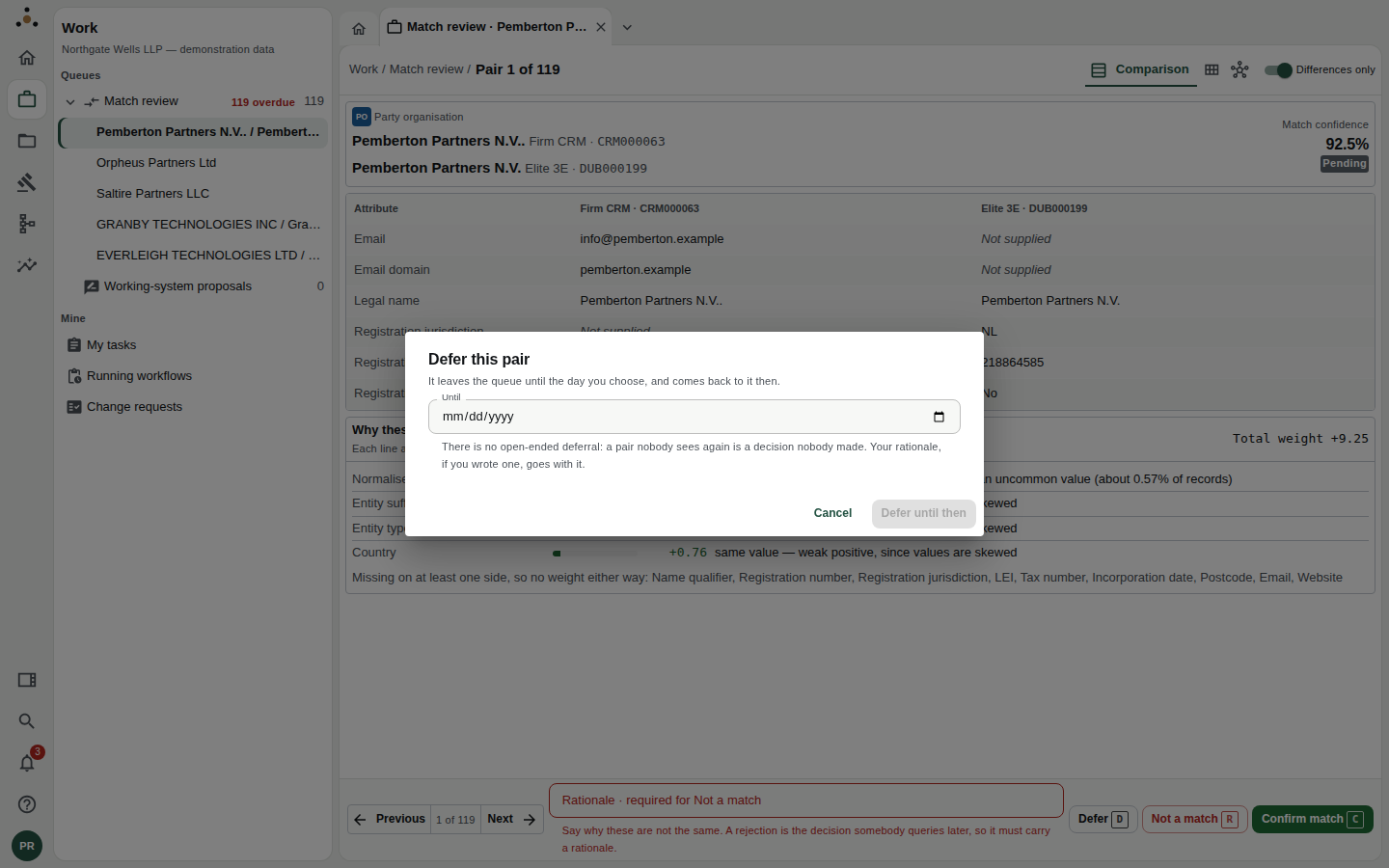
Deferral always has a date.
There is no open-ended deferral: a pair nobody sees again is a decision nobody made. On the day you choose, the pair returns to the queue. Use it when you are waiting for information, for example a registry check or an answer from the matter partner.
There is no escalate button, and no undo
Two things stewards expect and will not find:
- Escalation. The match review has three decisions, not four. To hand a pair to someone with more context, open the related task and use Reassign, or add a comment that names them with
@name(see Tasks). - Undo. A decision, once Datum has accepted it, is not recalled by a keystroke. A merge can still be reversed afterwards, from the record's Merges tab, with Reverse this merge (which requires a reason, a recent sign-in, and a role that may unmerge). See Editing a record.
Working in bulk
When a run of pairs is clearly the same, such as the same client keyed twice with a trailing full stop, you can confirm them together.
- Tick the checkboxes at the left of the rows. The header checkbox ticks every row loaded; if more rows match than are loaded, the toolbar says so and offers to select them across pages.
- A bar appears at the bottom: Selection, with Preview. Press Preview.
- The preview states how many pairs are affected and how many could not be included, and asks for a Reason.
- Press Confirm match for N selected.
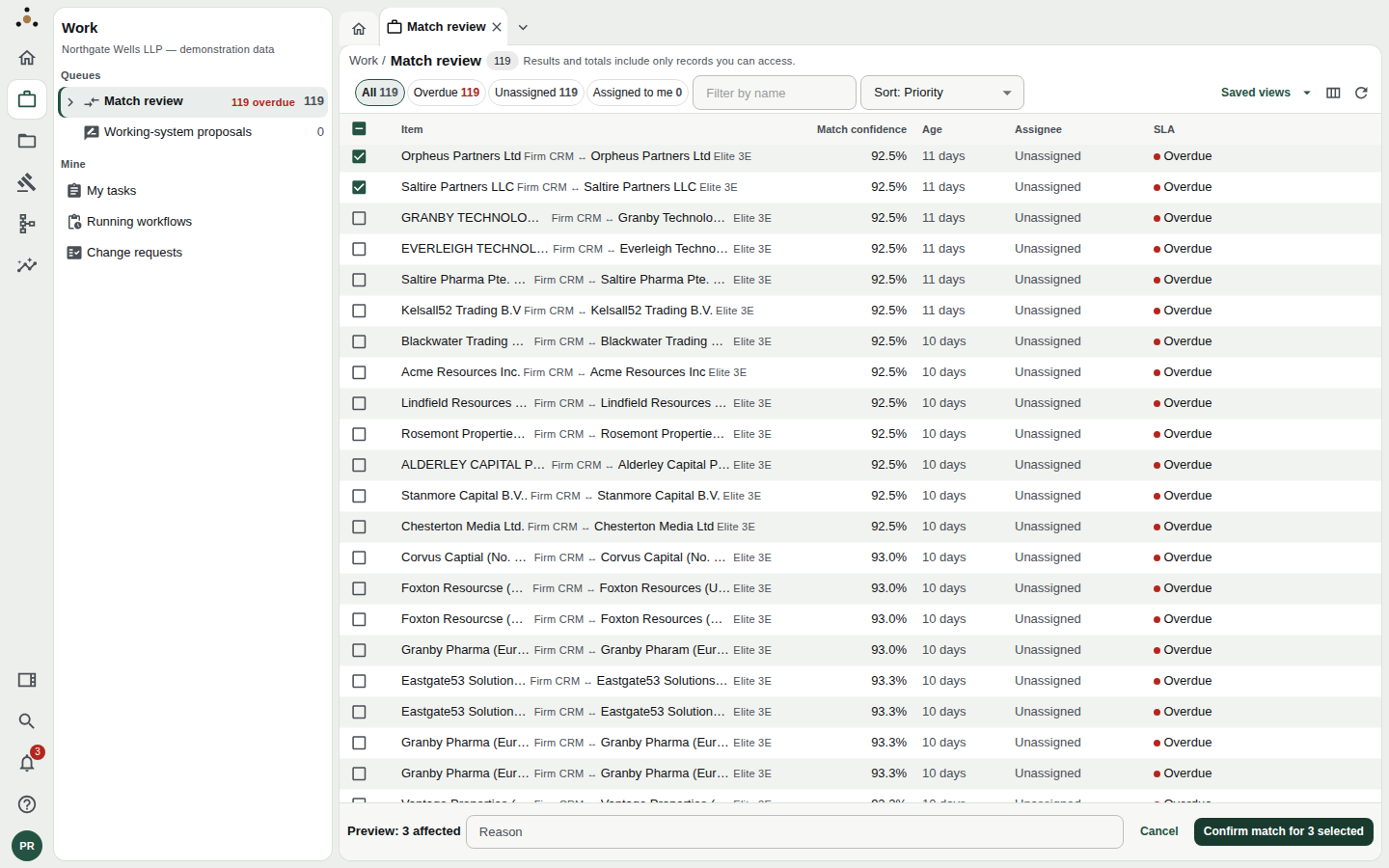
The bulk preview is mandatory: you cannot confirm a selection you have not previewed.
Each selected pair still passes through its own merge preview in turn, with Skip this pair and Cancel. Skipped pairs stay in the queue. If you cancel part-way, the pairs already merged stay merged and the rest stay in the queue; Datum tells you the counts.
Rejecting and deferring are never done in bulk. Both need a reason that is specific to the pair.
Working-system proposals
Beneath Match review in the navigator is a second queue, Working-system proposals: corrections proposed from a paired working system or an agent rather than by a person at a keyboard. They are reviewed on their own screen. See Other queues.
Keyboard summary
| Key | Action |
|---|---|
| ← ↑ | Previous pair |
| → ↓ | Next pair |
| C | Confirm match (opens the preview) |
| R | Not a match (rationale required) |
| D | Defer (asks for a date) |
| ? | Show the shortcuts for this screen |
| Ctrl+K | Command palette |
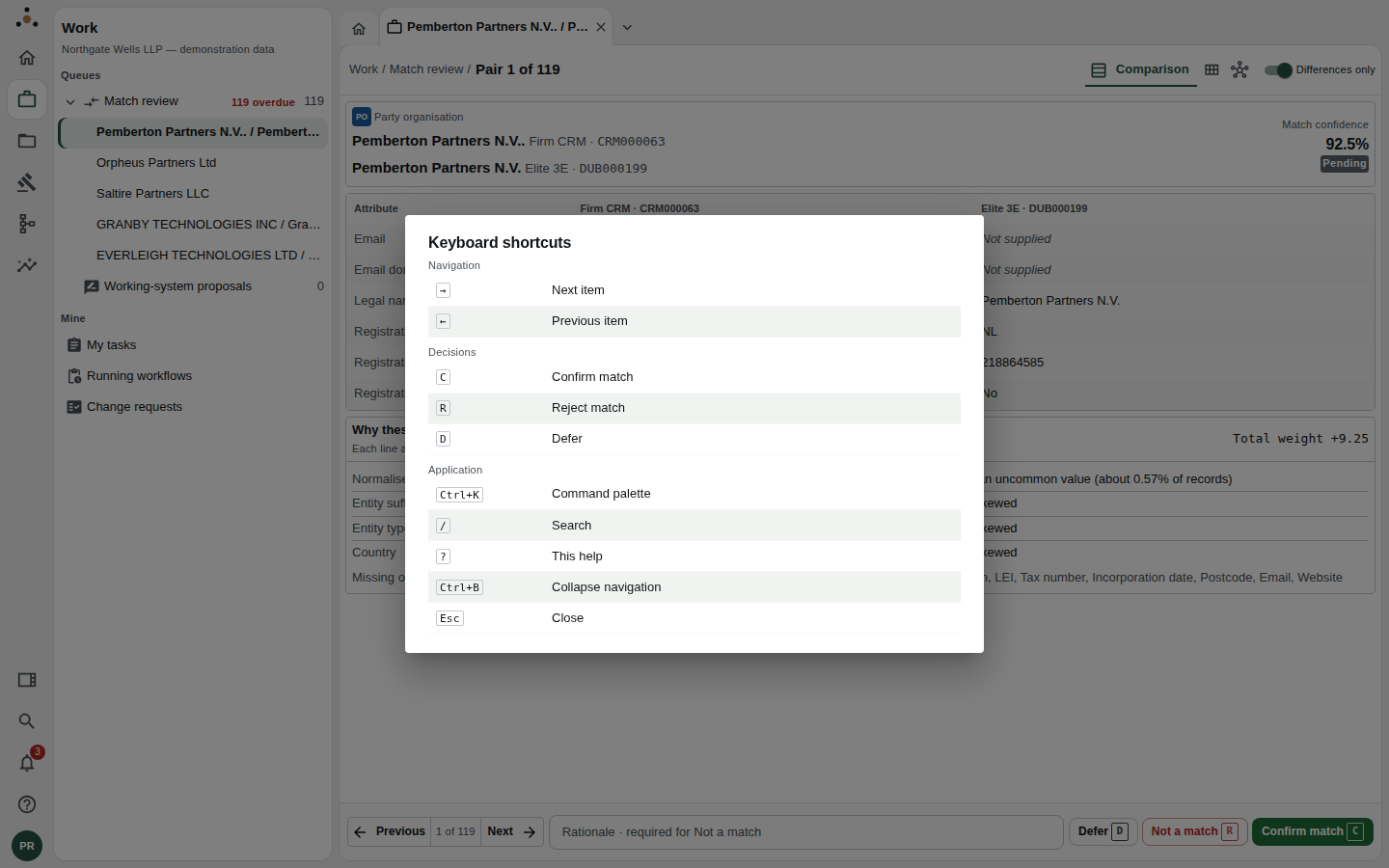
Press ? for the overlay.