Retention and legal holds
A law firm cannot keep every file for ever and must not destroy the wrong one. Retention is where Datum answers two questions: which matters have reached the end of their retention period, and what stops them being disposed of.
Open it from Legal operations → Retention. The header carries four icon views — Due for disposition, Legal holds, Schedule and Outside counsel guidelines — and an Assess one matter panel sits at the foot of the first.
Datum says it at the top of every view: A legal hold overrides the schedule, always. No retention period, no policy and no "due" date outranks a hold. A matter under hold is retained regardless of what the schedule says, until the hold is released.
Nothing on these screens deletes a file. Datum works out when a matter falls due and what blocks it, and the firm's records process acts on that. The "Then" column tells you what the schedule says should happen next, not that it has.
Due for disposition
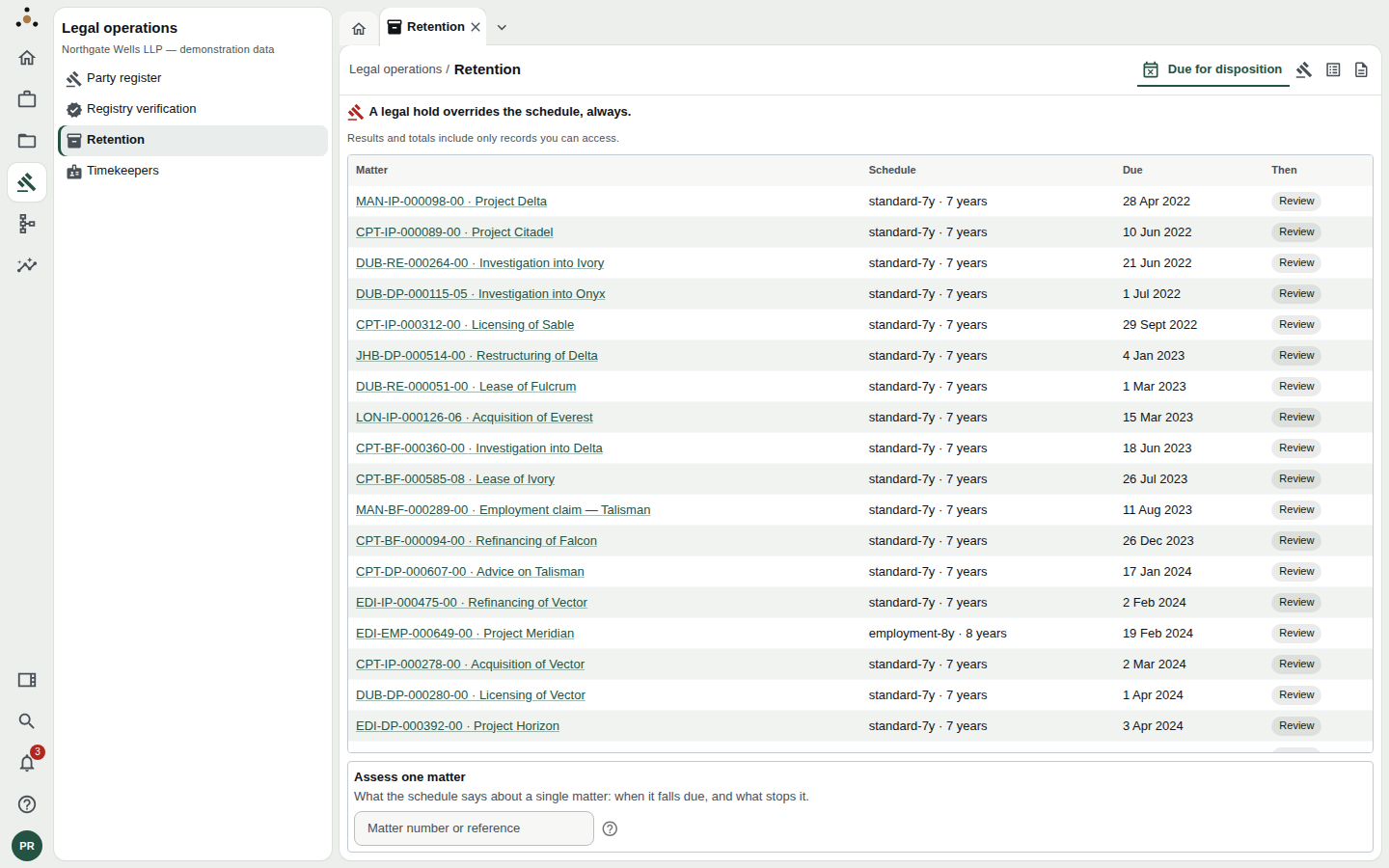
Matters whose retention period has run out, oldest first.
Each row shows the matter, the schedule that applies (standard-7y · 7 years), the date it fell due, and Then — what the schedule says should happen: Review, Retain, Destroy or Return to the client. Select a matter number to open the matter.
A matter appears here only if it is due and nothing stops it. That is why a matter under hold, or one covered by a client's own outside counsel guideline that blocks disposal, is not in the list.
If nothing is due, Datum says No matter was assessed as due for disposition — and adds that this is not the same as nothing being due. A matter the retention service holds no facts about is never assessed, and a matter behind an ethical wall that keeps it from your session is not counted either. Do not read an empty list as a certificate.
Assess one matter
At the foot of the screen, type a matter number (such as MAN-TAX-000635-00) or its master identifier and press Enter to see what the schedule says about that one matter.
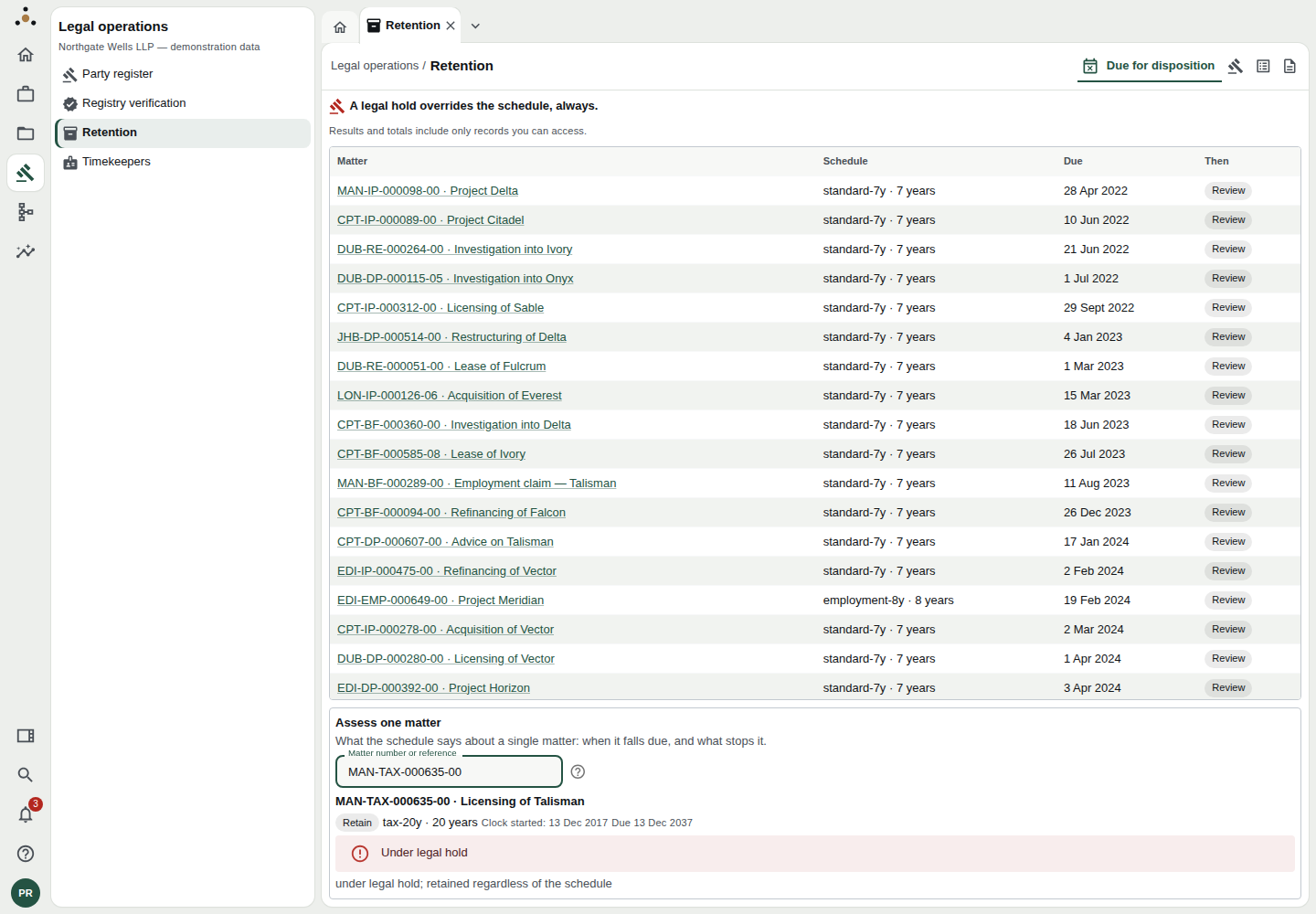
The assessment: the policy applied, when the clock started, when it falls due — and, prominently, the hold.
You get the policy that applied (tax-20y · 20 years), when the clock started, the date it falls due, and any block: Under legal hold or Blocked by the client's own terms.
If nothing comes back, the page says there was no assessment for that reference. That has two possible causes — the service has no facts about it, or it is behind a wall that keeps it from your session — and the API answers identically for both, deliberately. Neither answer tells you that nothing is due.
Legal holds
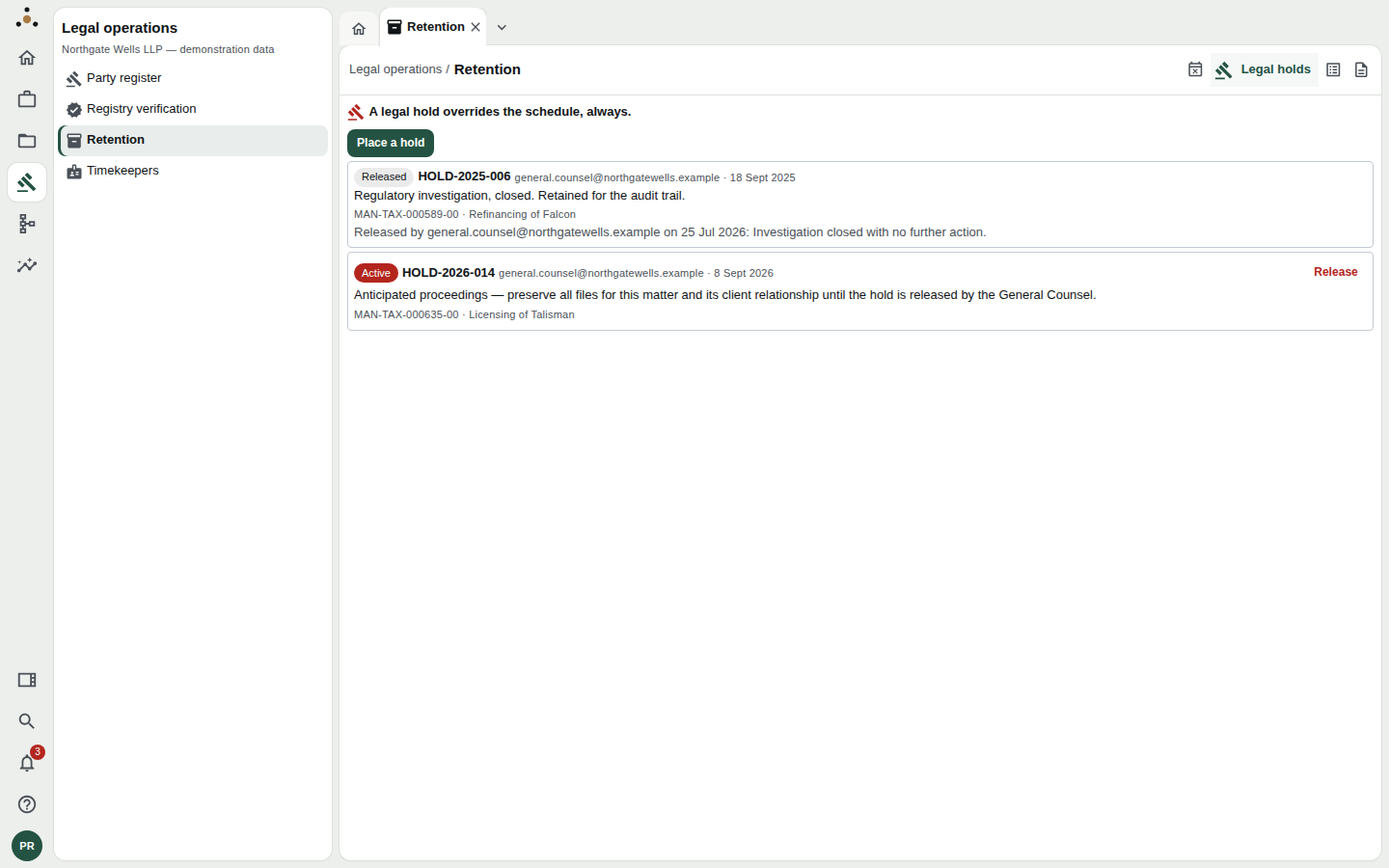
Active and released holds, each with who placed it, when, why, and what it covers.
A hold lists its reference (HOLD-2026-014), who placed it and when, its reason, and the matters, clients or parties it covers. Active holds are flagged in red; Released ones are kept, with who released them, when, and why, as part of the audit trail.
Placing a hold
Stewards can place one. Press Place a hold.
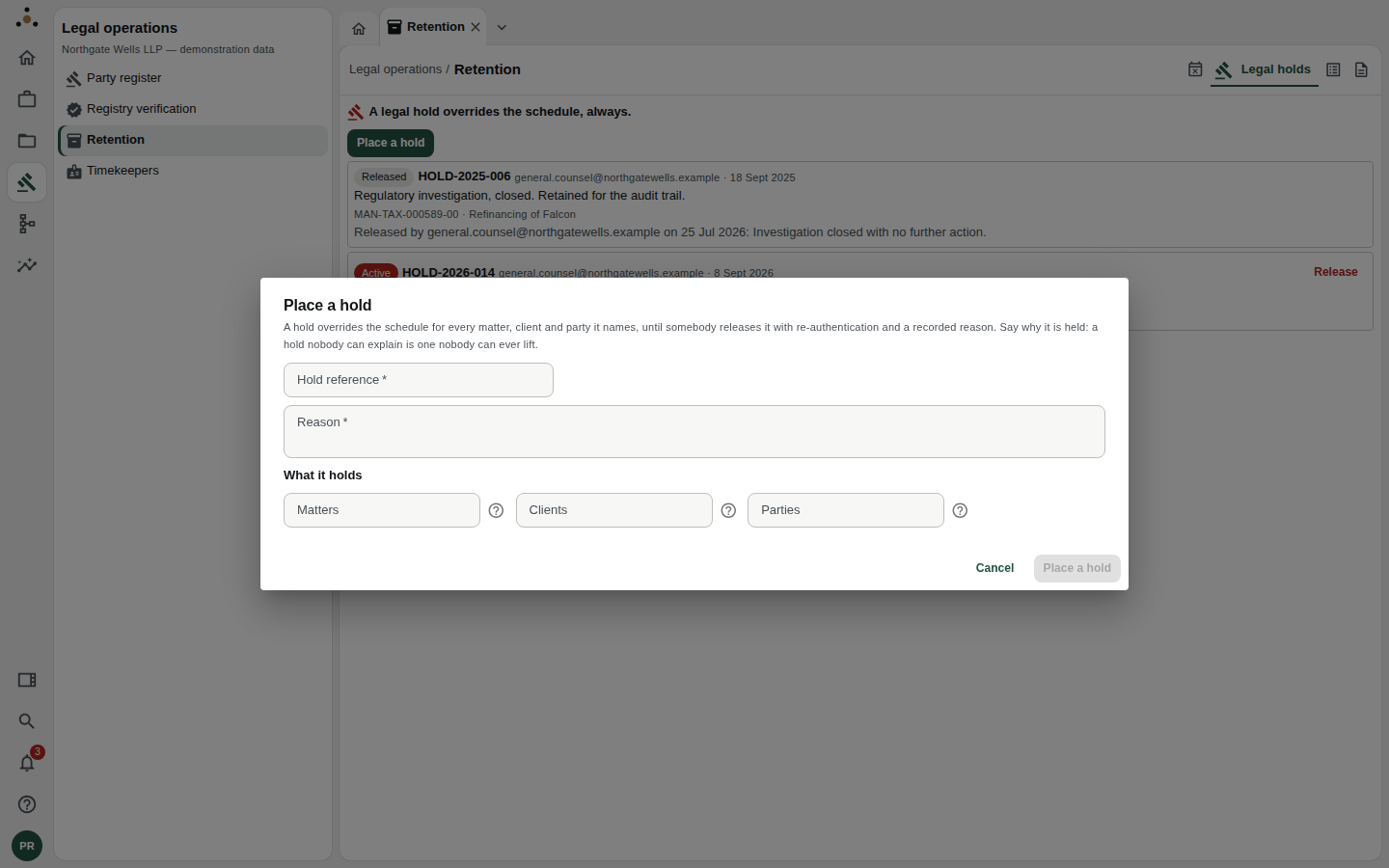
A hold names what it holds — at least one matter, client or party.
- Hold reference — your firm's reference, e.g.
HOLD-2026-021. - Reason — why the hold exists. Datum is blunt about this: a hold nobody can explain is one nobody can ever lift. Name the proceedings or investigation and who instructed the hold.
- What it holds — Matters, Clients and/or Parties, as comma-separated references. You must name at least one. The matter field accepts matter numbers or master identifiers.
- Press Place a hold.
A hold overrides the schedule for every matter, client and party it names. Name the narrowest thing that needs preserving: a hold on a whole client is a much larger commitment than a hold on one matter.
Releasing a hold
Press Release beside an active hold. Datum asks for re-authentication and a recorded reason, and warns you why: releasing makes these records destructible again. Do not release a hold on a verbal instruction alone; take the reason from the person who authorised it — in the demonstration, the General Counsel.
Schedule
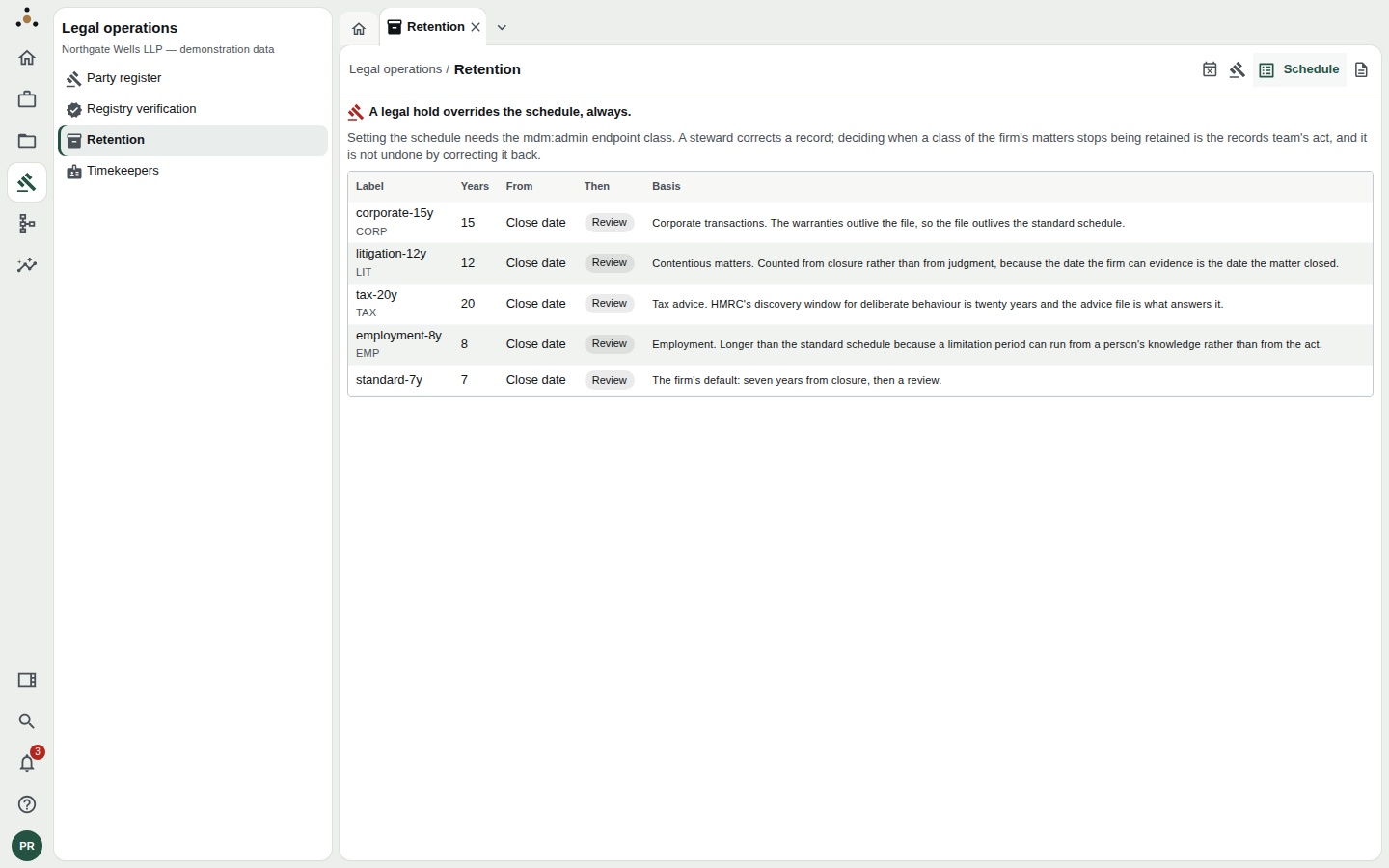
The firm's retention policies, each with a period, a starting point and a basis.
The schedule is the list of policies. Each has:
- a label —
tax-20y, with the matter type it covers (TAX); - Years — how long to keep;
- From — what the clock starts from: Close date, Open date or Last activity;
- Then — what happens at the end: Retain, Review, Destroy or Return to the client;
- Basis — why the period is what it is, in words. Tax advice. HMRC's discovery window for deliberate behaviour is twenty years and the advice file is what answers it.
When more than one policy could apply to a matter, the most specific wins: a policy naming the client beats one for a matter type, which beats one for a jurisdiction. A matter that matches no policy is retained by default — disposing of a matter without a policy is not a decision anybody made.
Adding or superseding a policy needs the administration permission. The page explains: A steward corrects a record; deciding when a class of the firm's matters stops being retained is the records team's act, and it is not undone by correcting it back. Two safeguards apply when a policy is set: a destroy policy shorter than six years is refused as almost certainly a typo, and a policy is superseded, never edited, so that an audit can still tell which policy applied when.
Outside counsel guidelines
Some clients impose their own retention terms in outside counsel guidelines. Datum records them per client, because one that forbids disposal keeps that client's matters out of the disposition list above.
- Choose the Client (type a name or number).
- Datum lists the client's guidelines and says for each whether it is in force today, not in force yet (with its start date), or no longer in force (with its last day).
- To add one, press Record a guideline: a reference, a title, a category, the date it is in force from and last day in force, a source document, and — the part that matters — whether it blocks disposal.
A guideline that blocks disposal holds back every matter of that client while it is in force. Other forbidden actions can be listed, but are only recorded and shown; the schedule acts on disposal alone.
What other roles see
Fee earners and other read-only roles can open the retention screens and read what applies to matters they can access. Place a hold, Release and Record a guideline need the stewardship permission; policy changes need the administration permission. Each screen says which it needs rather than hiding the control.
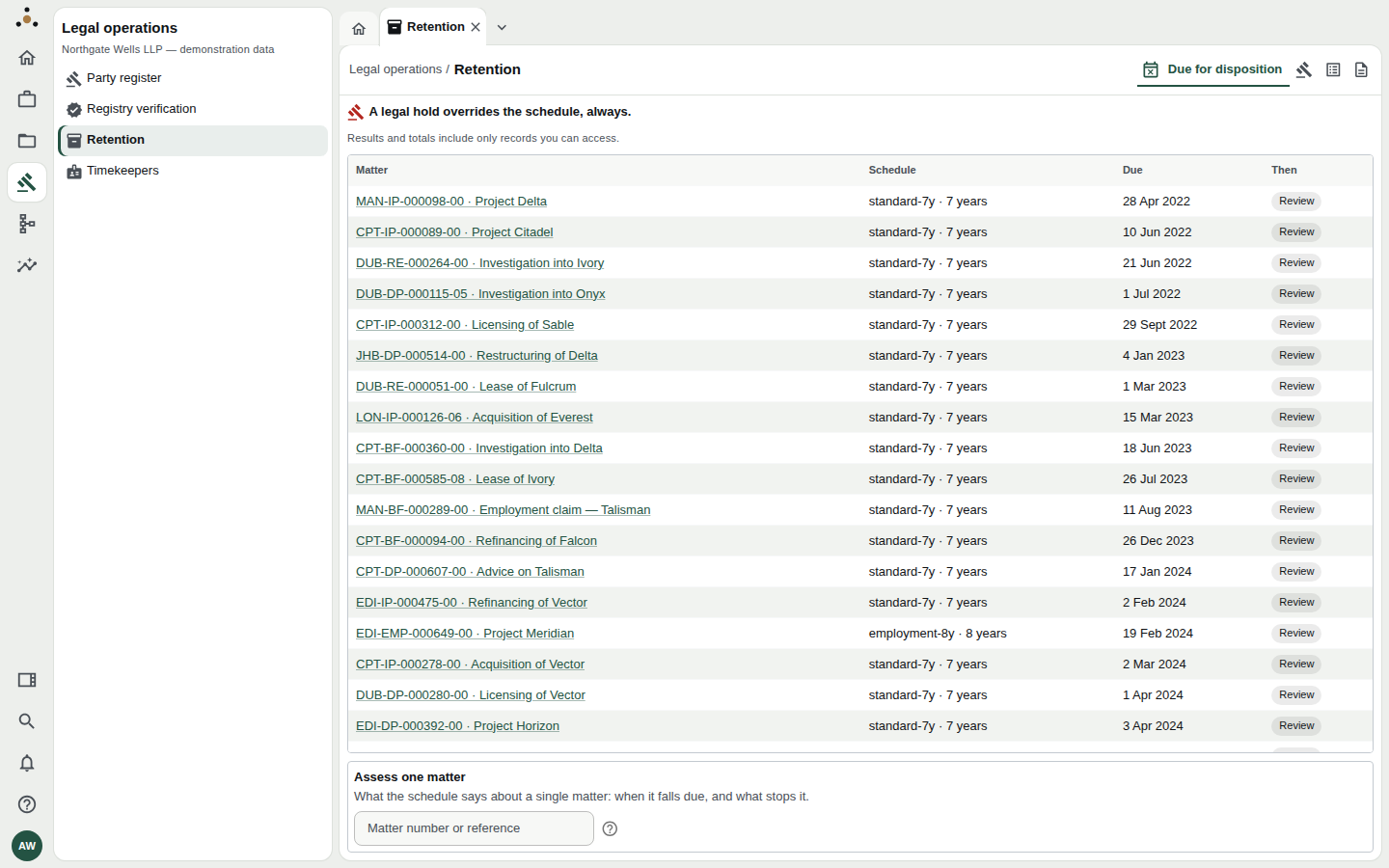
A partner's view: the same list, restricted to matters the partner can access.