Other queues and proposals
Match review is not the only thing the platform can queue for a person. This page covers what else appears under Work, what does not, and, because it is the one queue besides Match review that you can open and decide in, how to review a working-system proposal.
Which queues you can work
Datum's platform tracks six kinds of review item plus proposals. Only two are launched from the Work navigator in this release.
| Queue | Worked from the Work navigator? | Where the work is done |
|---|---|---|
| Match review | Yes | Match review |
| Working-system proposals | Yes | Below |
| Data quality exceptions | No | A record's Quality tab: see Quality scorecard |
| Hierarchy assertions | No | Hierarchy scenarios are worked from their own screen, Hierarchies, under Records |
| Schema drift quarantine (loads held back by a source change) | No | Source loads are worked from their own screens |
| Suspended clusters (groups the merge guard held back) | No | Not worked from here in this release |
| Survivorship escalations (attributes no rule could resolve) | No | Not worked from here in this release. A single value can still be chosen on the record with Override this value (see Editing a record) |
If you open one of the unlaunched queues by address, for example from a saved link, you are shown a short note and a link back to Match review rather than an empty list. That note is not an error:
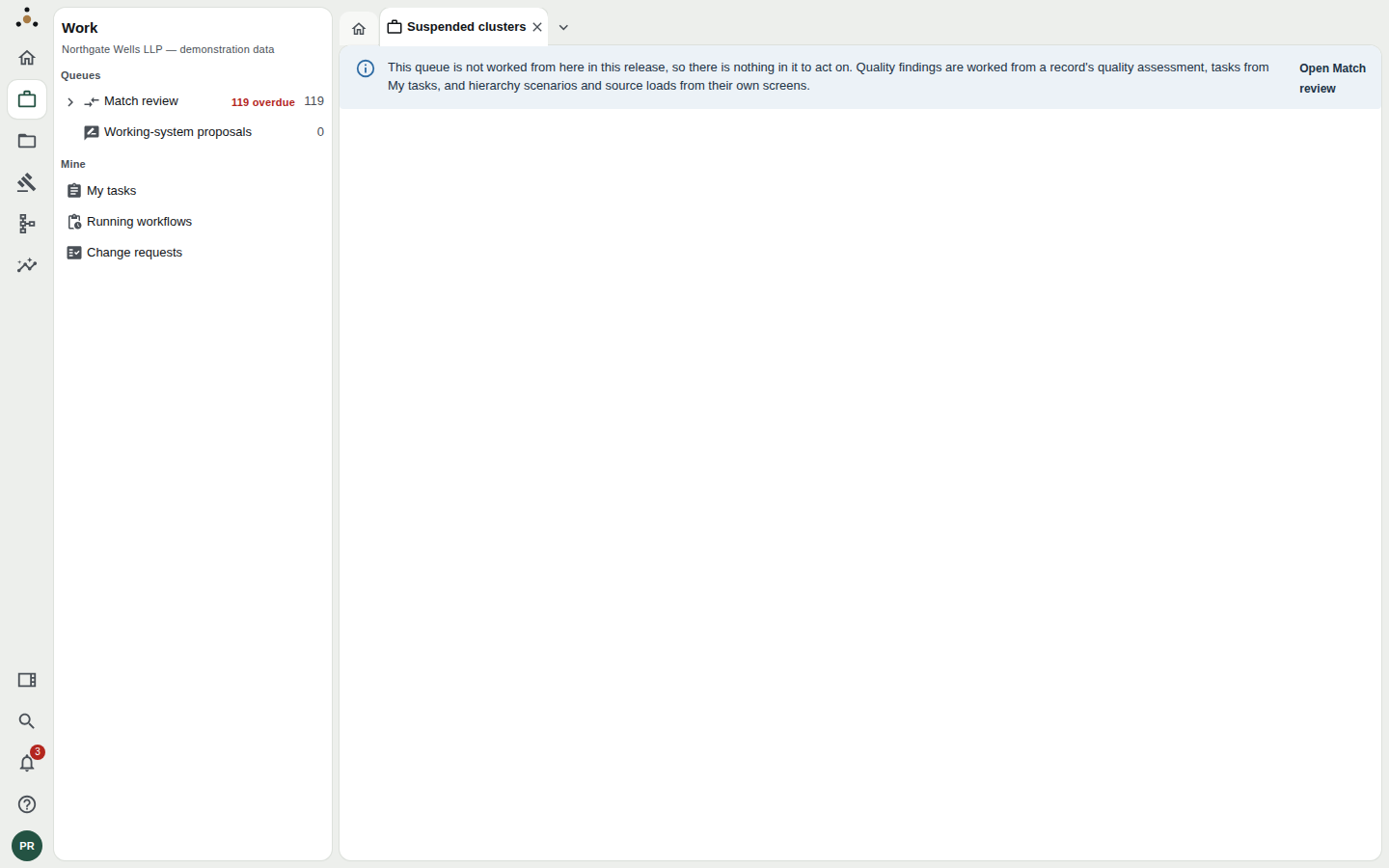
Reaching a queue that is not worked from here. The banner says where its items are worked instead.
The platform counts these items so that a future release, or an administrator's dashboard, can report on them. The Work navigator only offers what you can act on, so it does not tempt you into a list with nothing to press.
Working-system proposals
A working-system proposal is a suggested change that did not come from a person at a keyboard in Datum. It arrives from a paired working system, such as the document or matter system the firm uses day to day, from Datum's own runtime tools, or from an AI agent a firm has approved. Datum never applies one on its own. A steward reviews it, and the decision is recorded.
Open the queue
Under Work, choose Working-system proposals. It is laid out exactly like Match review: the same filter chips (All, Overdue, Unassigned, Assigned to me), the same sort and filter box, the same columns and saved views.
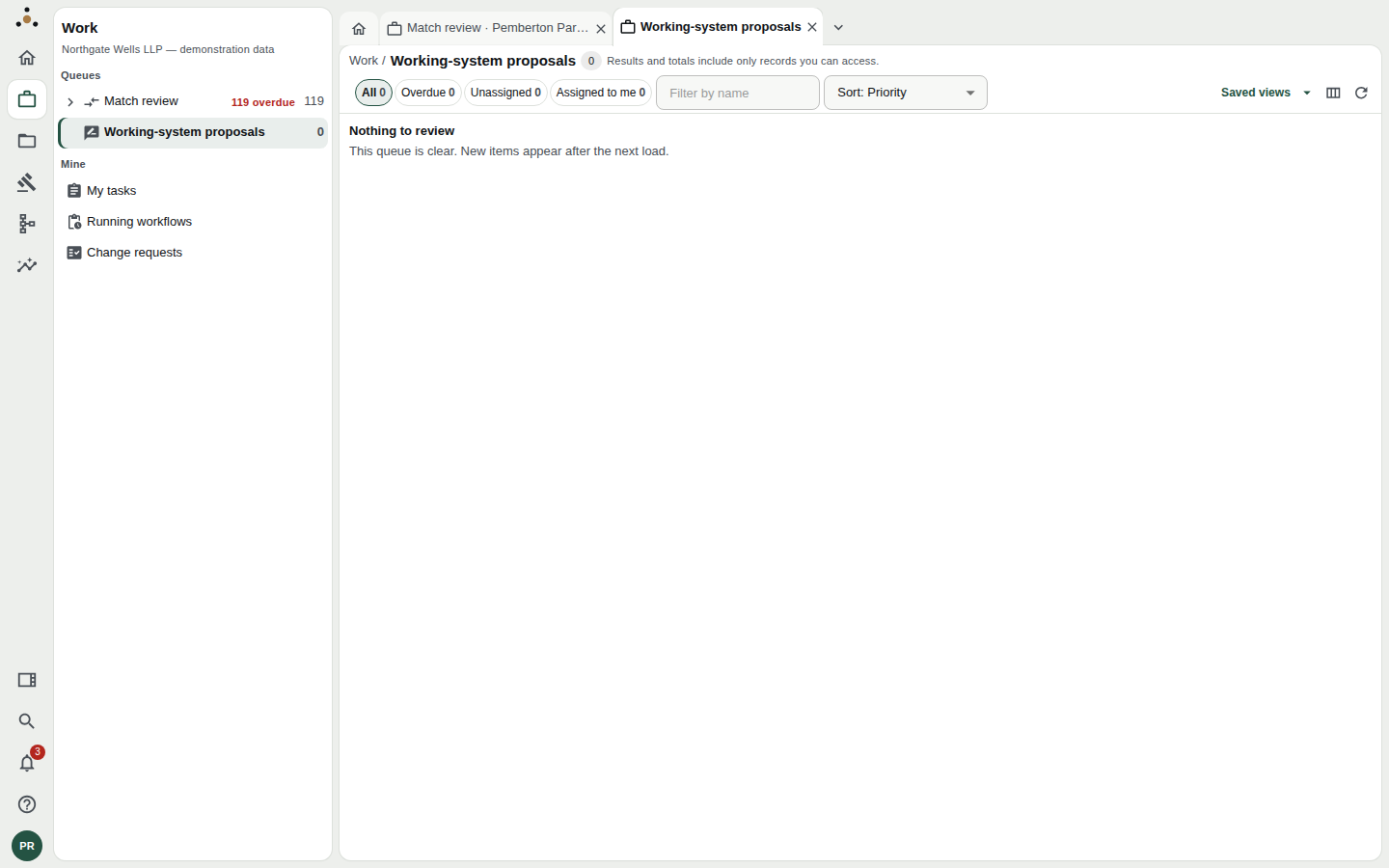
The queue, empty. In the demonstration firm nothing is waiting, which is the state you want in production too.
Opening, deciding and applying a proposal need the stewardship endpoint class. If your role lacks it, the queue says Working-system proposals are reviewed by stewards and lists nothing. A fee earner who sees that message has not lost data; the proposals are simply not theirs to decide.
Review a proposal
Click Review on a row. The proposal opens in its own tab, with a Details panel on the side. The screen is organised so that you answer, in order, who is asking, what would change, and is the evidence good enough.
Who proposed it. The header records when it was received, the Author, and what it Arrived through: the paired working system, the runtime MCP server, or the API. If an AI agent prepared it, that is said plainly, with the agent and its run, and a note that it was "released on the author's confirmation".
What it would do. A Kind (proposed correction, relationship, classification, or new record), the Entity and Record it targets, and If applied, which is one of:
- Updates the record here,
- Creates a new record here, or
- Routes the correction to the field's source system.
The last one needs care. Some fields belong to another system, not to Datum. Approving a proposal for such a field does not write a value; it sends the correction to the owner. The Changes table shows each attribute with its Current value, Proposed value, Owner when received and Owner now.
Version proposed against, and now. If the record has changed since the proposal was written, the screen says Changed since it was proposed, and you should review it again rather than approve a stale edit.
The author's reasoning and the evidence. The author's rationale is quoted. Evidence lists excerpts the author released from a document, each pinned to a document version and a place in it, with a state: Released, Withdrawn, Kept under a legal hold or Erased. Evidence marked Legacy free text, not source-verified is weaker: someone typed it, and nothing proves the document says it.
Before you decide. A short list of limitations, written plainly, for example:
- No released, source-backed evidence supports it.
- Another system owns this field; an approval routes it there rather than writing it here.
- Field authority is undecided, so no correction to this field can be applied.
- You are its author, so somebody else must decide it.
- You cannot read every record the evidence depends on, so you cannot approve it.
The last two cannot be overridden. Datum will not let an author approve their own proposal, and will not accept an approval from someone who cannot read what the evidence rests on, because that approval would be a signature on a document the signer has not seen. The platform enforces both; the screen simply tells you first.
Decide
At Decide, write a Rationale. Every decision records one. Then choose:
| Action | Effect |
|---|---|
| Approve | A second person has agreed. It does not apply the change. |
| Reject | The proposal is closed with your reason. |
| Request information | Returns the proposal to its author, naming what further evidence you need. It can still be rejected while waiting, and approved once it returns. |
Approval is not application
This is the point that surprises people, so it has its own heading.
An approval records that a second person agreed; applying is a separate step that checks the record, the evidence and field authority again, and then either writes the value through the ordinary record command or routes it to the system that owns the field.
If anything has changed between the two steps, for example someone edited the record, the proposal goes back to review instead of being applied. The gap is the safety.
After approval, Apply the approved proposal carries it out. The outcome is one of Applied, The record changed after approval; review it again, or Routed to its source system, which owns the field.
For a routed correction there is a final step: Record the outcome. Enter the source system's reference or acknowledgement. The proposal counts as applied only once the record in Datum shows the value from that source; an acknowledgement alone is recorded but does not close it. If the source declines, record that too.
Every state the proposal passes through is on its History table: when, the state, who acted and as what (author, steward, source system or platform), and the reason.
What to do when a queue looks wrong
- A count that does not match your list. Counts and lists include only records you can access. A colleague with a different practice group may see a different number. This is by design.
- "This queue could not be read". The platform refused the request, and the message quotes why. It is not an empty queue. Check your role with your administrator.
- A queue you expect is not in the navigator. Open Everything in Datum on Home; it lists every screen your roles allow.