Quality scorecard
Every record is assessed against the firm's quality catalogue: a set of rules such as a company must have a registration number or an email address must be well formed. The result is a score out of 100 and a list of findings, the rules the record currently breaks. You see it in two places: the Quality view on the record, and a stand-alone scorecard that prints.
Which rules exist, how severe each is and how they are weighted are set by the firm. If the page says No active quality catalogue, none has been activated yet and no record can be scored.
The quality score in the header
The header of every record shows a Quality score chip, such as Quality score: 97. A record that breaks no rules scores 100. The chip is a summary; the findings behind it are one click away.
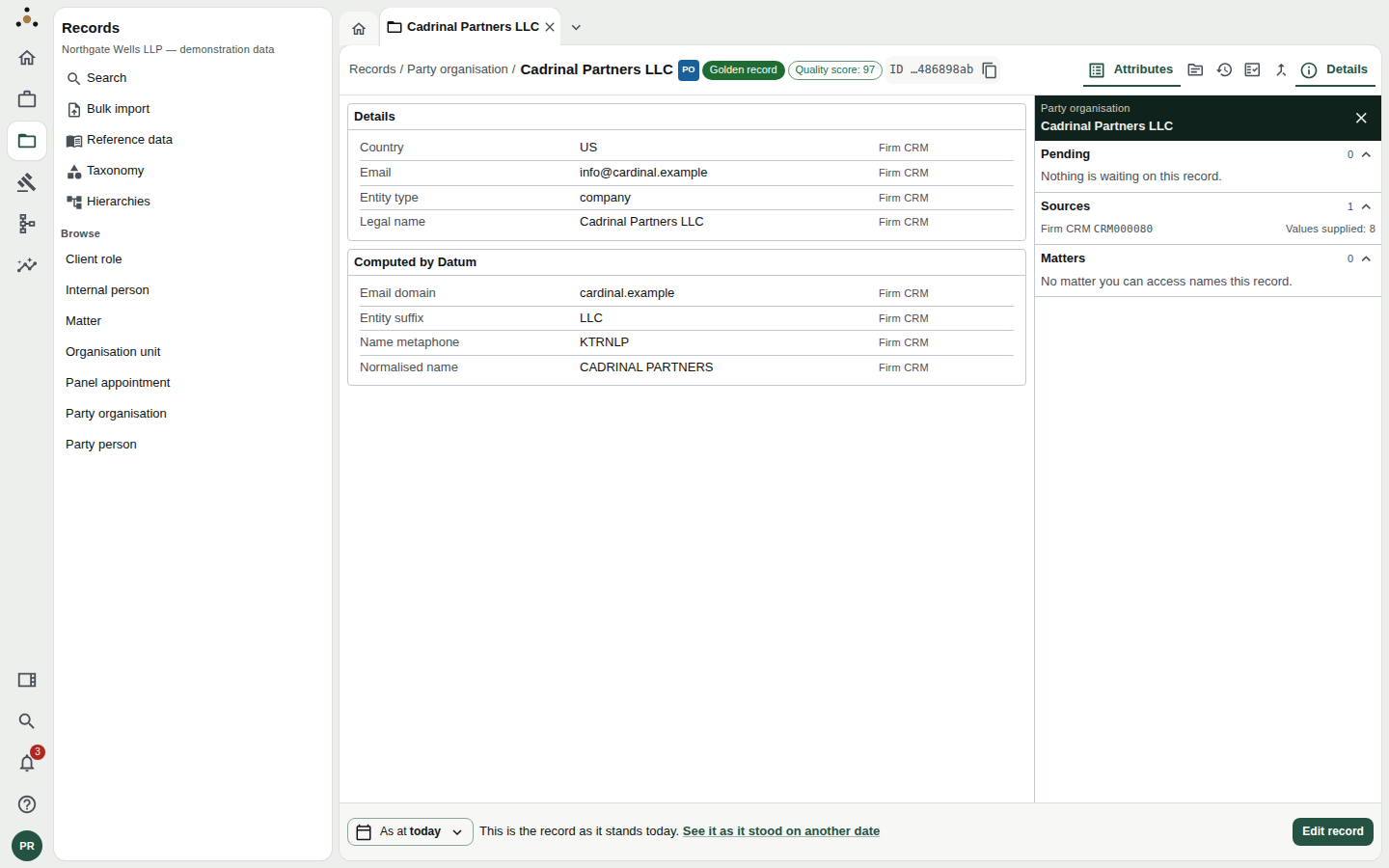
The chip beside the record's name. Click the Quality view for the findings.
The Quality view
Choose the Quality view on the record.
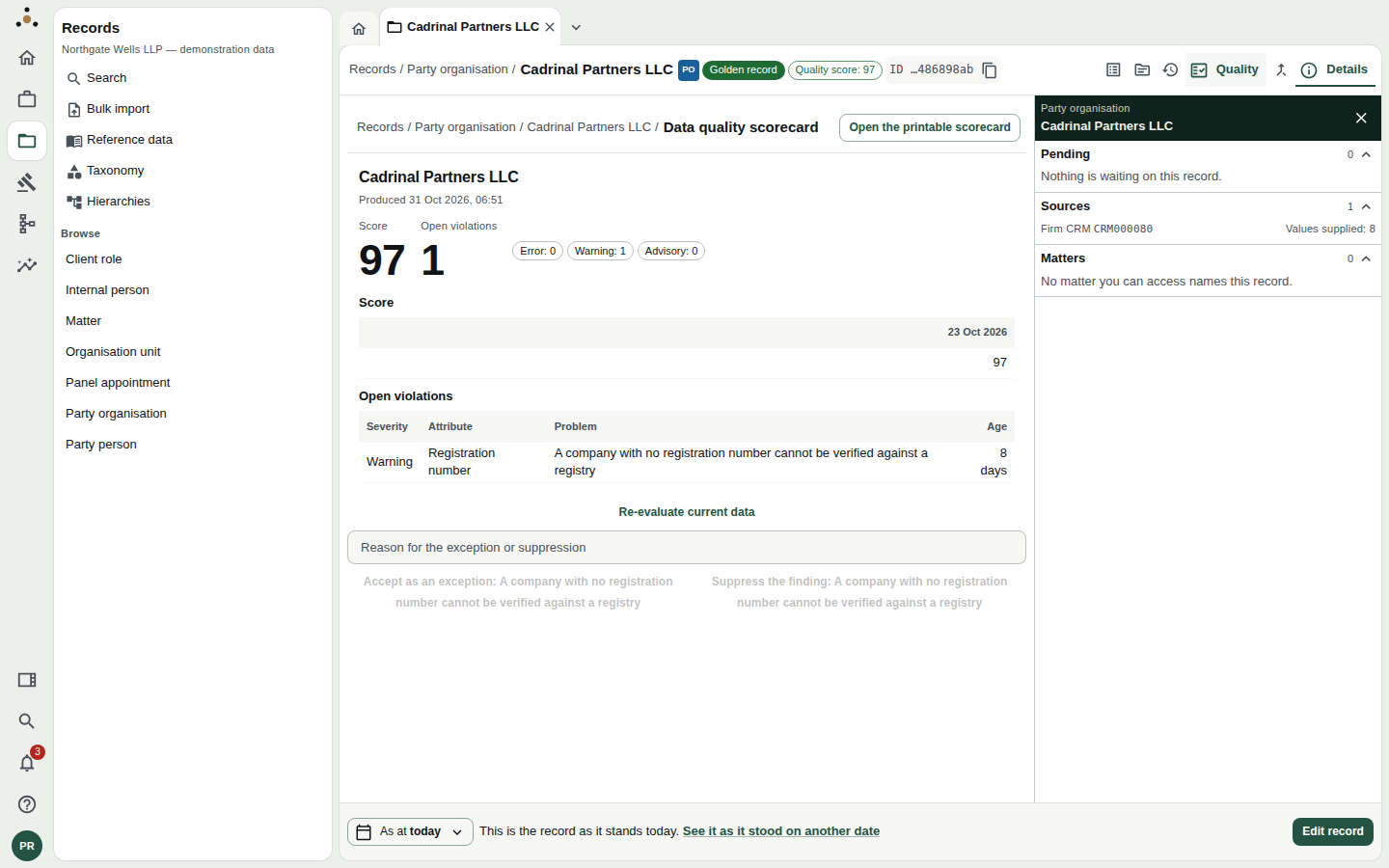
The Quality view for a record with one open finding.
It shows:
- Score and Open violations, with a count by severity: Error, Warning and Advisory.
- A score history against dates, so you can see whether quality is improving.
- Open violations: one row per finding, with its Severity, the Attribute concerned, the Problem in plain words, and its Age.
| Severity | Treat it as |
|---|---|
| Error | The record is wrong or unusable for some purpose. Fix it. |
| Warning | The record is incomplete or doubtful. Fix it when you can; say why if you will not. |
| Advisory | Worth knowing; no action required. |
The finding in the example, A company with no registration number cannot be verified against a registry, is a warning for a reason: without the number, the registry verification described in the legal operations guide cannot run for this party.
Not assessed, unavailable, withheld
The score area can say three things other than a number, and they mean different things.
| What it says | What it means |
|---|---|
| Not yet assessed | The record has not been evaluated. Press Re-evaluate current data. |
| Assessment incomplete or unavailable | The assessment could not be completed. Try again; if it persists, tell your administrator. |
| Withheld | A rule that computes the score reads a field your role does not read. The findings listed are those on fields you can read; the number itself is withheld so that it does not leak the missing field's value. |
Re-evaluate
Press Re-evaluate current data after you correct something. The platform re-runs the rules against the record as it now stands and the findings update. You do not need to do this routinely.
Accept an exception, or suppress a finding
Sometimes a finding is right in general and wrong for this record: a company that is genuinely exempt from registration, or a rule that does not apply to a legacy matter. You have two ways to deal with it. Both need a reason, in the box headed Reason for the exception or suppression, and both are recorded.
| Action | Use it when | Effect |
|---|---|---|
| Accept as an exception: [rule] | The rule is right, and this record is a genuine exception. | The finding is recorded as accepted, with your reason and your name. |
| Suppress the finding: [rule] | The finding is wrong or not applicable here. | The finding is recorded as suppressed, with your reason and your name. |
They will. The next steward who sees a record scored 100 despite a missing registration number will go looking for why, and your reason is all they will find. "OK" is not a reason. "Registered charity, exempt under the Charities Act 2011; checked on the Charity Commission register" is.
Both lift the score, because the score counts only open findings: it starts at 100 and loses 10 for each open error, 3 for each warning and 1 for each advisory. The reason you gave stays with the finding.
An exception does not make the data better. If the value can be found, edit the record (Editing a record) and re-evaluate; the finding disappears because it is resolved, not because it is excused.
The scorecard
Open the printable scorecard (or choose the scorecard address of a record) opens the record's scorecard in its own tab.
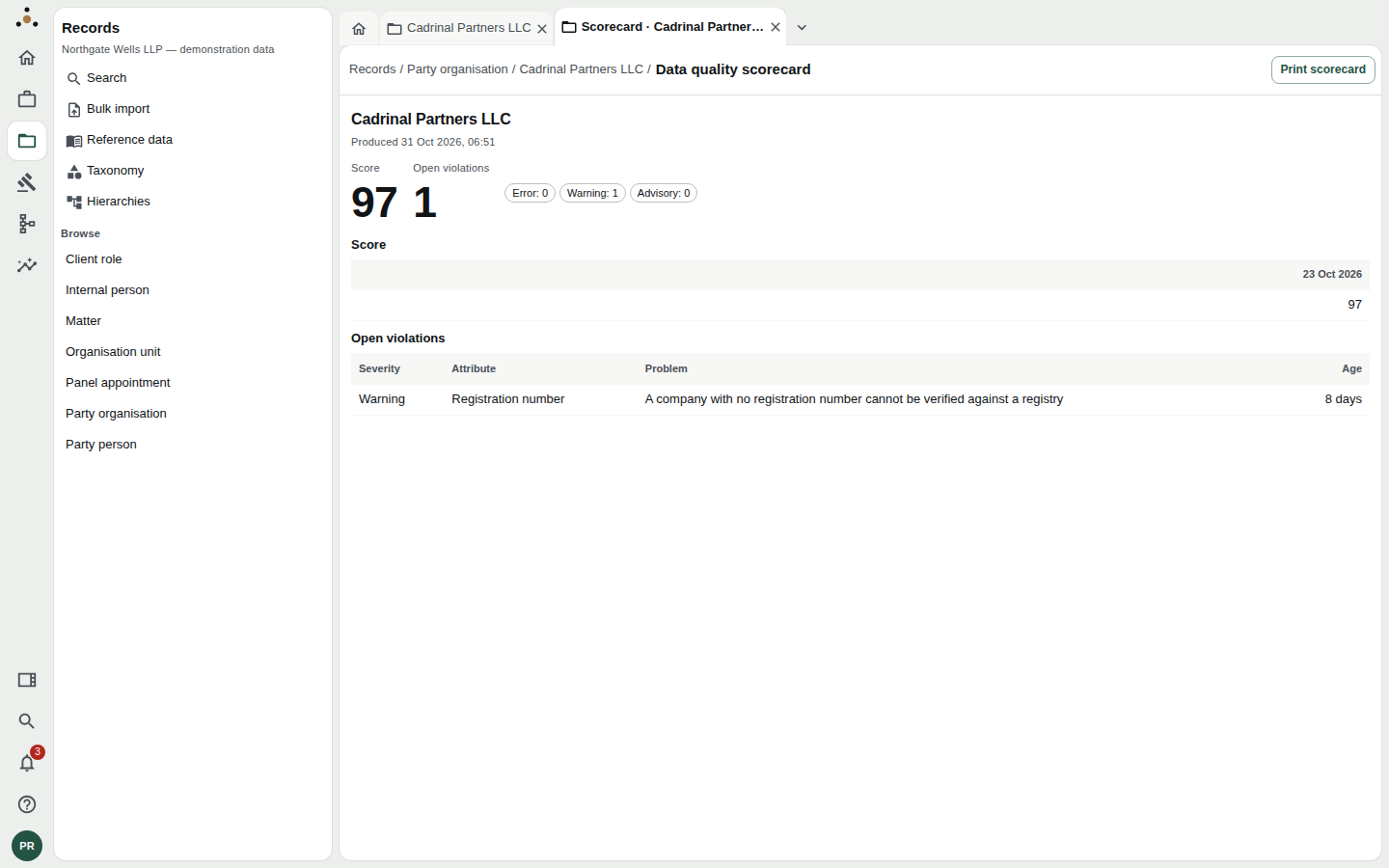
The scorecard. It is the same information as the Quality view, laid out for a page.
It repeats the Score, the count of Open violations by severity, the trend and the table of findings, under the record's name and the time it was Produced. Print scorecard prints it in the browser's print dialog, so you can save it as a PDF.
For a clean record, the scorecard says No open violations.
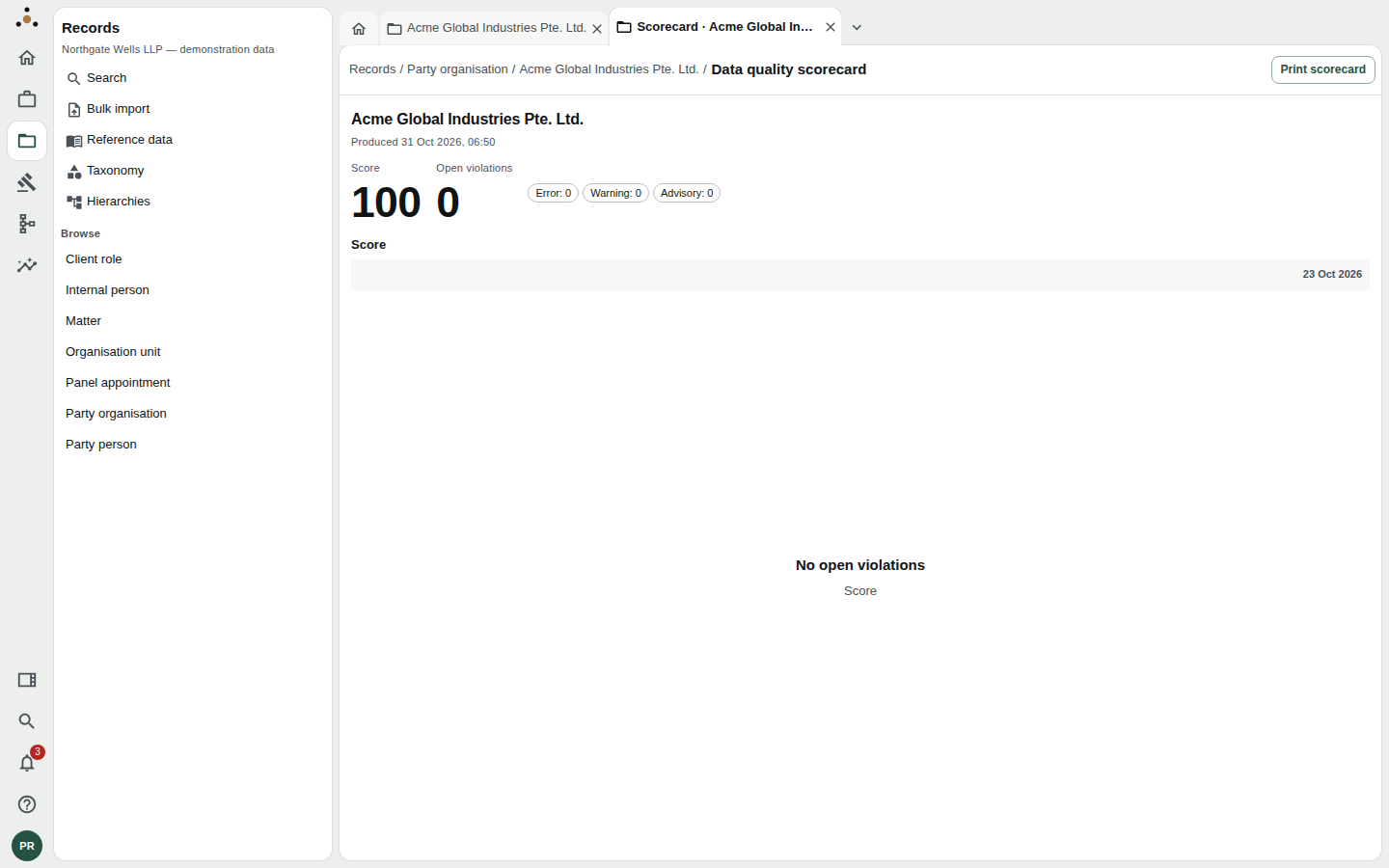
A record with nothing outstanding.
Use the scorecard when you need to show someone a record's state, for example a partner who asks why a client has not been verified. It records the time it was produced, so it will not be mistaken later for the live position.
Where quality is reported across the firm
A single record's scorecard answers "how is this one?". The firm-wide picture is on the dashboards under Insight, and the rules behind the scores are the concern of data architects: see their guide.