Workflow routing rules
Model → Routing rules decides who the work goes to. When the platform raises a task — a change to approve, a match to review — the task is unassigned until a rule routes it, and an unassigned task is one nobody is waiting for.
Routing sits in the Model area, beside the workflow definitions, because routing decides which definition's tasks reach whom. But reading it requires the administration permission, so you will only see it as an administrator.
A rule matches on task kind, entity name, practice group, data domain and value. It never opens a record.
The table
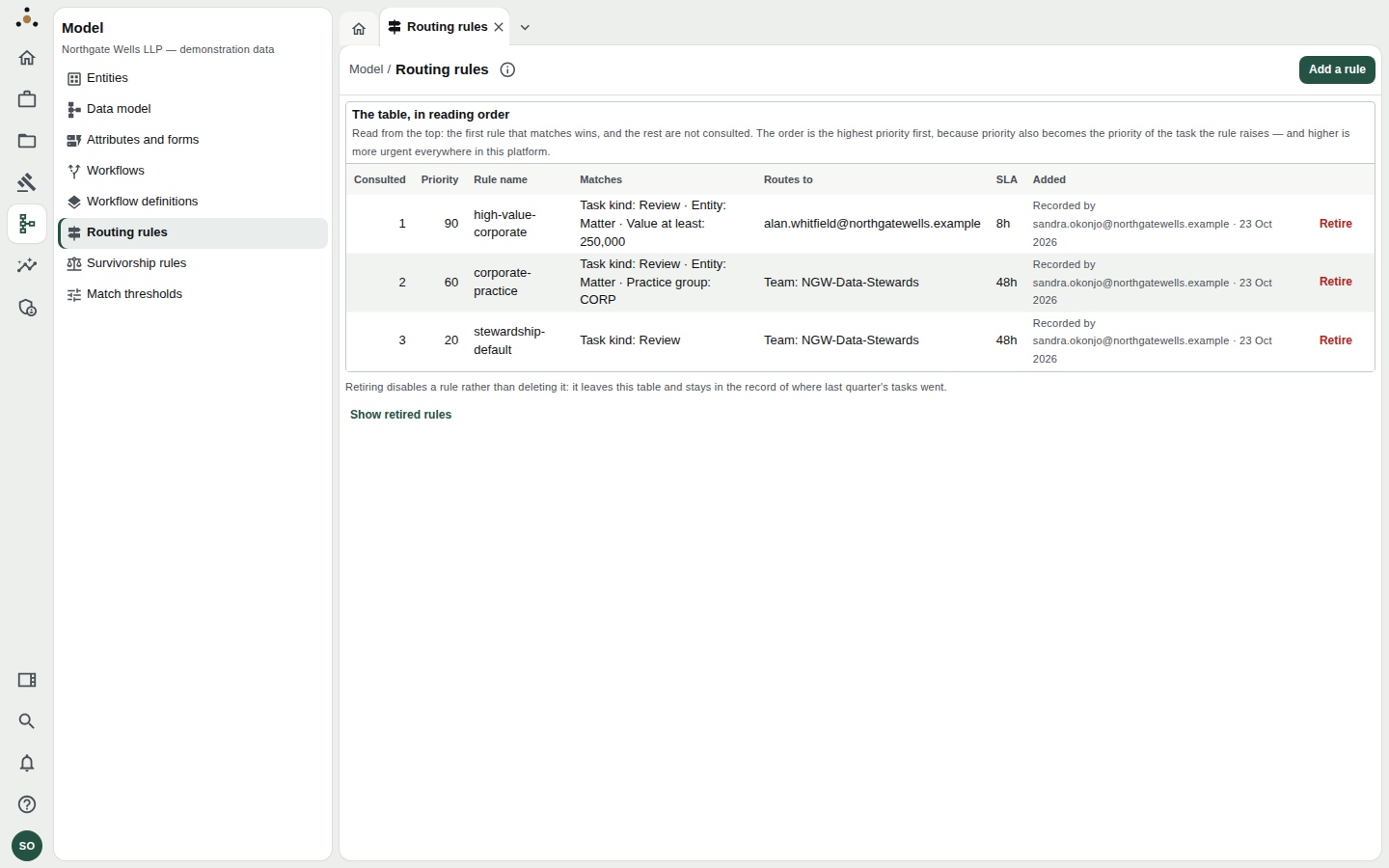
Read from the top: the first rule that matches wins, and the rest are not consulted.
| Column | Meaning |
|---|---|
| Consulted | The order the rules are read in. |
| Priority | 0 to 100. Higher is consulted first — and becomes the priority of the task the rule raises. |
| Rule name | The key the rota cursor is kept under. |
| Matches | The conditions. |
| Routes to | A person, a team, or a pool. |
| SLA | Hours the assignee has. |
| Added | Who, and when. |
In the demonstration firm:
high-value-corporate(priority 90) — review tasks for a Matter worth at least 250,000 go to one named partner, with an 8-hour SLA.corporate-practice(60) — review tasks for a Matter in the CORP practice group go to the NGW-Data-Stewards team, 48 hours.stewardship-default(20) — any Review task goes to the stewards team, 48 hours. This is the catch-all.
A final low-priority rule matching any task of a kind guarantees nothing is unassigned. Without one, nothing is broken; nothing is routed either.
Adding a rule
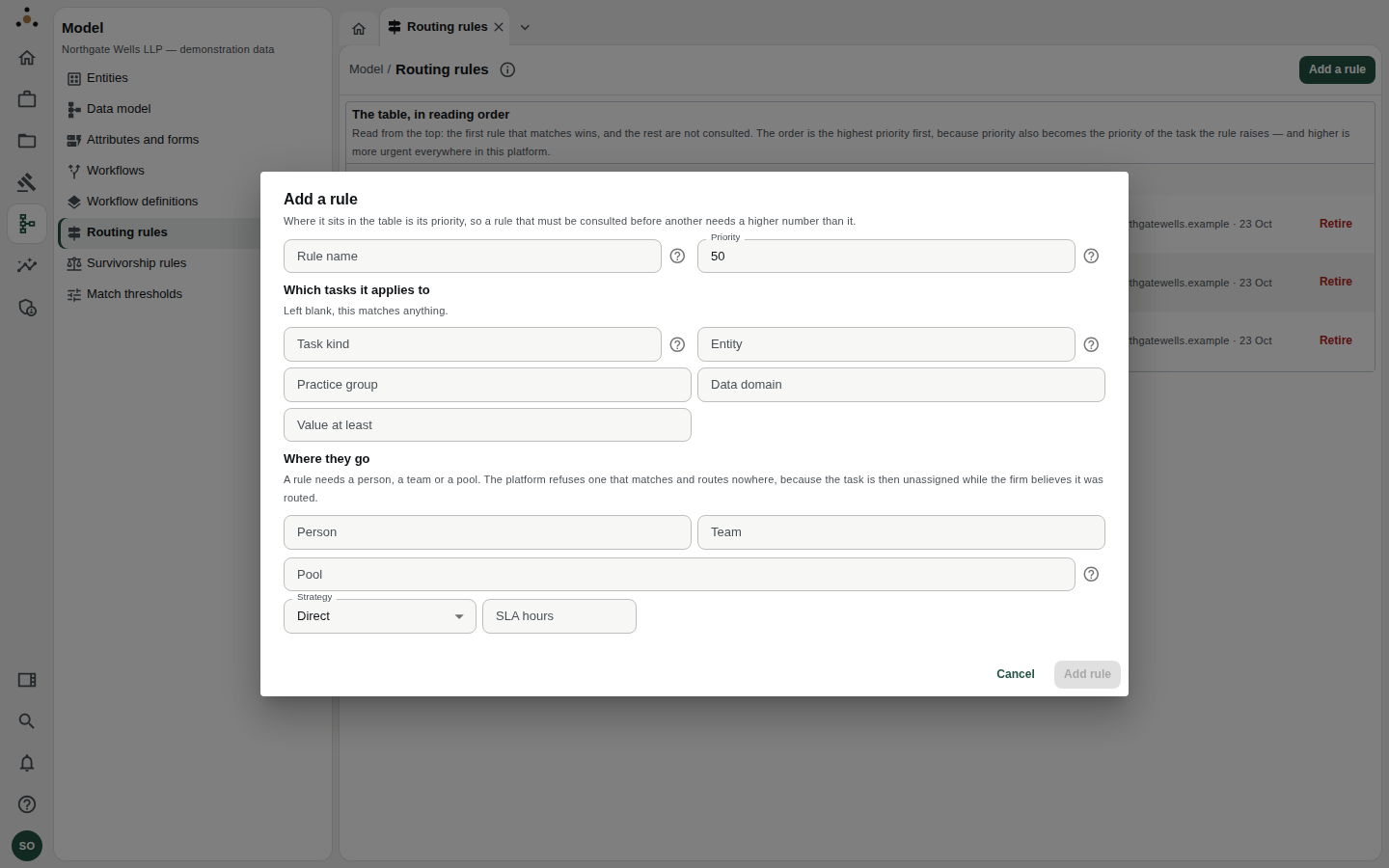
Where a rule sits in the table is its priority.
- Choose Add a rule.
- Rule name — a new name. A name already in the table is refused rather than replaced.
- Priority — 0 to 100. A rule that must be consulted before another needs a higher number.
- Which tasks it applies to — fill in any of Task kind (as the workflow names it, such as
change_approval), Entity (such asparty_organisation), Practice group, Data domain and Value at least. Left blank, a field matches anything. - Where they go — a Person, a Team, or a Pool. A rule needs at least one; the platform refuses a rule that matches and routes nowhere.
- Strategy — Direct (the named person or team), Round robin (take turns across a pool), or Load balanced (the least busy in the pool). A pool needs round robin or load balanced.
- SLA hours.
- Choose Add rule, and read the confirmation: it states the rule's position — "It is consulted 2 of 4, so every task it matches goes to … before any rule below it is read".
A new rule routes from the next task raised; it does not move tasks already assigned.
Because priority becomes the task's own priority, a rule at 90 does not just win — it makes every task it catches more urgent in everybody's inbox.
Retiring a rule
Choose Retire on a row and confirm. Retiring disables a rule; it does not delete it. Tasks raised from now on are not routed by it — the next matching rule takes them, or none does and the task is unassigned.
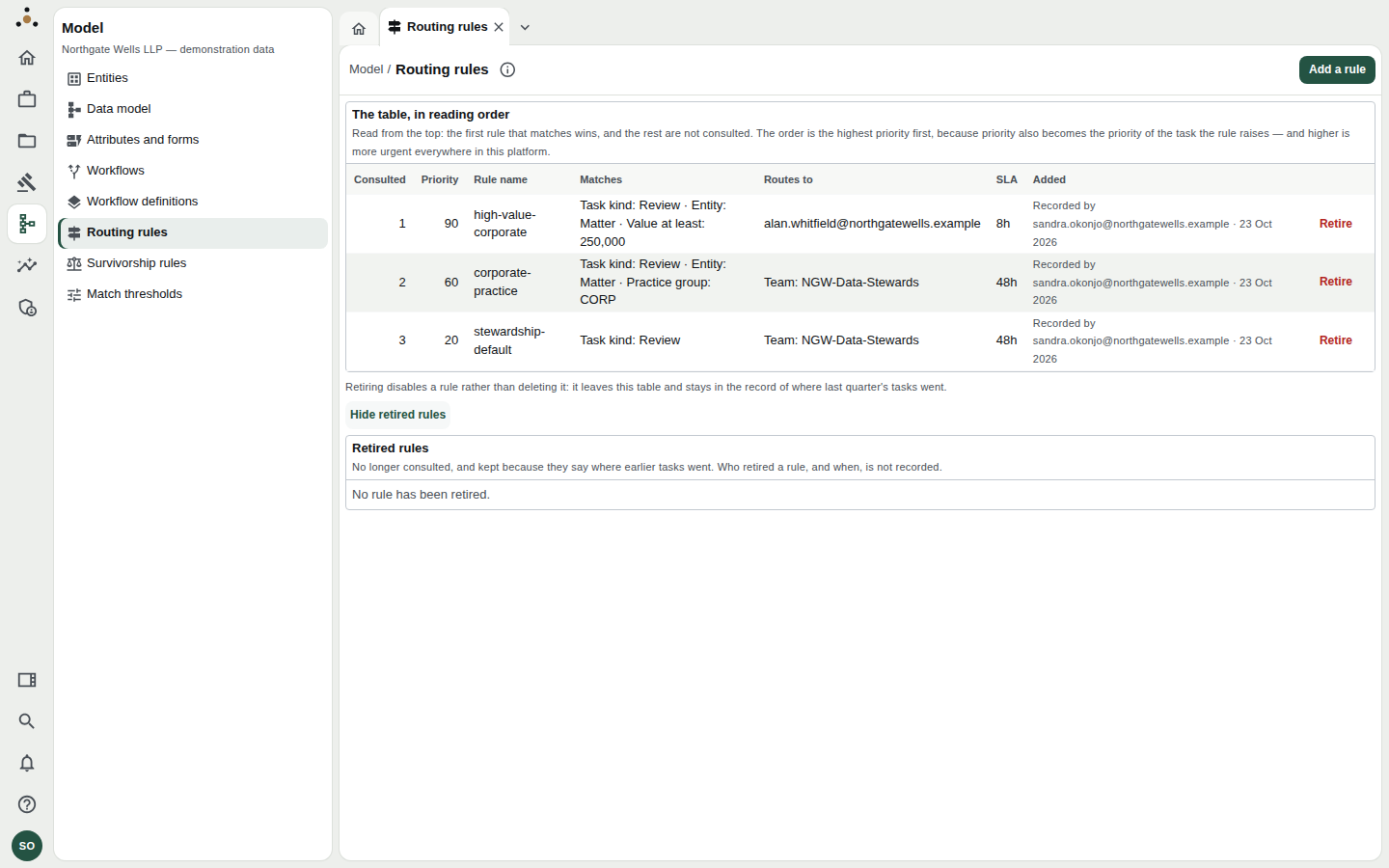
Show retired rules keeps the history of where last quarter's tasks went.
Retired rules stay visible under Show retired rules because they say where earlier tasks went. Who retired a rule, and when, is not recorded on that list.
Related
- The administration console — the worker must be running for tasks to be raised on a schedule.