Two-person approvals
Datum is built so that no act of administration is one person's. Anything that changes who can see what, or who the platform will trust, is proposed by one person and decided by another. Administration is also not a bypass: holding the administrator role never grants access to firm records.
This page gathers both rules in one place, because they explain much of what you see across the Administration area.
The two administrators
The demonstration firm has two people who hold the administrator role:
| Who | Why | |
|---|---|---|
| Platform administrator | Sandra Okonjo, IT | Runs the platform day to day. |
| Second administrator | Eleanor Marsh, General Counsel (Risk and Compliance) | The second key. Holds the same role through a different directory group. |
A firm with only one administrator can draft and propose, but cannot finish any of the actions below. Make sure your firm has at least two, in different parts of the organisation. A general counsel or head of risk is a natural second key: they are who the wall register already names as approver.
Signed in as Eleanor Marsh, the second administrator, the Roles and access screen is the same screen Sandra sees, and its footer states the rule: Every change is drafted, reviewed by a second person and activated under re-authentication.
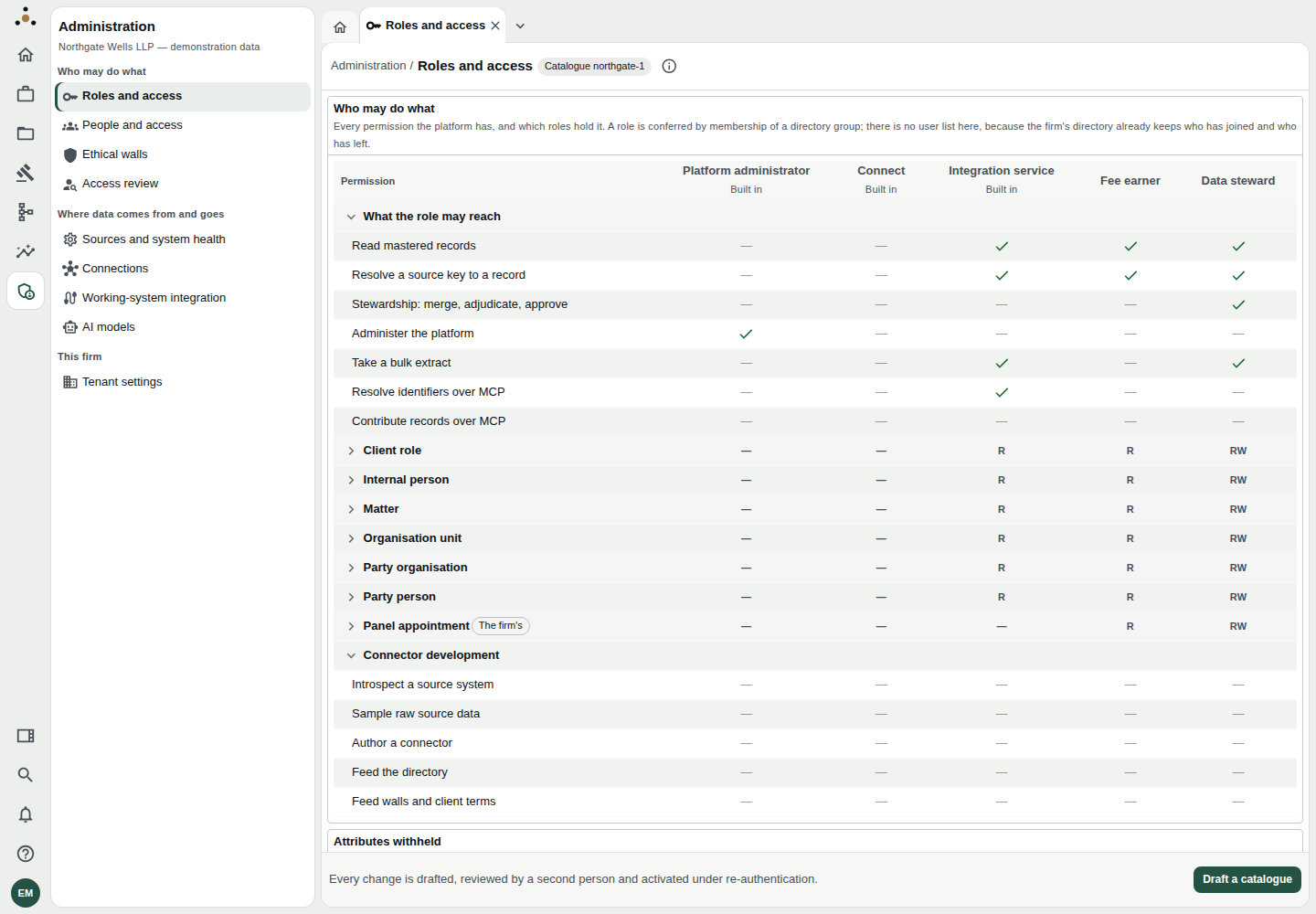
The second administrator's view of Roles and access. Drafting a catalogue is one person's act; activating it is another's.
The wall register works the same way. Raising a wall and approving it are separate acts, so the register shows where each wall stands (proposed, approved, in force, lapsed and so on).
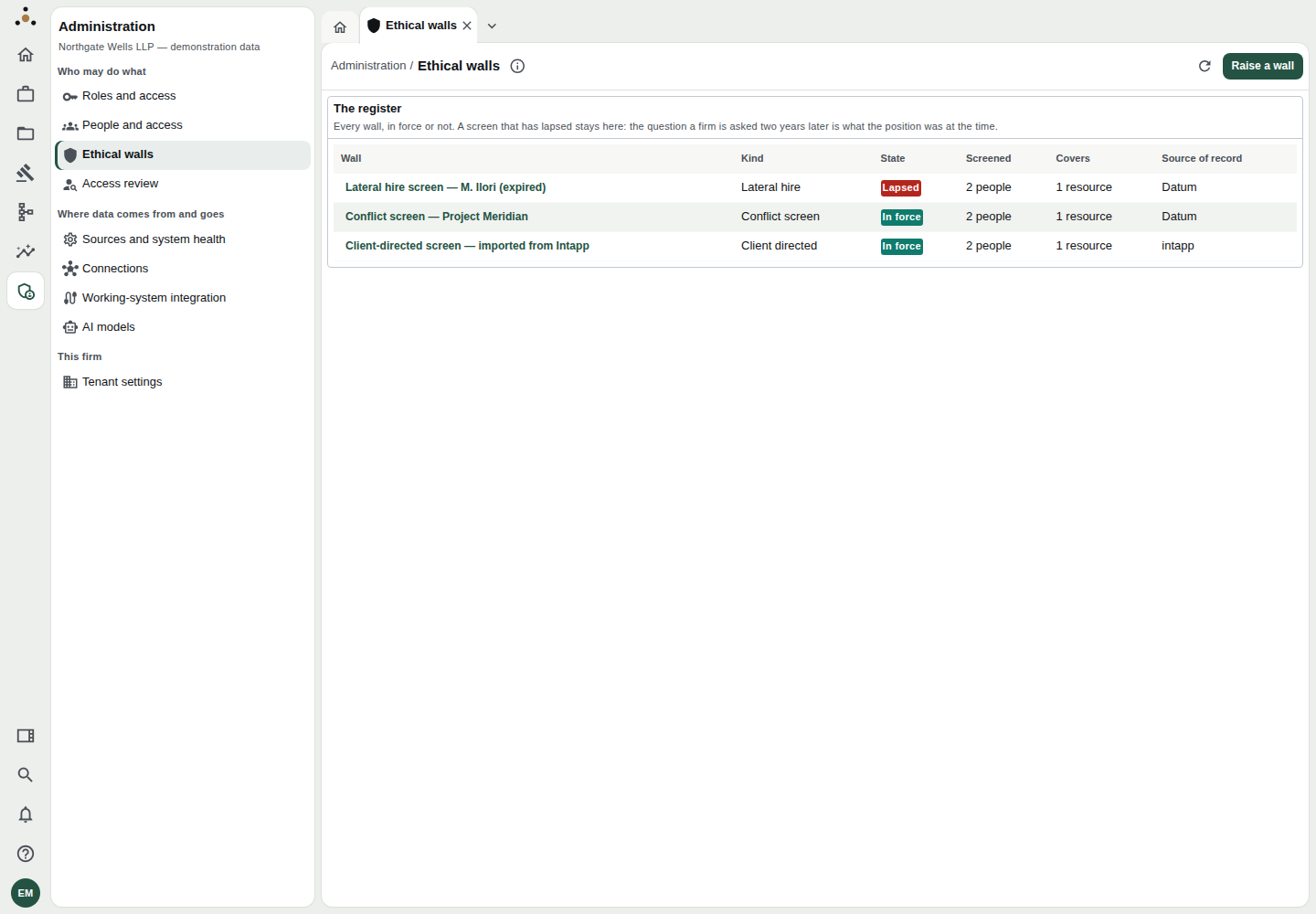
The register of ethical walls, with Raise a wall at top right.
What needs a second person
| Action | Proposed by | Decided by | Also needs re-authentication |
|---|---|---|---|
| Activate a role catalogue | One administrator drafts | A different administrator activates | Yes |
| Raise an ethical wall | One administrator proposes | A different person approves, then it is put into force | Yes, on putting into force and on withdrawal |
| Pair a working system | One administrator proposes | A different administrator approves | Yes, on resume |
| Approve an assertion key | One administrator adds | A different administrator approves | — |
| Decide a personnel link or an identity repair | The proposer or the person who opened it | Somebody else | — |
The wording on screen is consistent. When you try to decide something you proposed:
You drafted this catalogue, so you cannot activate it. Widening your own access alone is what dual control exists to prevent — ask a second administrator to review the change above and activate it.
A wall is approved by somebody other than the person who raised it. A dual approval satisfied by one person is not one.
If the button refuses you, the product is working. Do not ask a colleague to sign in as you. Ask the second administrator to review and decide under their own name; the register records who did each step, and an audit asks exactly that.
What is deliberately not two-person
Creating a grant on Access review takes no second approver — a careless grant is bounded by the screens in force, and a screen not raised is bounded by nothing. The safeguard there is the wall. Likewise, retiring a signing key takes one administrator, because shortening trust should be easy.
Re-authentication
Some actions require that you have signed in recently, because they change who can see what, or reverse something. The platform tells you: Re-authentication required. Confirm your identity to continue. Choose Re-authenticate; you return to what you were doing and repeat the action. If the platform says the session is older than the firm allows for a change of this kind, nothing has been changed.
Administration is not a bypass
The administrator role holds exactly one permission: Administer the platform. It holds no data privilege of any kind — not one attribute of one entity.
In practice, as an administrator you will find:
- Search, records, the party register, retention, people and timekeepers all refuse you, with a message such as Administering the platform is not a read of the firm's parties.
- The stewards' queues and dashboards are not offered to you.
- Counts and lists you do see — records per source, signed-in people, wall coverage — are about the platform, never the content of a record.
This is the answer to a risk committee's question about what the vendor's or the IT department's support staff can read. It is checkable: open Roles and access and look at the Platform administrator column. Apart from Administer the platform, every cell is empty.
Walls beat every role
A wall is applied after roles and privileges, unconditionally. Not even a role with every privilege can read a record a wall screens it from. For a screened person, that record returns not found — never access denied, which would confirm it exists.
Practical advice
- Name the second key before you need one. Do it at onboarding; confirm they can sign in and appear under People and access with the Platform administrator role.
- Write the reason. Drafts, withdrawals and approvals all take a reason. It is the audit trail.
- Review the diff. When you activate a catalogue, read What activating this would change — especially anything marked Widens access.
- Don't batch. Make one change per draft where you can. A review that has to cover forty changes gets skimmed.