Connections
Administration → Connections answers what is this firm connected to, and can we reach it? It lists every source system Datum loads from, and every sink — a place mastered data is sent. The console tells you whether last night's load worked; this screen is where you change what runs.
You manage the plumbing, not its contents. The screen shows record counts per source — never the records themselves.
The screen
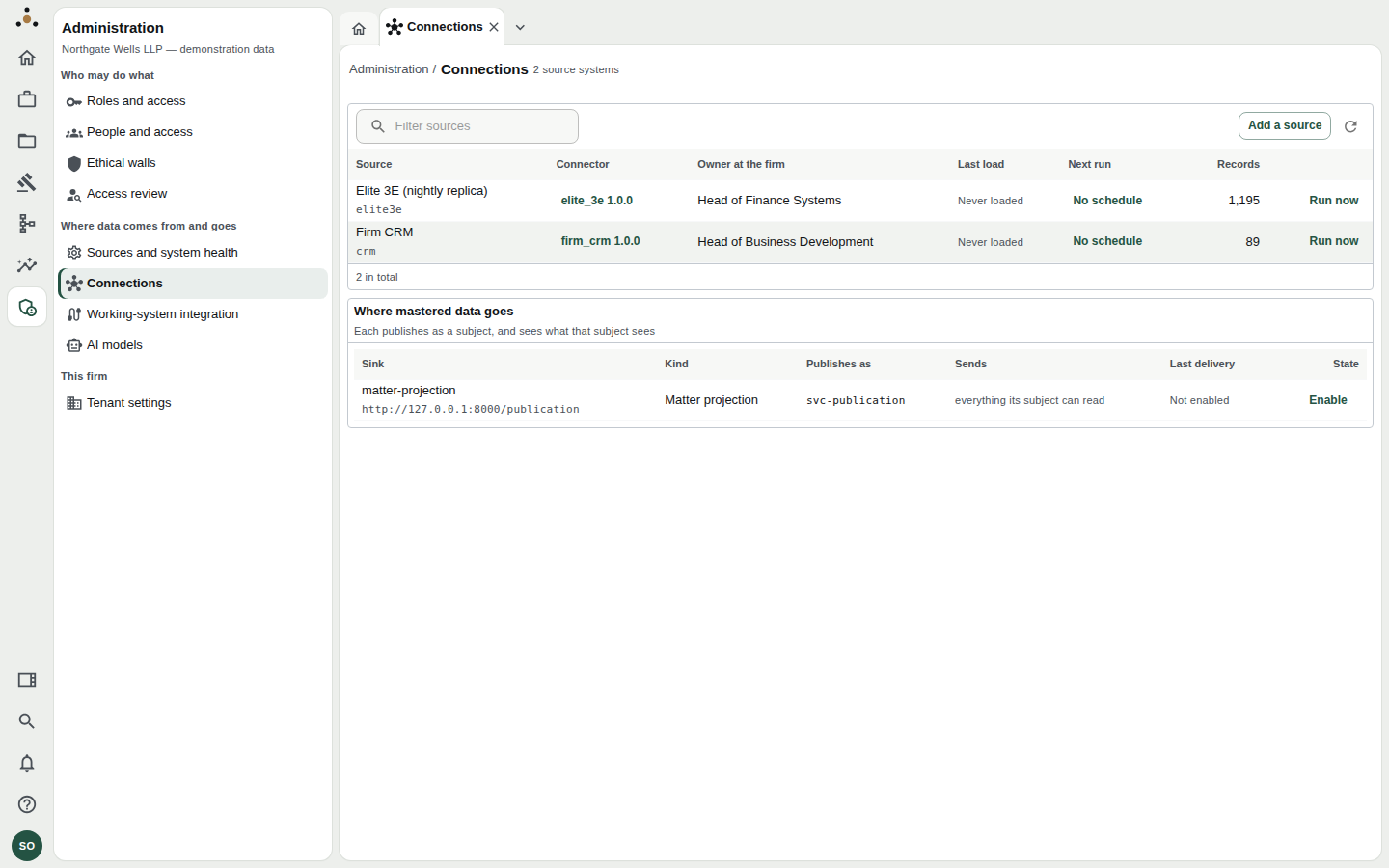
Sources at the top (Elite 3E and Firm CRM), and below them Where mastered data goes.
Sources
| Column | Meaning |
|---|---|
| Source | Display name and the short identifier beneath it. |
| Connector | The installed connector and its version, such as elite_3e 1.0.0. Click it to inspect the mapping. No connector installed means the source is registered but cannot be loaded. |
| Owner at the firm | A person or role at the firm — not at the vendor. |
| Last load | Outcome and time. Never loaded until the first run. |
| Next run | When the schedule fires, or No schedule. |
| Records | How many source records Datum holds from it. |
| Run now | Queues a load immediately. |
Use Filter sources to narrow a long list.
If no worker is running, the screen warns: No worker is running, so nothing on a schedule will fire. Check System health.
Adding a source
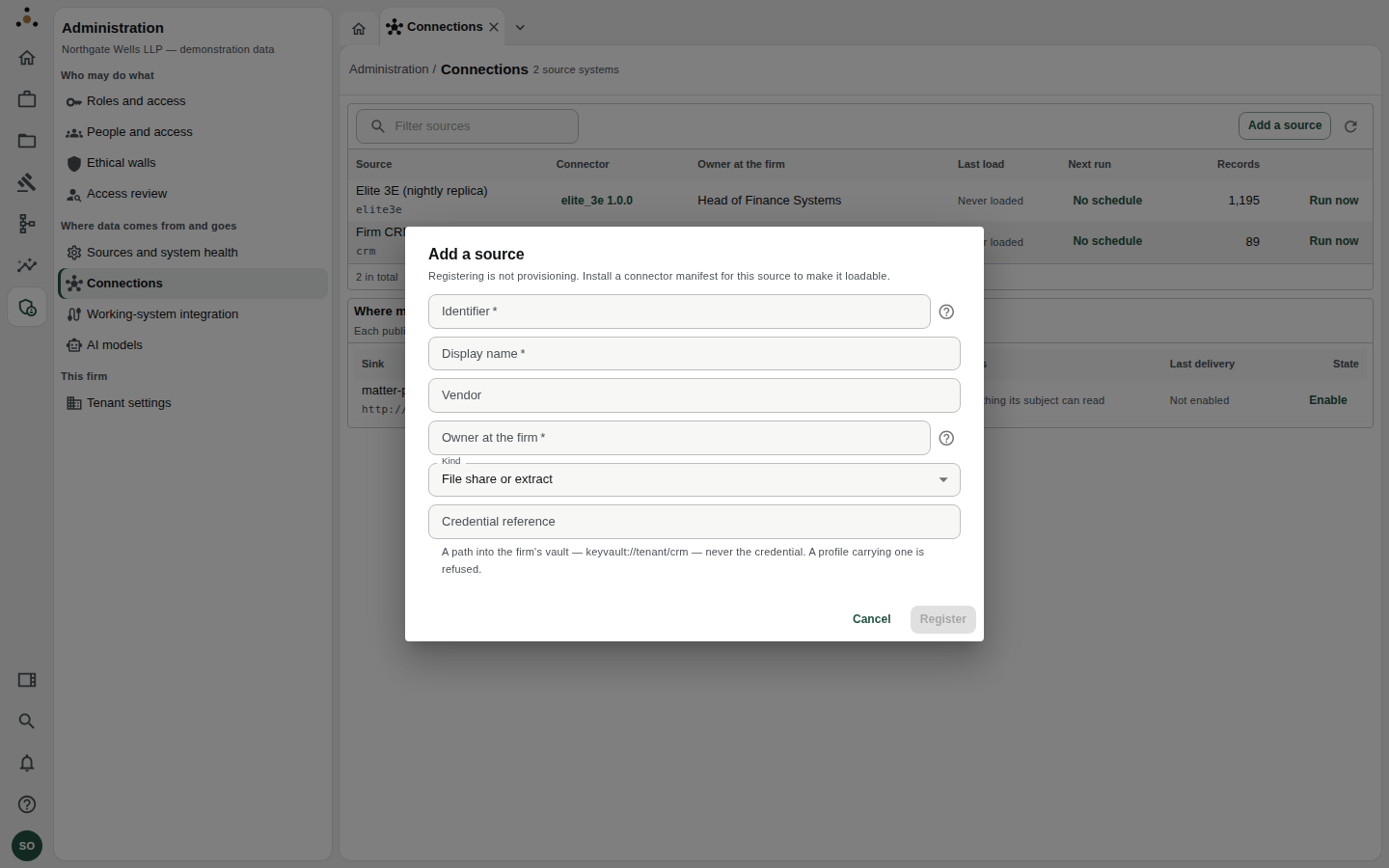
Add a source registers a system. Registering is not provisioning.
- Choose Add a source.
- Identifier — lower case, letters, digits and underscores, starting with a letter (for example
crm). It is carried on every cross-reference, load run and job name for the life of the tenant, which is why you type it rather than deriving it from a name somebody will change. - Display name, Vendor (optional) and Owner at the firm (required; a person or role at the firm).
- Kind — File share or extract, PostgreSQL, SQL Server, Oracle, REST API or SFTP.
- Credential reference — a path into the firm's vault, such as
keyvault://tenant/crm. Never the credential itself. A profile carrying a secret is refused. - Choose Register.
A newly registered source has no connector installed and cannot yet be loaded. A connector is installed with the command-line tool, and its mapping then appears here. Some kinds show not yet readable: the deployment has no reader for that kind until a driver has passed the licence gate.
Scheduling loads
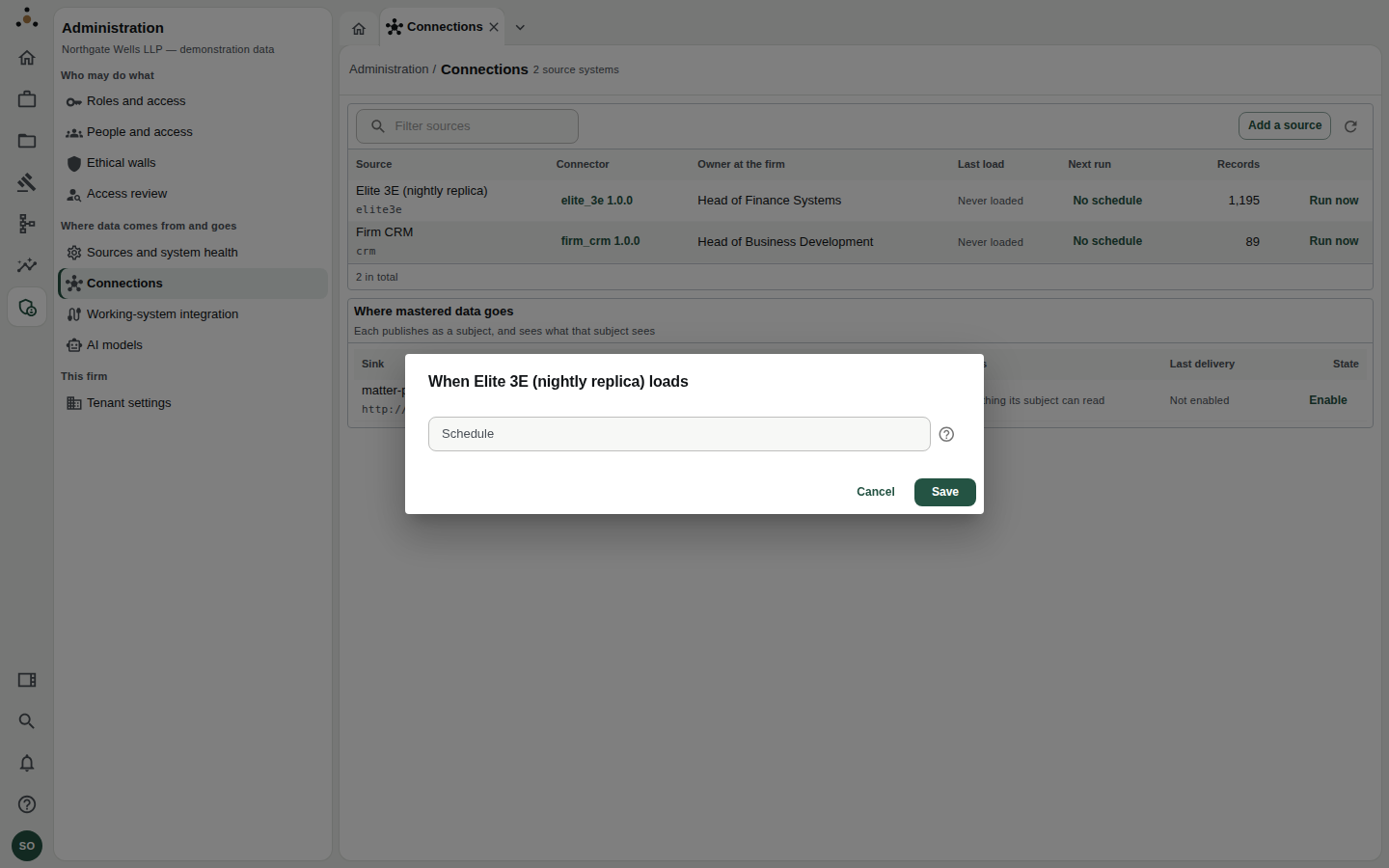
Click No schedule (or the existing schedule) in the Next run column.
The schedule is a standard five-field expression: minute, hour, day of month, month, day of week.
| Expression | Runs |
|---|---|
0 2 * * * | Every night at 02:00 |
30 6 * * 1-5 | 06:30, Monday to Friday |
| (empty) | Never by itself — use this if the firm's own scheduler owns the cadence |
Datum shows the next firings as you type, and warns if an expression does not fire within the next year. Choose Save.
Choose a time after the source's own nightly job has finished. Times are interpreted in the firm's time zone — see Tenant settings.
Inspecting a connector
Click the connector name in a source row to open its page. It has two tabs:
The connector's overview, and its streams with each source column mapped to a Datum attribute.
- Streams and mappings — each stream reads one source object into one master entity. For each it lists the primary key, the incremental strategy (such as a modified column with a few seconds' overlap), any filter, and every source column → attribute mapping with its transform and whether it is required. A stream that runs a Python hook is flagged, because the escape hatch is meant to stay rare and to be looked at in review.
- Versions — the register: In force, Superseded, Discarded and Draft, with who installed each and when. A source has one open draft at a time; activate or discard it before starting another.
If the source has never been provisioned the page says so and tells you the command to install one.
Where mastered data goes
The second table lists sinks: webhooks, extracts and the matter projection.
| Column | Meaning |
|---|---|
| Sink and Kind | Name, target address and type. |
| Publishes as | The subject the sink reads as, such as svc-publication. |
| Sends | Typically everything its subject can read, or a narrowed list of attributes. |
| Last delivery | Delivered, in flight, failed, given up, or Not enabled. |
| State | Enable / Disable. |
Each sink publishes as a principal, so the wall register applies to it exactly as to a person. A sink whose subject is screened from a client never receives that client. The state a sink is created in is disabled: enabling it is what starts client data leaving. Treat Enable as a decision requiring the sign-off the firm's data-protection process asks for.
If a recipient must delete data, deliveries show Waiting for deletion receipt; deliveries withheld because current access no longer permits them show Withheld by current access.