Working-system integration
Administration → Working-system integration governs the pairing between Datum and a firm's working system — the product lawyers use day to day, such as Trovato. A lawyer in the working system can read context and propose corrections to master data without ever signing in to Datum. This screen holds the trust that makes that safe.
You administer trust: pairings, keys, entitlements and policy feeds. You do not see client data. A correction a lawyer proposes appears in the stewards' queue, not here.
If the screen reads No working system is paired, nothing here is in use. The pairing is a deliberate extension of Datum's boundary (ADR-0057), and this feature is marked as pending joint sign-off in the project's records.
Key ideas
- A directory account is not a Datum user. Datum provisions nobody. These are accounts in the firm's directory that the working system may act for, checked against a complete, scoped feed on every request.
- Authority is two-person: a pairing, a signing key, an entitlement, a personnel link and an identity repair are each proposed by one administrator and decided by another.
- Anything that can widen trust requires a fresh re-authentication.
The screen's four tabs
Choose a tab with the icons at the top right.
| Tab | Purpose |
|---|---|
| Pairing and health | The pairing itself, the directory feed, command backlog and policy latency. |
| Accounts and entitlements | Directory accounts, identity authorities, entitlements, personnel links, repairs. |
| Walls and terms | Policy imported from source systems: walls and client terms. |
| Field authority | Which system owns each attribute. |
Pairing and health
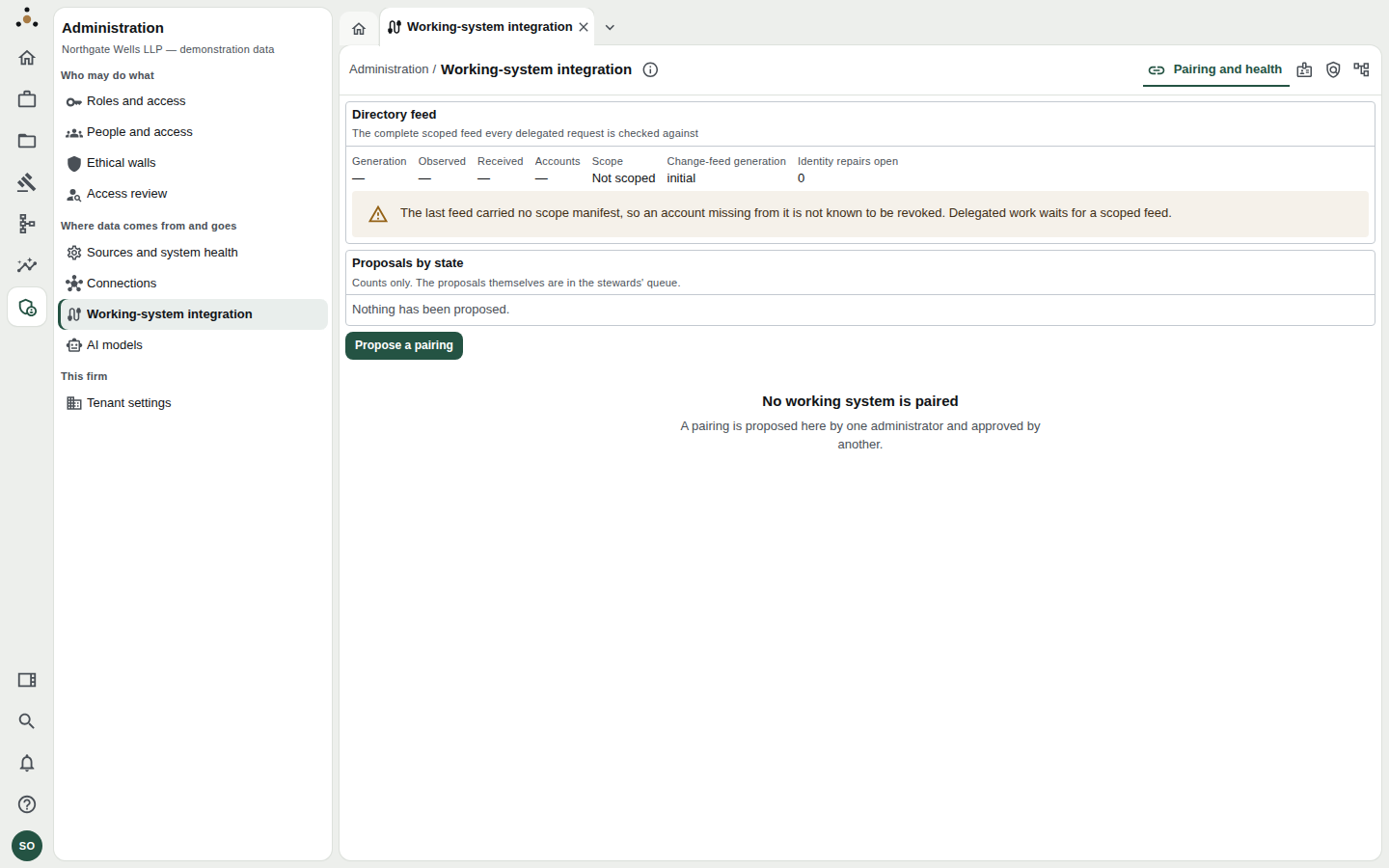
With no pairing: the directory-feed status, proposals by state, and Propose a pairing.
At the top, Directory feed shows the generation, when it was observed and received, how many accounts it holds, and whether it is Scoped and complete.
The last feed carried no scope manifest, so an account missing from it is not known to be revoked. Delegated work waits for a scoped feed. This is deliberate: Datum will not act for an account it cannot prove is still in good standing. Fix the feed at its source.
Proposing a pairing
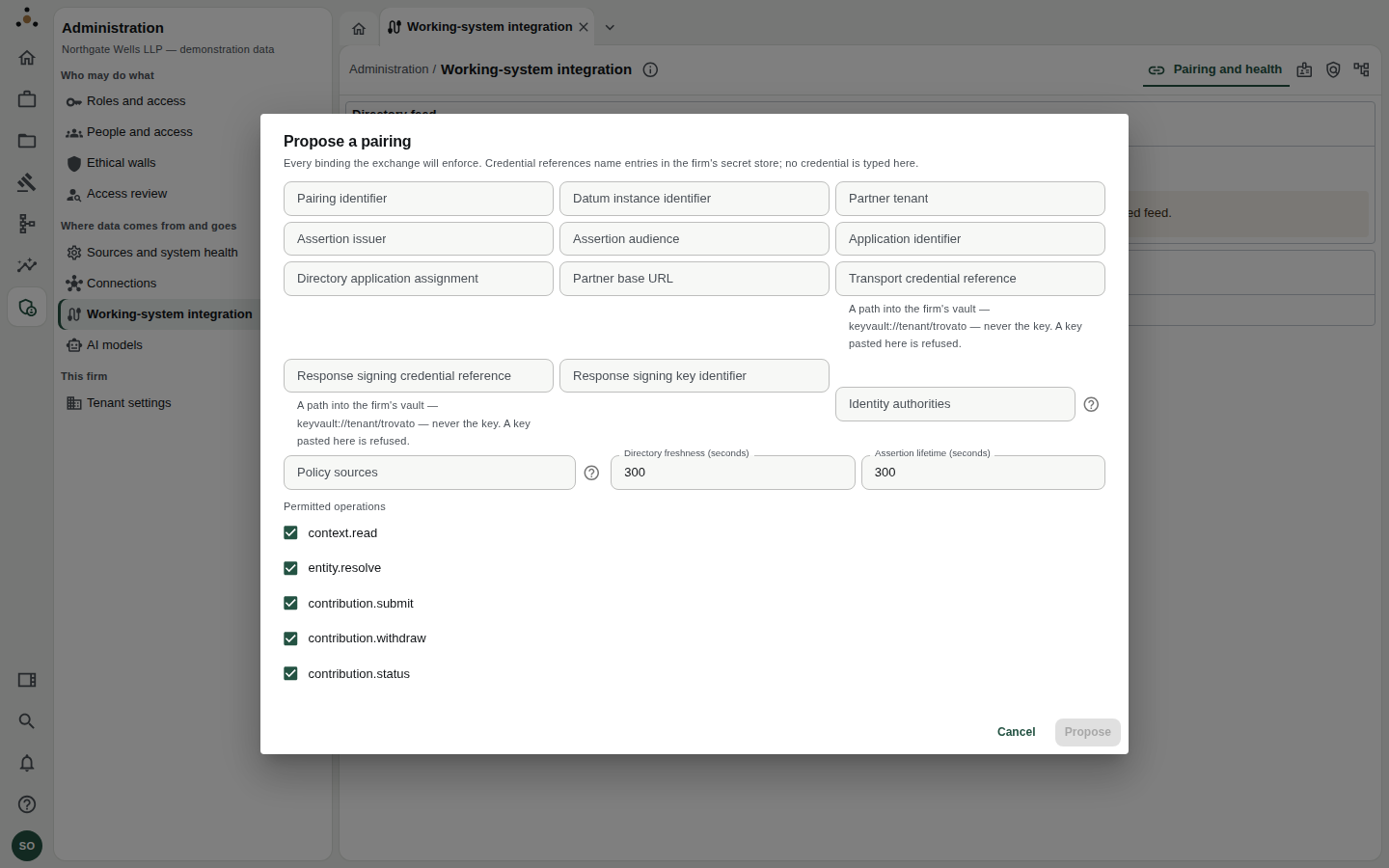
Every binding the exchange will enforce. Credential references name entries in the firm's secret store; no credential is typed here.
- Choose Propose a pairing.
- Enter the Pairing identifier, the Datum instance identifier and the Partner tenant.
- Enter the Assertion issuer, Assertion audience and Application identifier, and the Directory application assignment.
- Enter the Partner base URL.
- Give credential references —
keyvault://tenant/…paths — for transport and response signing, and the Response signing key identifier. Never paste a key. A key pasted here is refused. - List the Identity authorities and Policy sources the pairing depends on.
- Set Directory freshness and Assertion lifetime in seconds. The default and the ceiling are five minutes.
- Tick the Permitted operations —
context.read,entity.resolve,contribution.submit,contribution.withdraw,contribution.status— and leave unticked anything the firm does not want. - Choose Propose.
A second administrator then opens the pairing and chooses Approve as the second person. The pairing is Awaiting a second administrator until they do.
Pause, resume, disconnect
| Action | Effect |
|---|---|
| Pause | No new command is taken. Revocations, removals and receipts already owed are still sent. |
| Resume | Widens trust again, so it requires a fresh re-authentication. |
| Disconnect | Ends the pairing. Outstanding commands end with it and need re-authorising under a new pairing. It cannot be resumed. |
A pairing can also be paused by the platform, not by a person — when a credential it names is not available to the deployment, or the partner no longer offers a contract version or operation the pairing is bound to. The screen says which. Fix the cause, then Resume.
Verification and assertion keys
Datum's verification key is the public key the working system uses to verify Datum's responses. Only the public half is ever shown.
Assertion keys are the working system's public keys. Choose Add a key, paste the public JWK, then have a different administrator Approve it. Retiring or revoking a key takes one administrator. A JWK carrying private material is refused.
Accounts and entitlements
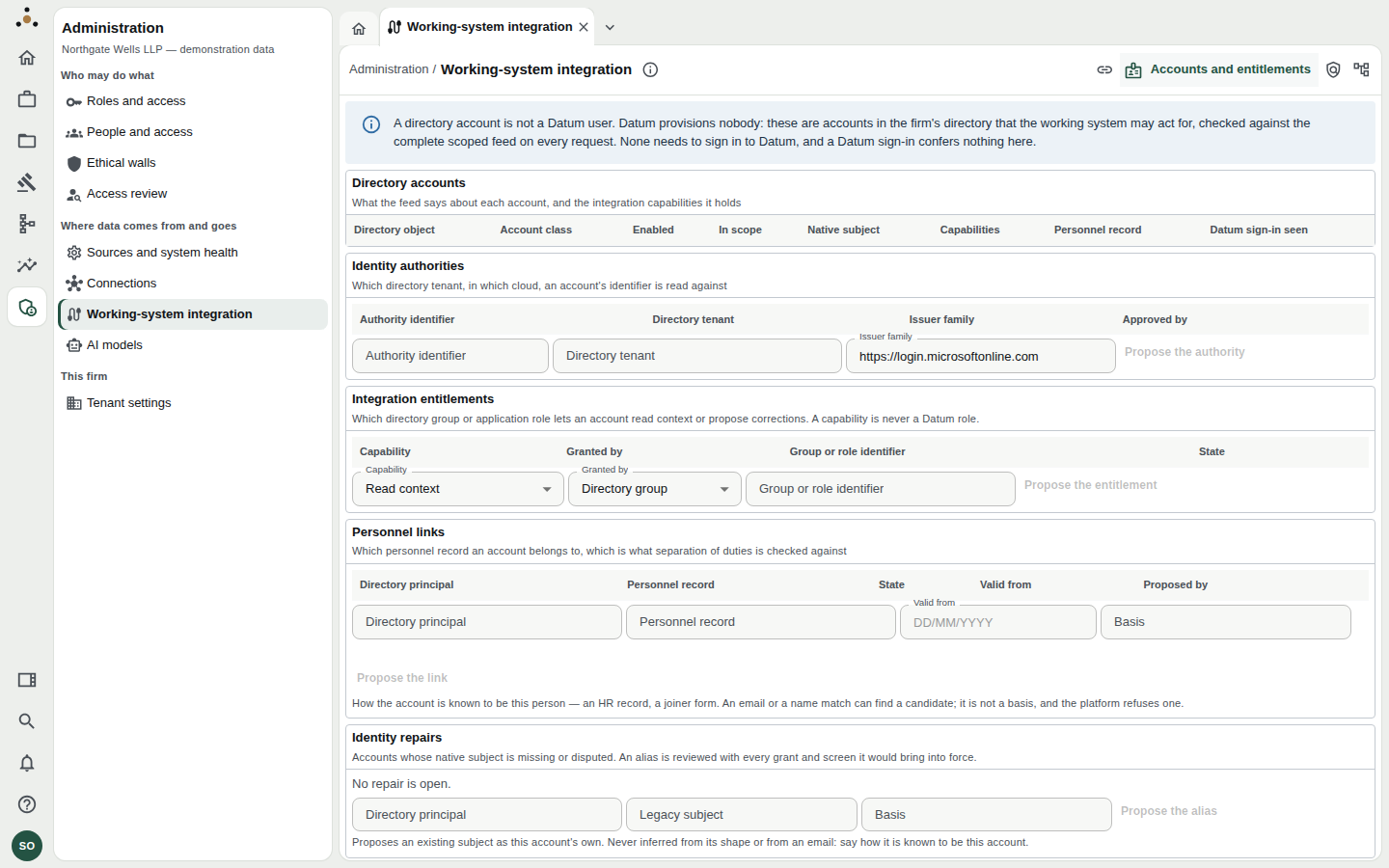
Each section is a table with a propose form beneath it.
- Directory accounts — what the feed says about each account: class (Member, Guest, Shared, Service), whether it is enabled and in scope, and its capabilities.
- Identity authorities — which directory tenant, and which issuer family, an account's identifier is read against.
- Integration entitlements — which directory group or application role gives an account Read context or Propose corrections. A capability is never a Datum role.
- Personnel links — which personnel record an account belongs to, which is what separation of duties is checked against. The basis must be a real one (an HR record, a joiner form): an email or name match can find a candidate but is refused as a basis.
- Identity repairs — accounts whose native subject is missing or disputed. An alias is reviewed along with every grant and screen it would bring into force.
Proposals in this tab are decided by somebody other than the proposer.
Walls and terms
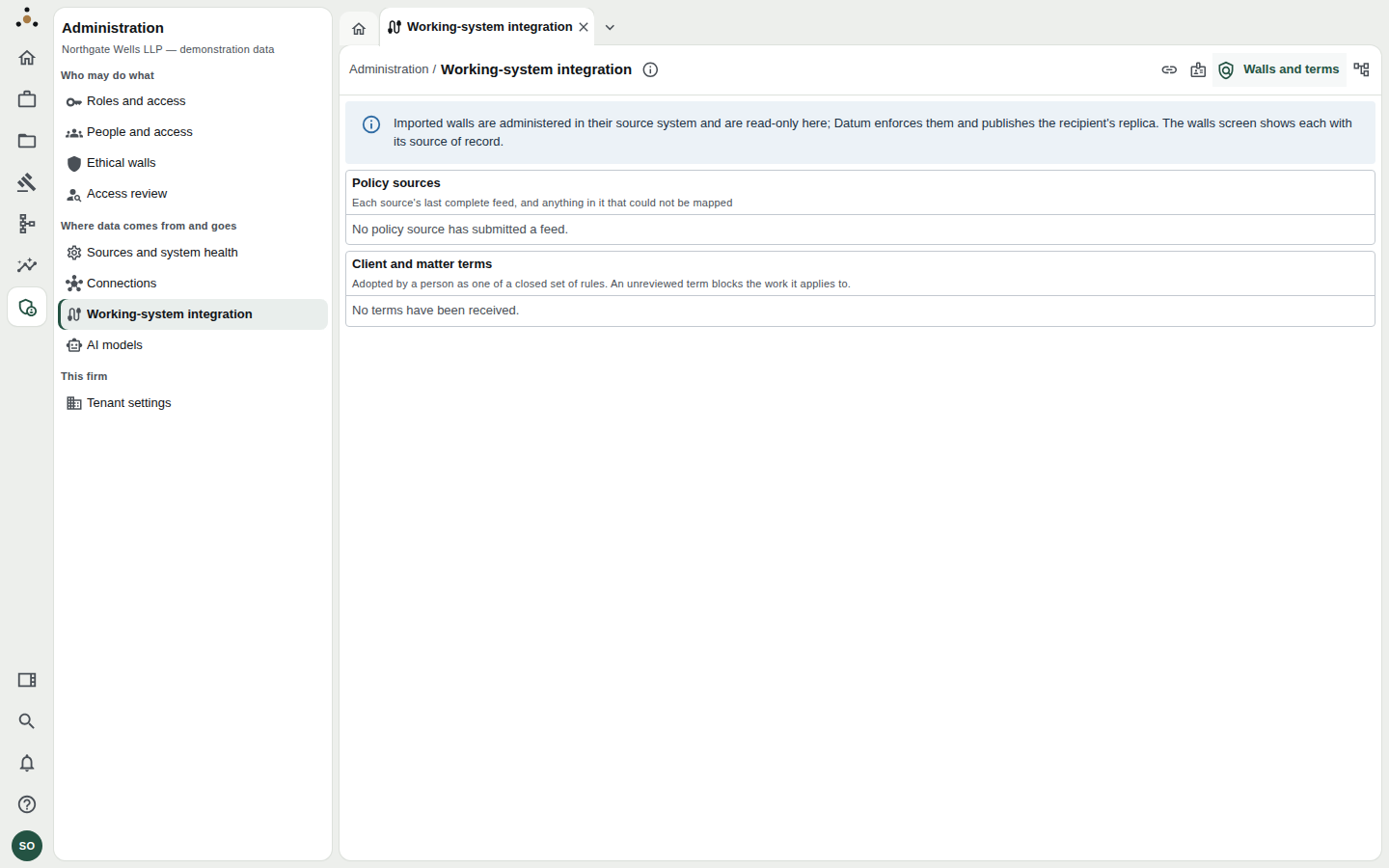
Policy sources and the client and matter terms received from them.
Walls imported from a source system are administered there and are read-only here; Datum enforces them and publishes the recipient's replica. The tab also lists client and matter terms — such as AI prohibited, Permitted model providers, Processing region — which a person adopts as one of a closed set of rules. A term the platform cannot represent shows as Unsupported — blocks: an unreviewed term blocks the work it applies to rather than being silently ignored.
Field authority
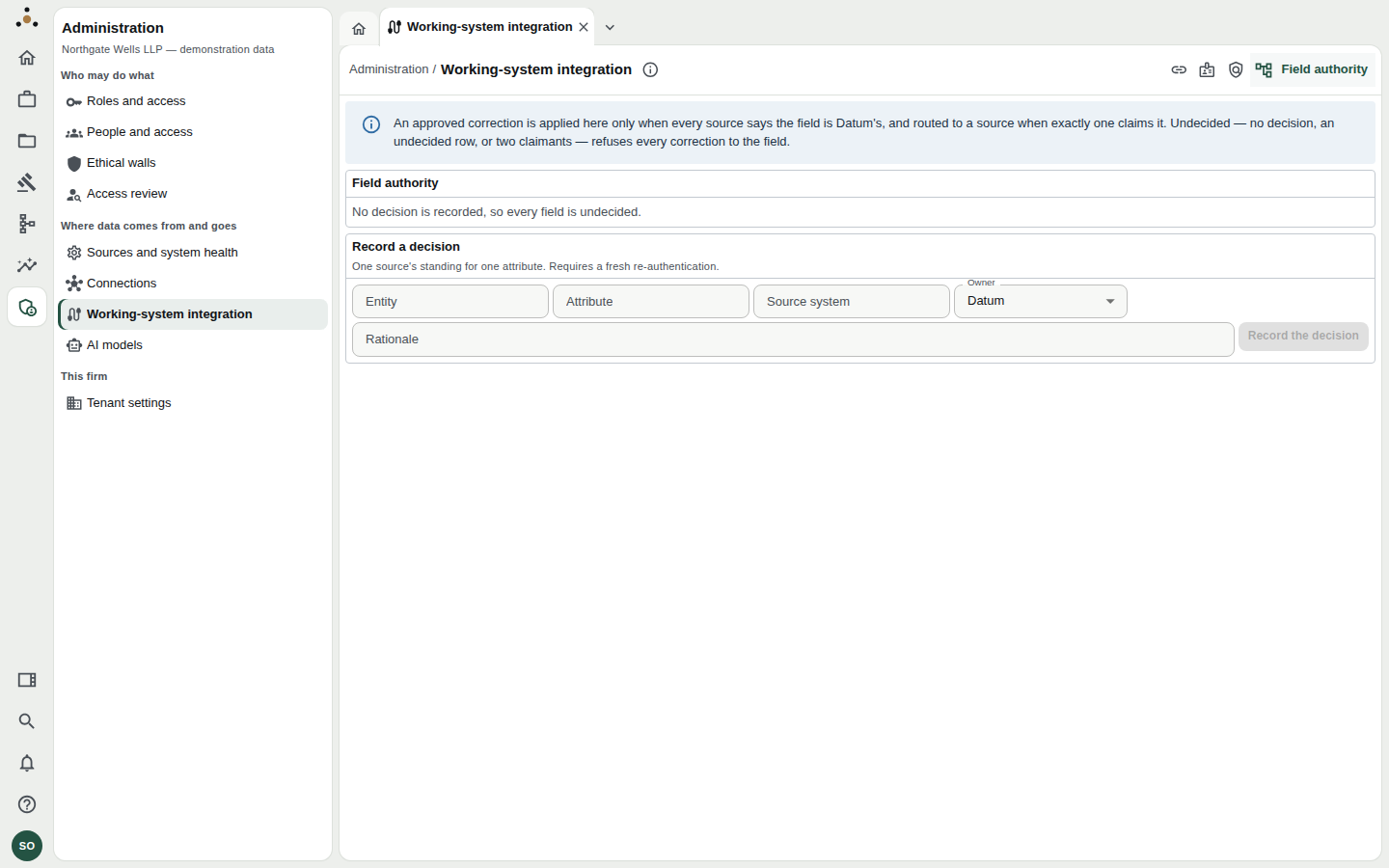
Which source owns each attribute.
An approved correction is applied in Datum only when every source says the field is Datum's, and is routed to a source when exactly one claims it. With no decision recorded, every field is undecided and nothing is applied automatically. Record the decision requires a fresh re-authentication.