What Datum is
Datum is where a law firm keeps one trustworthy version of the facts it relies on: who its clients are, which organisations and people appear on its matters, which matters exist, who works at the firm, and how all of those relate to one another.
Most firms hold those facts several times over — in the billing system, the CRM, the matter-intake form, a conflicts database — and the copies disagree. The same client is opened twice in two offices. A group company is spelled three ways. An adverse party is typed surname-first from a court document. Datum reads every one of those systems, works out which records describe the same real-world thing, and keeps a single golden record for each, with a trail back to where every value came from.
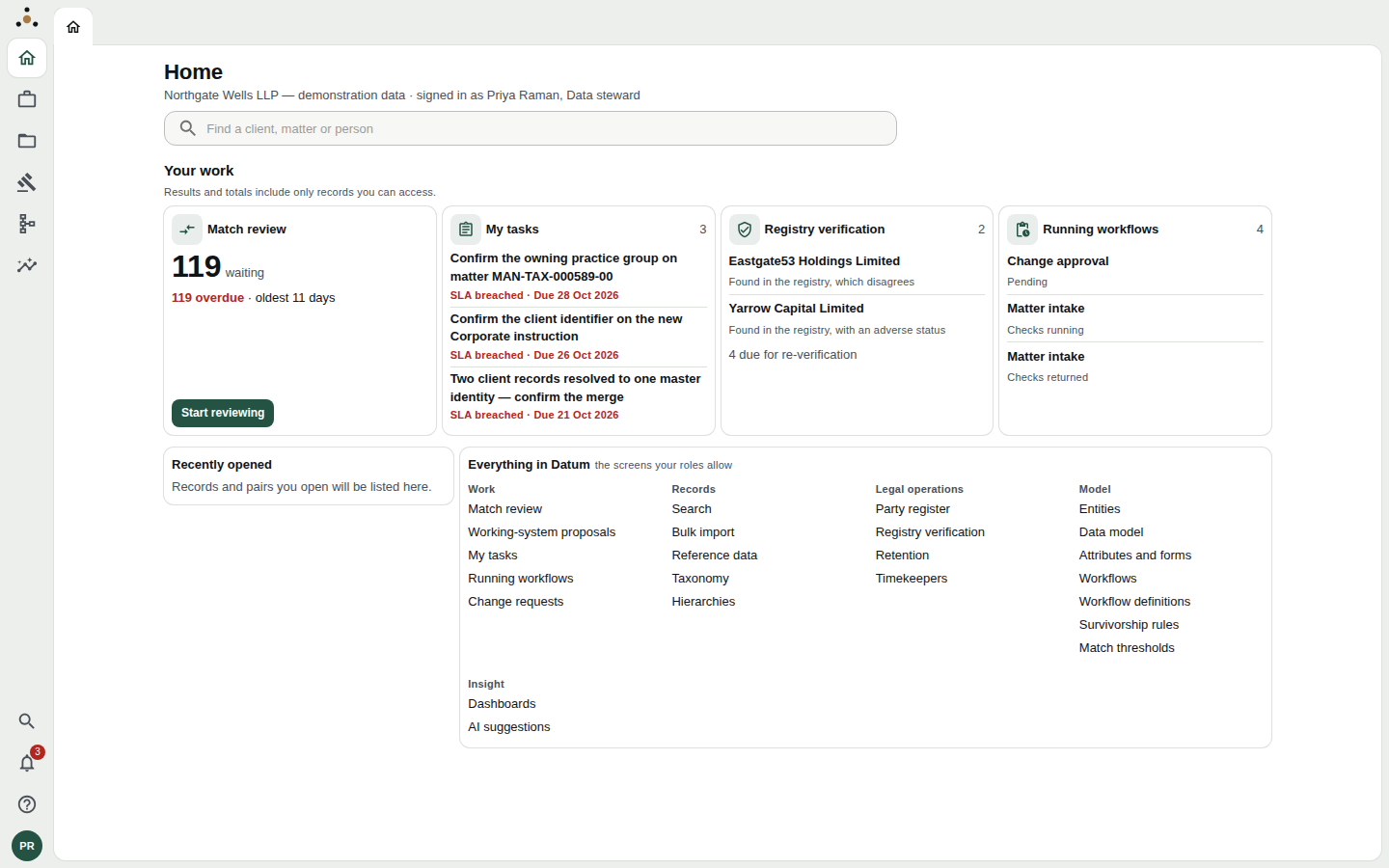
Home, as a data steward sees it. Datum is a working application, not a report: the cards show what is waiting for you.
What Datum holds
Datum organises what it masters into entities. In the demonstration firm they are:
| Entity | What a record is |
|---|---|
| Party organisation | A company, partnership or other organisation the firm deals with — client, adverse, related or third party |
| Party person | An individual the firm deals with |
| Client role | The relationship between a party and the firm — a party is a client only in the sense that it holds a client role |
| Matter | A piece of work for a client |
| Internal person | A person at the firm (a timekeeper) |
| Organisation unit | An office or practice group |
| Panel appointment | A client's appointment of the firm to a legal panel |
Your firm can extend this list and add its own attributes; see Entities and Attributes and forms.
What you can do with it
- Find the right record fast. One search across clients, matters and people, with the answer you need on the first screen. See Searching.
- Trust what you see, and check why. Every value names the system it came from and the rule that chose it. See Reading a record.
- Ask what was true then, and what we knew then. Every record is stored on two timelines, so you can look at it as it stood on a past date. See Key concepts.
- Propose corrections without a spreadsheet. If you may not edit a record, your edit becomes a proposal that a steward approves or rejects. See Proposing a change.
- Keep the data clean (stewards): decide which records are duplicates, resolve disagreements between systems, verify parties against official registers, manage retention and legal holds. See the Data stewards section.
- Govern who sees what (administrators): roles, ethical walls and the connections to your source systems. See Platform administrators.
What Datum is not
Datum does not clear conflicts, and no screen, field, export or API in it gives a clearance decision. It masters the party data that a conflicts system searches — parties resolved and de-duplicated, former and trading names kept, adverse and related parties from matter intake, corporate groups, ethical walls, and history. Your firm's conflicts process, and the people who run it, still make the decision.
Nothing in this guide describes a Datum screen as clearing, approving or declining a conflict, and if you ever find yourself reading one that way, treat that as a mistake and tell your administrator. The design reasons are in the product's ADR-0011.
Datum is also not:
- A system of record for billing or time. It reads from those systems; it does not replace them.
- A document or matter-management system. It holds the facts about matters, not the documents in them.
- A place to bypass access controls. Administering the platform is a different thing from reading the firm's records, and the platform keeps the two apart. See Roles and access.
The data in this guide
All screenshots in this guide show a synthetic firm, Northgate Wells LLP. No real client data appears in them. Names such as Priya Raman (a data steward), Alan Whitfield (a partner), Marcus Ilori (a screened partner) and Sandra Okonjo (a platform administrator) are the demonstration firm's cast.
Your own firm's screens will look the same but will show your firm's name, colours and data, and you will see only the screens your role allows. The next page, Who this guide is for, helps you find your path through it.