Roles and access
Where your access comes from
Datum creates no users and holds no passwords. Your access is worked out every time you sign in, in three steps:
- Your firm's directory says which groups you are in (for example Data Stewards or Fee Earners).
- Datum's role catalogue maps each group to one or more roles.
- Each role carries privileges: which kinds of action (the endpoint classes) it may take, and which entities and attributes it may read or write.
On top of that, ethical walls remove particular records from particular people, whatever their role.
Move somebody into a different directory group and their access changes at their next sign-in. There is nothing to change inside Datum, and nobody to "create" in it. People and access shows administrators who has arrived carrying which group.
The endpoint classes
Your account panel states these in words. They are the vocabulary used throughout this guide.
| In your account panel | Short name | Lets you |
|---|---|---|
| Read mastered records | mdm:read | Search, open and list records |
| Resolve a source key to a record | mdm:xref | Look up which golden record a source system's key belongs to |
| Stewardship: merge, adjudicate, approve | mdm:steward | Edit directly, decide matches, approve change requests |
| Take a bulk extract | mdm:extract | Export in bulk |
| Administer the platform | mdm:admin | Manage roles, walls, connections and settings |
A class opens a door; a role's attribute privileges decide what is inside the room. Holding mdm:read does not mean you can read every field of every entity — see What you cannot see.
The roles in the demonstration firm
Your firm names and shapes its own roles. The demonstration firm's catalogue looks like this.
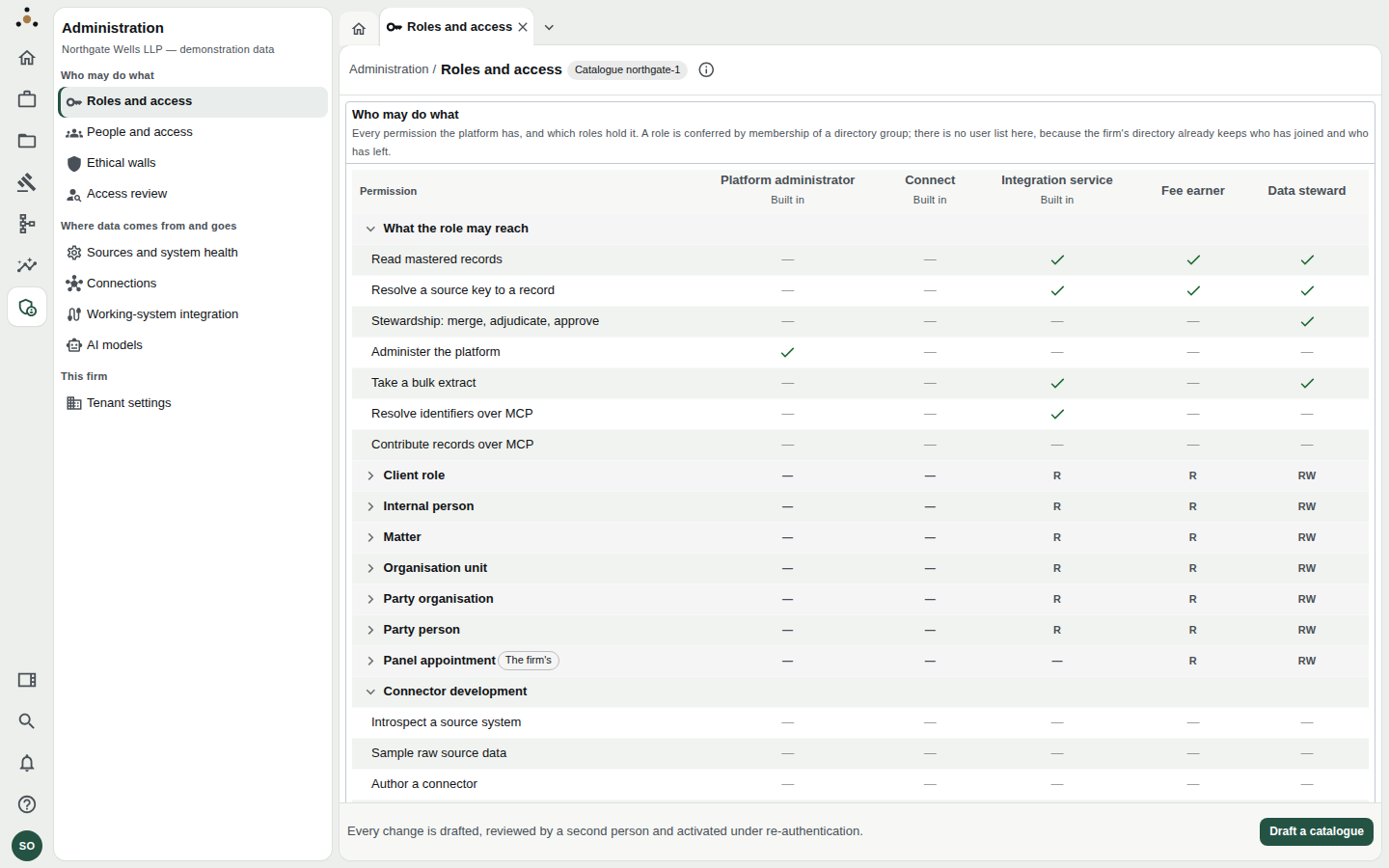
The Roles and access grid (administrators only). Ticks are endpoint classes; R and RW are read and read-write over each entity.
Fee earner
Partners, associates and other lawyers. Reads every entity the firm has granted, and proposes changes rather than making them. Cannot see certain commercially sensitive fields (in the demonstration, for example a client's billing currency and AML status). Walls may apply. Sees Search, Records, Legal operations, Model and Insight screens that only need to read. Guide: Fee earners and partners.
Data steward
The people who keep the data right. Everything a fee earner has, plus the right to edit directly, decide matches, approve or reject change requests, take bulk extracts and record the lifecycle of timekeepers. Every change needs a reason and is recorded and reversible. Guide: Data stewards.
Platform administrator
IT, risk and compliance staff who run the platform: roles, walls, connections, settings. This role holds mdm:admin and nothing else.
A platform administrator cannot read the firm's records. Every data screen — Search, the party register, queues — refuses them with Your roles do not reach this. This is the answer to the risk committee's question about what the people who administer the system can see: the same as anybody who holds no data role, which is nothing.
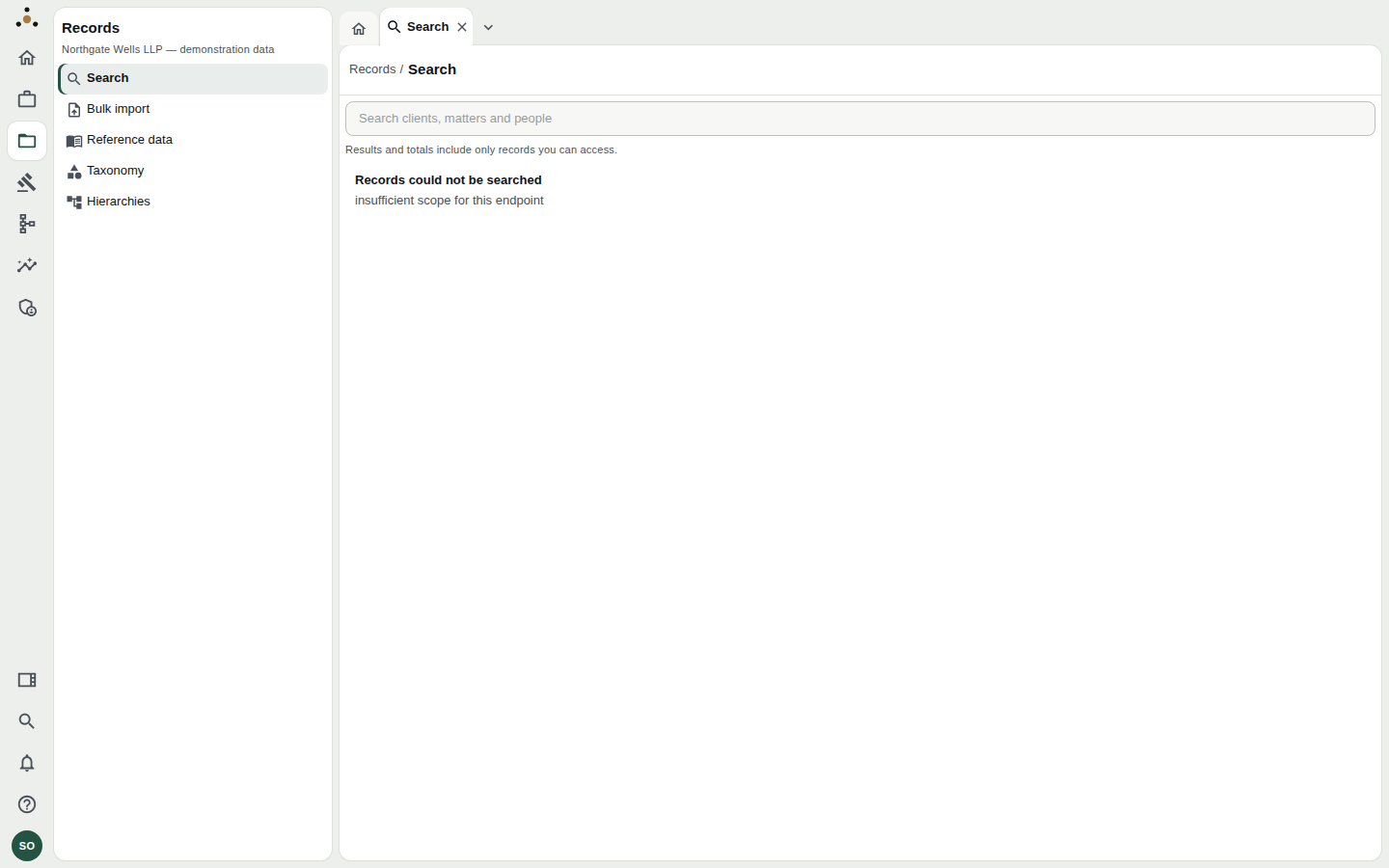
An administrator on Search. The platform refuses the read and says so, rather than showing an empty list.
No act of administration is one person's. Activating a role catalogue, approving a wall, and approving a working-system pairing or its signing key each need a second administrator; whoever drafted the change cannot be the one to finish it. See Two-person approvals.
Downstream services
Systems that consume Datum — a reporting service, a publication service that pushes the matter directory to a working system — sign in as service accounts, with their own narrow entitlement. A service account is a principal like any other: it reaches the same evaluation on the same path, and walls apply to it as to a person. The matter-directory publication reads the thin directory and is screened by no wall; the detail service reads what a matter says and is screened by every one of them. They are the service-account counterpart of a partner and a screened partner.
The built-in "Connect" role
You will see Connect in most people's account panels. It is built in and confers a session and no data at all. It makes "signed in but not yet entitled to anything" a state Datum can show, rather than a gap that looks broken.
What each role sees, in the rail
| Area | Fee earner | Data steward | Platform administrator |
|---|---|---|---|
| Home | Yes | Yes | Yes (platform health, drafts awaiting a second administrator) |
| Work | Reads queues, tasks and workflows | Yes, and can decide | No |
| Records | Yes | Yes | No |
| Legal operations | Yes (reading) | Yes | No |
| Model | Reads | Yes | No |
| Insight | Yes | Yes | No |
| Administration | No | No | Yes |
A screen that is hidden from the rail is hidden as a courtesy: the platform refuses regardless. If you open a link to something your role does not reach you see Your roles do not reach this, with the platform's reason, rather than an empty screen — an empty screen would suggest nothing was there.
A side-by-side that makes it concrete
The demonstration firm contains two partners, Alan Whitfield and Marcus Ilori, who are identical in every way but one: an ethical wall screens Marcus from a single client relationship. Their roles, groups, practice areas and grants are the same. Everything different between their two sessions — a lower count, a record that is not found — is the wall and nothing else. What you cannot see uses them as its running example.
Common questions
Why can I see a screen but not its Edit button?
Because the button needs an endpoint class you do not hold — for a record, mdm:steward. You get Propose a change instead. See Proposing a change.
Why does a colleague in my group see a different total? Walls apply to individuals. See Key concepts.
Who do I ask for different access? Your administrator, who will change your directory group membership. Nobody can grant access inside Datum to a person who has no group that confers it.