Proposing a change
Needs: mdm:read. A data steward, who holds mdm:steward, sees Edit record in its place and changes records directly — see Editing a record.
If you spot a wrong or missing value, you do not need to email a spreadsheet to someone. Open the record and propose the correction. Your change does not alter the record: it goes to a data steward, who approves or rejects it.
A person who cannot change anything tends to keep their own corrections somewhere else — and a spreadsheet beside the system is a source system nobody registered. A proposal keeps the correction inside Datum, with your name and your reason on it.
Propose a change to a record
-
Open the record (Searching).
-
Choose Propose a change, at the right of the foot bar.
noteThe button is disabled with Editing is for the record as it stands today if you are looking at a past date. Choose Back to today first.
-
The Propose a change form opens, listing every attribute of the entity that can be typed into. Values Datum computes are not listed — change what they are computed from instead.
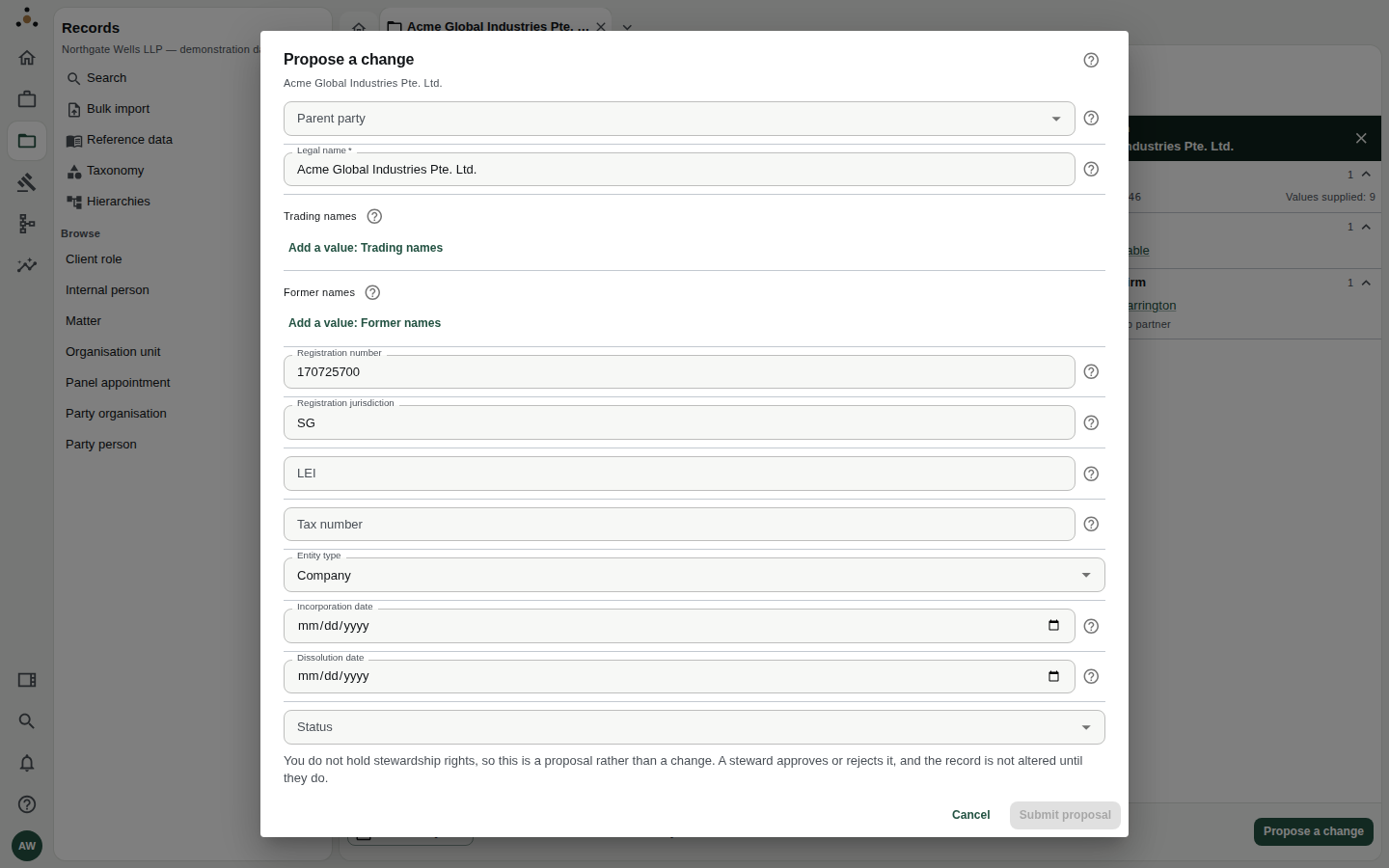
The form lists the record's editable attributes, pre-filled with today's values. The notice at the foot reminds you that this is a proposal.
- Change only what is wrong. Lists of values — trading names, former names — have Add a value and a ✕ to remove one. A field marked Personal data holds personal information; enter it only if you need to.
- Fill in Reason for the change at the foot. It is optional, but it is the first thing the steward reads. It is recorded on the record's timeline next to what changed.
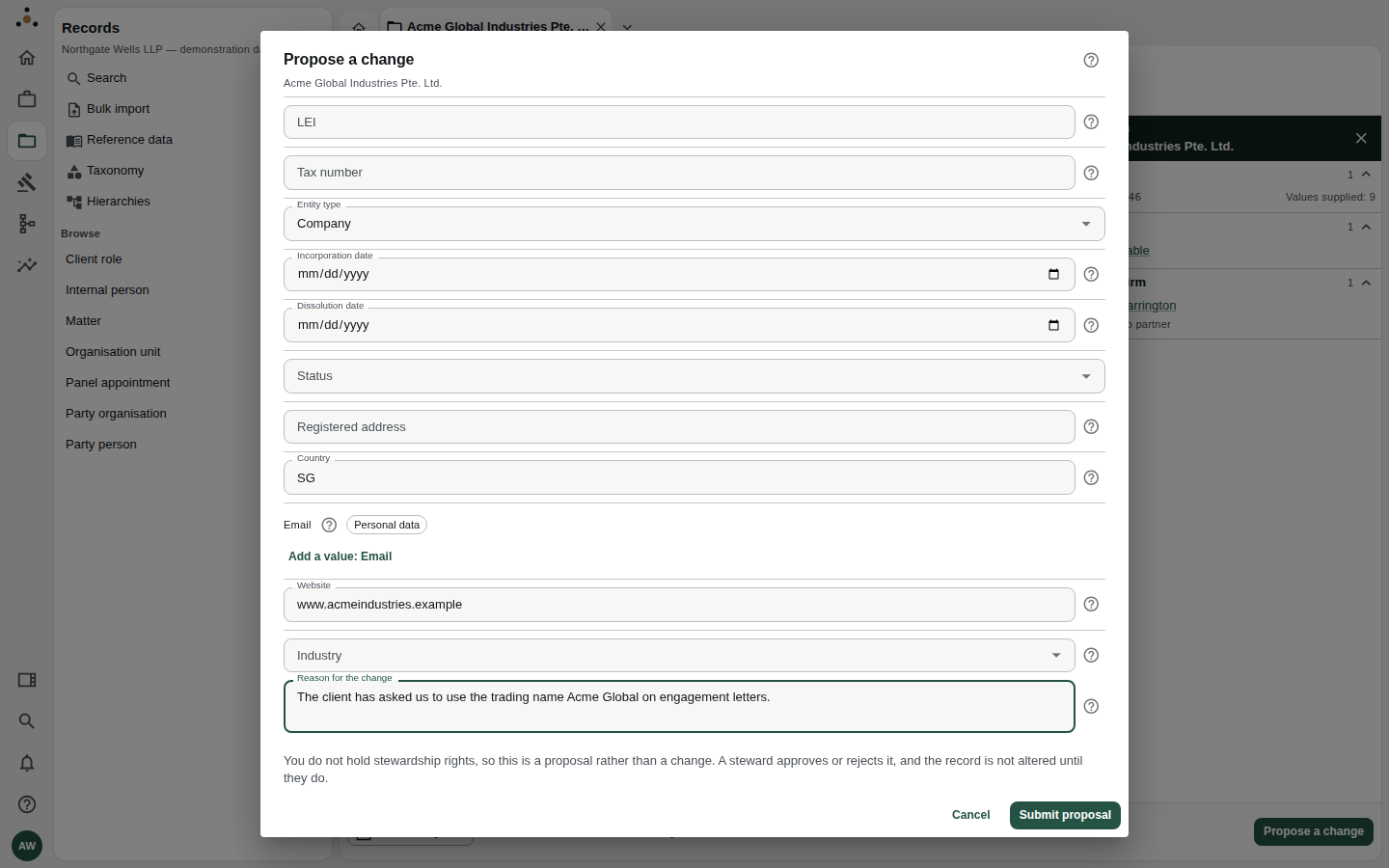
A good reason says who asked and why, in a sentence.
- Choose Submit proposal. It stays disabled until you have changed something, and the form tells you if a required field is empty.
You see the confirmation: Proposed. A steward will approve or reject it, and you will be notified either way.
Until a steward approves it, the record still shows the old value. Do not rely on the proposed value, and do not tell a client it has been updated.
Writing a proposal a steward can act on
- Say where you got the fact — an engagement letter, the client's own email, the registry — in the reason.
- One subject per proposal. A steward can approve or reject a proposal, not half of one.
- If a value is wrong in every system, say so; the steward may need to fix the source too.
- If you believe two records are the same client, do not edit one to match the other. Tell a steward which two and why; deciding that is what the match queue is for.
Proposing a new record
If a client, party or matter genuinely is not in Datum:
- Choose the entity under Browse in the Records navigator.
- Choose Propose a new record.
- Fill in the form. Before it is created, it is compared with the records you can access so you are warned of near-duplicates.
- Fill in Why the record is needed — optional, but read by the steward who decides.
- Choose Submit proposal. You do not hold stewardship rights, so this is a proposal rather than a record … nothing is created until they do.
What happens next
- The proposal enters the stewards' Change requests queue, showing what you asked for, the current value beside it, and your reason.
- A steward approves or rejects it. A rejection needs a reason, which is recorded.
- You are notified either way — look at the bell in the rail (Palette, notifications and your account).
- If approved, the record changes and its History tab shows your name as the proposer and the steward as the approver. If rejected, the record is unchanged and the History shows the rejection under Proposals not applied.
Nobody can approve or reject a change they proposed; the platform refuses it. The way out for a proposer who has changed their mind is to withdraw it from the Change requests screen. That screen needs mdm:steward, so a fee earner who wants to take a proposal back should tell the steward reviewing it.
If something looks wrong
There is no Propose a change button. — You are looking at a past date (choose Back to today), or the record is one your role may not propose changes to.
Submit proposal stays greyed out. — Nothing in the form differs from the current record, or a required field is empty.
My proposal vanished. — It has not; fee earners cannot open the stewards' Change requests screen (it answers Your roles do not reach this). Look at the record's History tab, or your notifications.
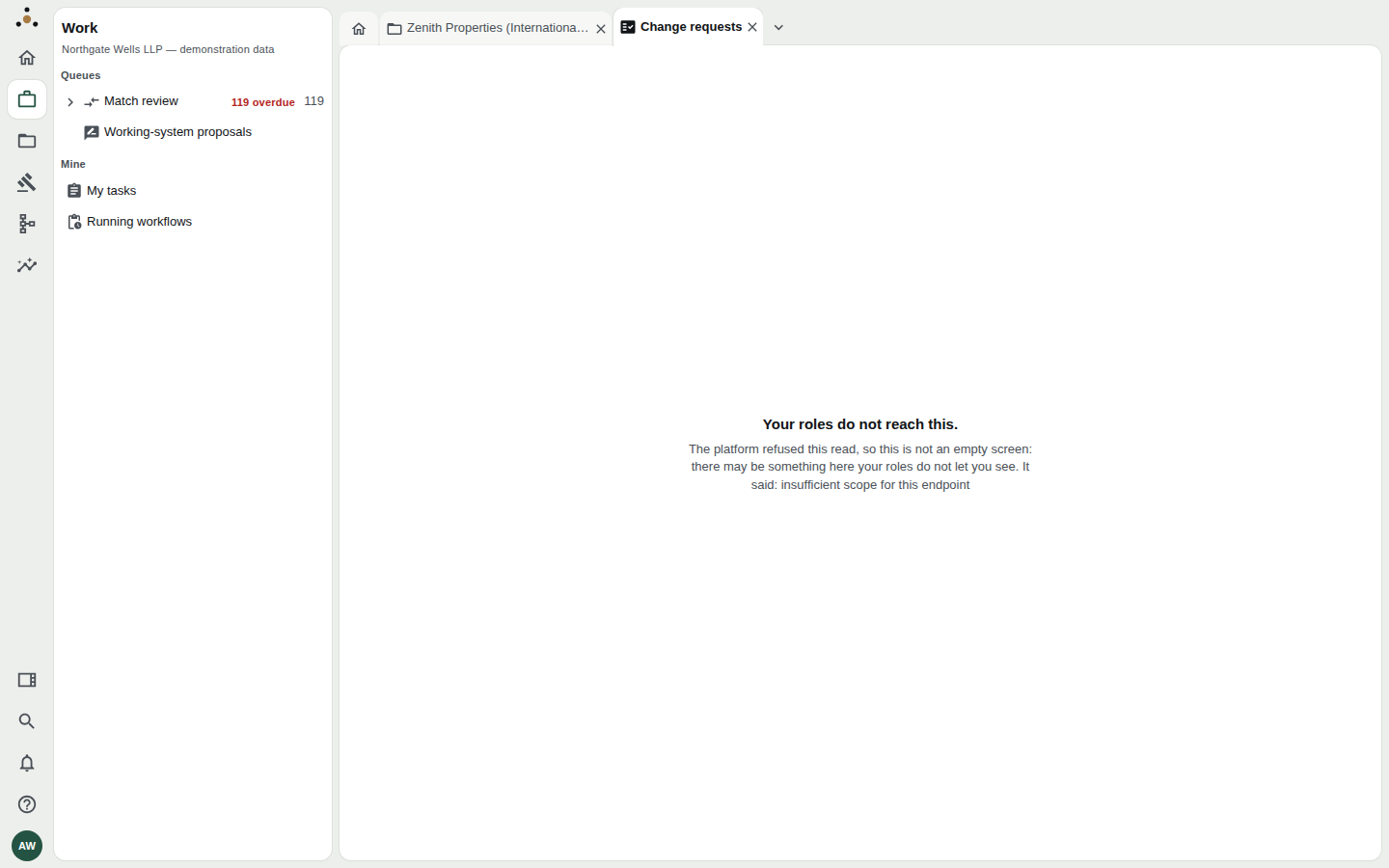
The stewards' Change requests screen, opened by a fee earner. The refusal is honest: it says it is a refusal, not an empty list.