Entities
The Entities screen is the register of every kind of thing Datum holds: clients' roles, matters, people, organisations, offices and anything your firm has declared for itself. Open it from Model › Entities.
How the model, workflows and rules fit together
Four things shape what happens to a record, and they are easiest to understand as a chain.
- The model says what exists: which entities, which attributes on each, and how they refer to one another. This section of the guide starts here.
- The match thresholds decide when two source records are the same thing, and survivorship decides which source's value wins once they are. Together they turn many source records into one golden record.
- Workflows govern changes. When someone proposes a correction, a workflow decides who reviews it and what they may do.
- Dashboards show whether all of that is working: how much work is waiting, how complete the data is, how many rules it breaks.
The pages that follow take each in turn, in the order a data architect usually meets them.
Every screen in this section is for people who shape the data rather than work through it. If you are looking for the daily queues — match review, tasks, change requests — see the data steward guide.
Reading the register
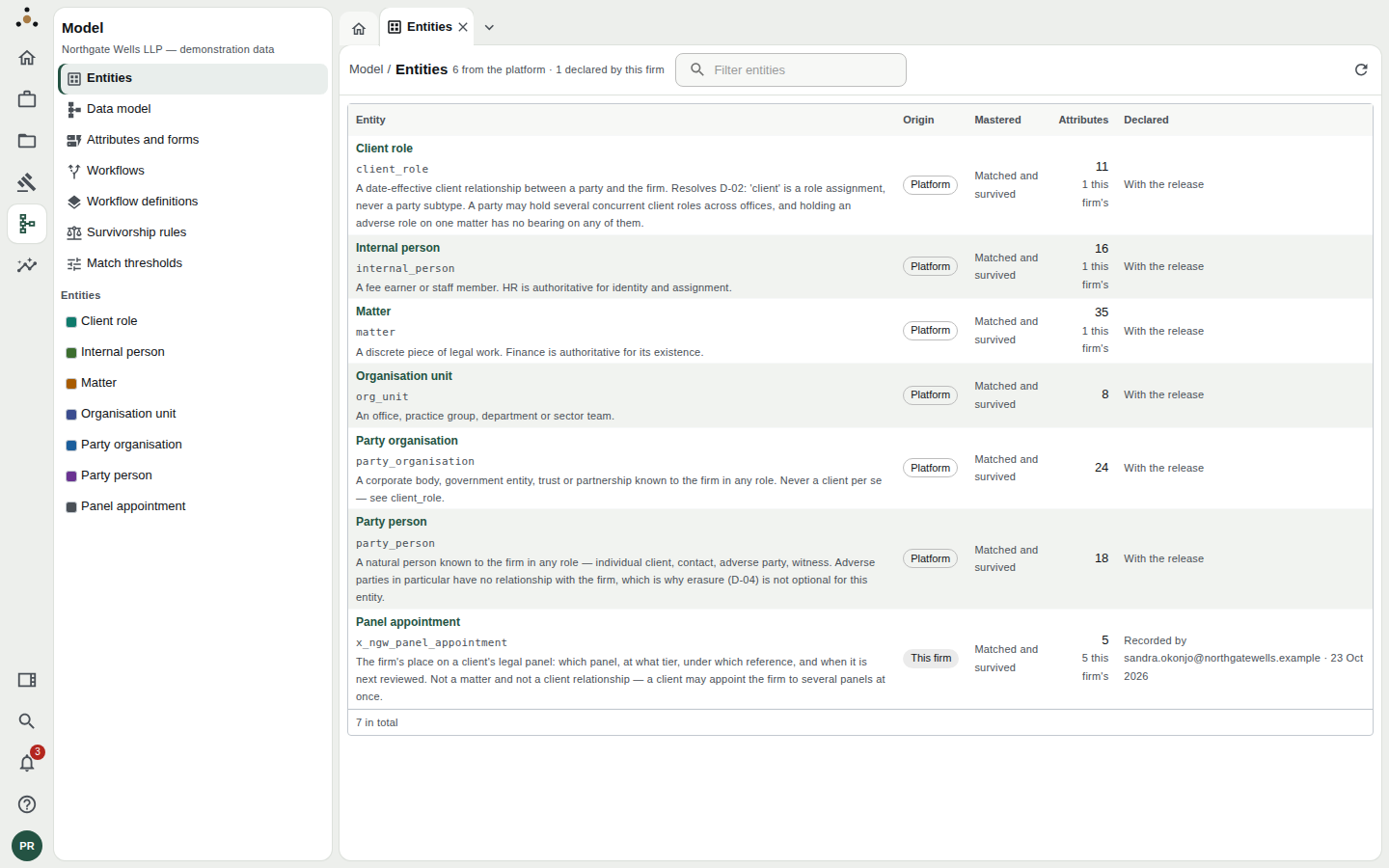
The Entities register in the demonstration firm. Six entities ship with the platform; the seventh, Panel appointment, was declared by the firm.
The header counts the entities from each source: 6 from the platform · 1 declared by this firm. Each row has:
| Column | What it tells you |
|---|---|
| Entity | The name people see, the stored name underneath in code style (for example party_organisation), and a one-sentence description. |
| Origin | Platform for entities that ship with Datum; This firm for entities the firm declared. |
| Mastered | Matched and survived means records from different sources are compared, merged into golden records, and their values chosen by survivorship rules. Held, not mastered means the entity is stored and governed but never matched. |
| Attributes | How many attributes the entity has, and how many of those the firm added (for example 5 this firm's). |
| Declared | With the release for platform entities. For a firm's own entity, who declared it and when. |
Use the Filter entities box to narrow the list; clear it to see the whole model again. The refresh button re-reads the register.
The Model navigator beside the screen also lists every entity, each with a colour. The same colours identify the entity on the data model diagram.
The six platform entities
| Entity | What it holds |
|---|---|
| Party organisation | A corporate body, government entity, trust or partnership known to the firm in any role. Never a client in its own right. |
| Party person | A natural person known to the firm in any role: individual client, contact, adverse party, witness. |
| Client role | A date-effective relationship between a party and the firm. A party can hold several client roles across offices. |
| Matter | A discrete piece of legal work. |
| Internal person | A fee earner or member of staff. |
| Organisation unit | An office, practice group, department or sector team. |
A client is a role a party plays, not a type of party. The same organisation may be a client in London, an adverse party in another matter and a co-counsel elsewhere. Holding the party once, and the roles separately, is what lets Datum say all of that without duplicating the organisation.
Opening an entity
Choose an entity in the navigator, or follow Open its attributes and forms from the register, to go to Attributes and forms for that entity. The attribute list there shows every attribute, who defined it, and what type it holds.
Declaring your own entity
AdministratorIf your firm tracks something Datum does not ship with — a panel appointment, an office location, a regulatory registration — an administrator can declare it as an entity of its own.
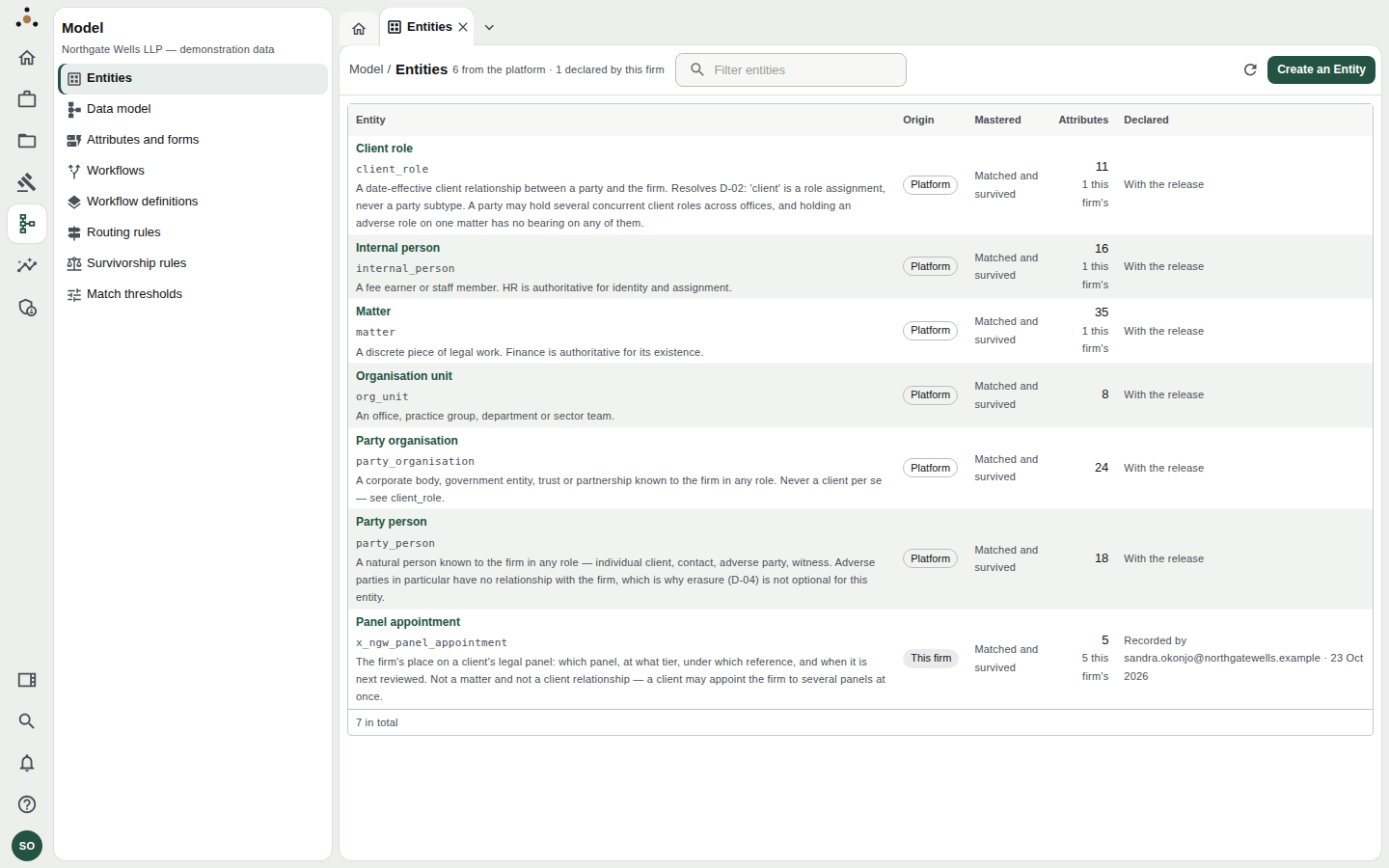
An administrator's view of the register adds the Create an Entity button.
Choose Create an Entity.
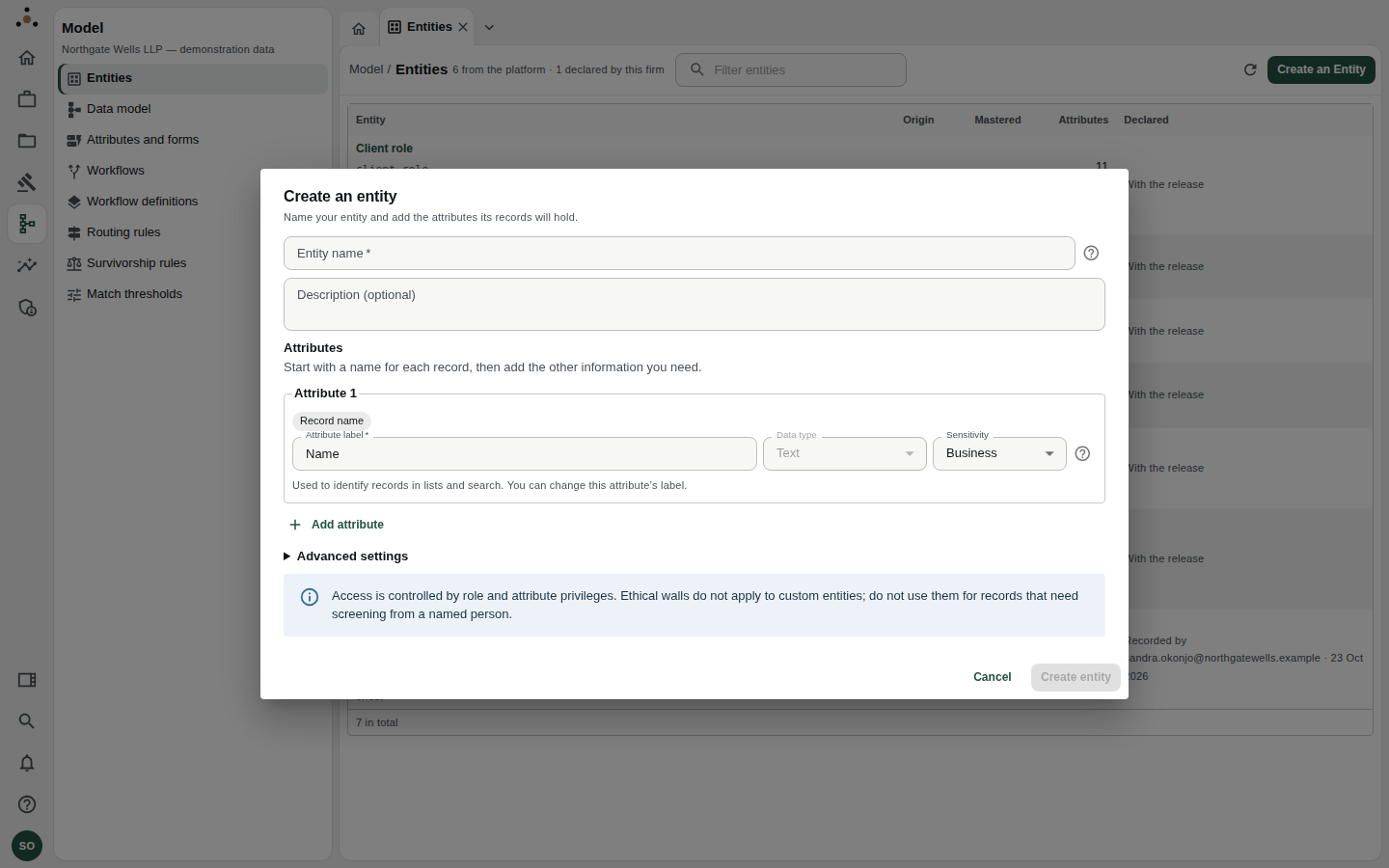
The Create an entity dialog. It starts with one attribute, the record name.
- Entity name is what people will see, for example Panel appointment. Datum generates the stored name from it, adding your firm's prefix automatically (the demonstration firm's entity is stored as
x_ngw_panel_appointment). - Description is optional but worth writing: it appears in the register.
- Attributes. The first, the record name, is how a record is identified in lists and search; you can relabel it. Choose Add attribute for each further piece of information, giving each a label, a data type, whether it allows multiple values, and a sensitivity. Choose Personal for information about a person and Special for sensitive personal data; sensitivity controls who may see the attribute.
- Under Advanced settings you can set the technical name by hand, say how names should be compared (Organisation names, People's names or Other names or references) and whether Datum should find and resolve duplicate records for this entity.
Choose Create entity. It appears in the register at once.
Access to a firm-declared entity is controlled by roles and attribute privileges only. Do not use one for records that need screening from a named person. The dialog says so, and it is a deliberate boundary: walls act on client relationships, which a custom entity is not.
Switch on Find and resolve duplicate records only when records of this kind really do arrive from more than one place and might repeat. A list that is typed in once, such as offices, is better held, not mastered.
Retiring an entity
An administrator can Retire the entity from its attribute screen. It leaves the model, but its records stay in the master layer: deleting the declaration would leave records that nothing can name. A retired entity can be declared again.
Who can do what
| You can… | Steward | Administrator |
|---|---|---|
| Read the register and the model | Yes | Yes |
| Declare or retire an entity | No | Yes |
Platform entities are defined in code. They are the single source of truth for connectors, survivorship, erasure and the contracts your downstream systems read, so nothing on screen can rename, retype or remove one. What you can do is add attributes to them, and change the wording people see. That is the subject of Attributes and forms.