What you cannot see
Datum limits what each person sees in two ways. They look different on screen, and they are worth telling apart.
Everything on this page is about access. A record being hidden from you, or visible to you, says nothing about whether a matter is or is not in conflict, and Datum issues no clearance decision. Conflicts are decided by your firm's conflicts process.
Ethical walls: whole records you will not see
An ethical wall (or information barrier) screens a named person or group from a client relationship and the matters that belong to it. If you are on the screened side:
- Those records simply are not there for you. They do not appear in Search, in browse lists, in the command palette, on another record's Matters list, in a party's list of matters, or in exports.
- If you open one by its address, you get "Not found". Not "Access denied". Denied would confirm that the record exists — the very thing the wall is there to prevent. A walled record is indistinguishable from one that is not there.
- Nothing tells you how many records are held back. The line you see on every list — Results and totals include only records you can access — is the same line everyone sees whether or not a wall touches them. A notice that appeared only when something was hidden would be the same disclosure, so there is none.
The demonstration firm has two partners who are identical in every way except one wall. Alan Whitfield is not screened; Marcus Ilori is.
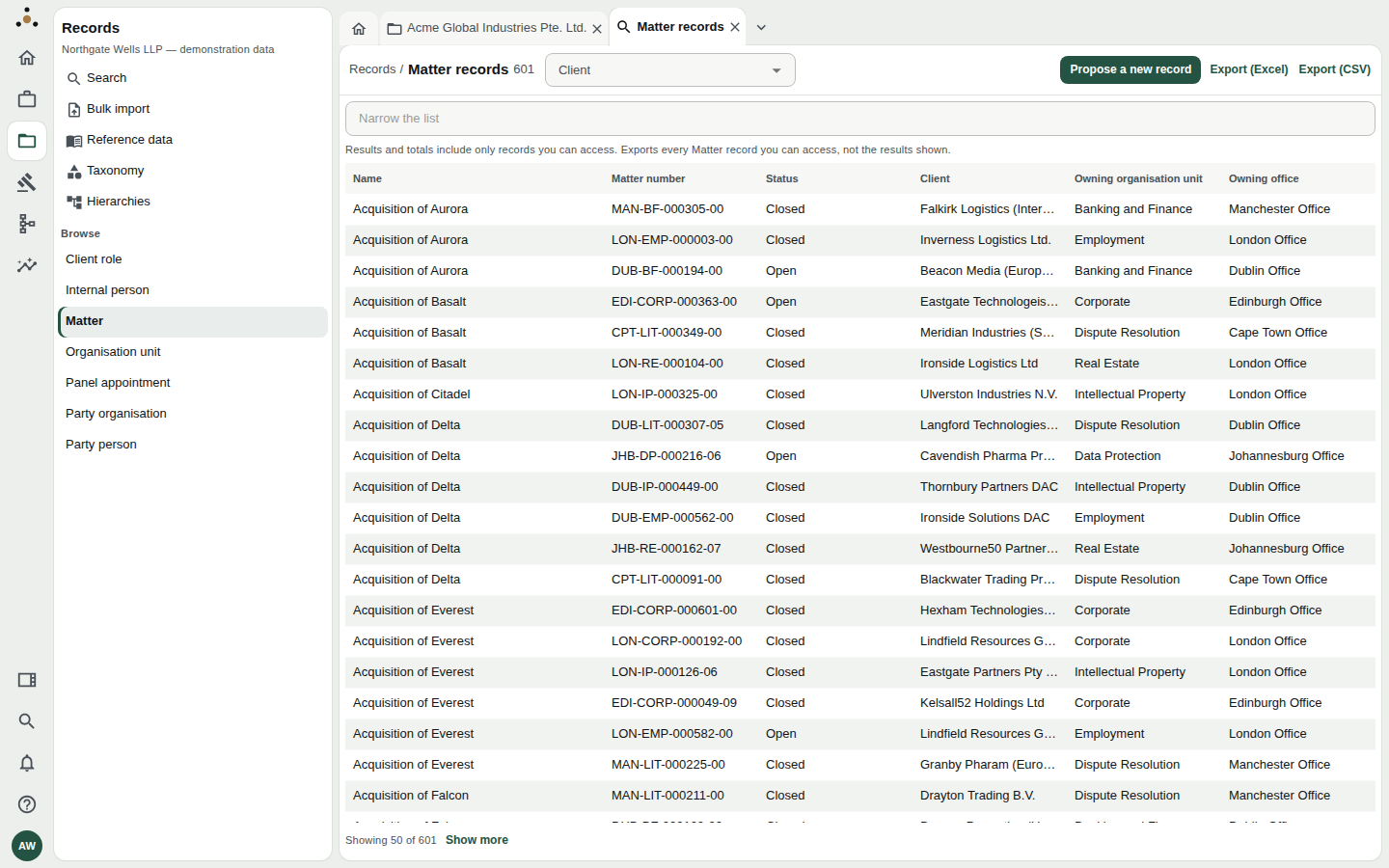
Browsing Matter as the unscreened partner: 601.
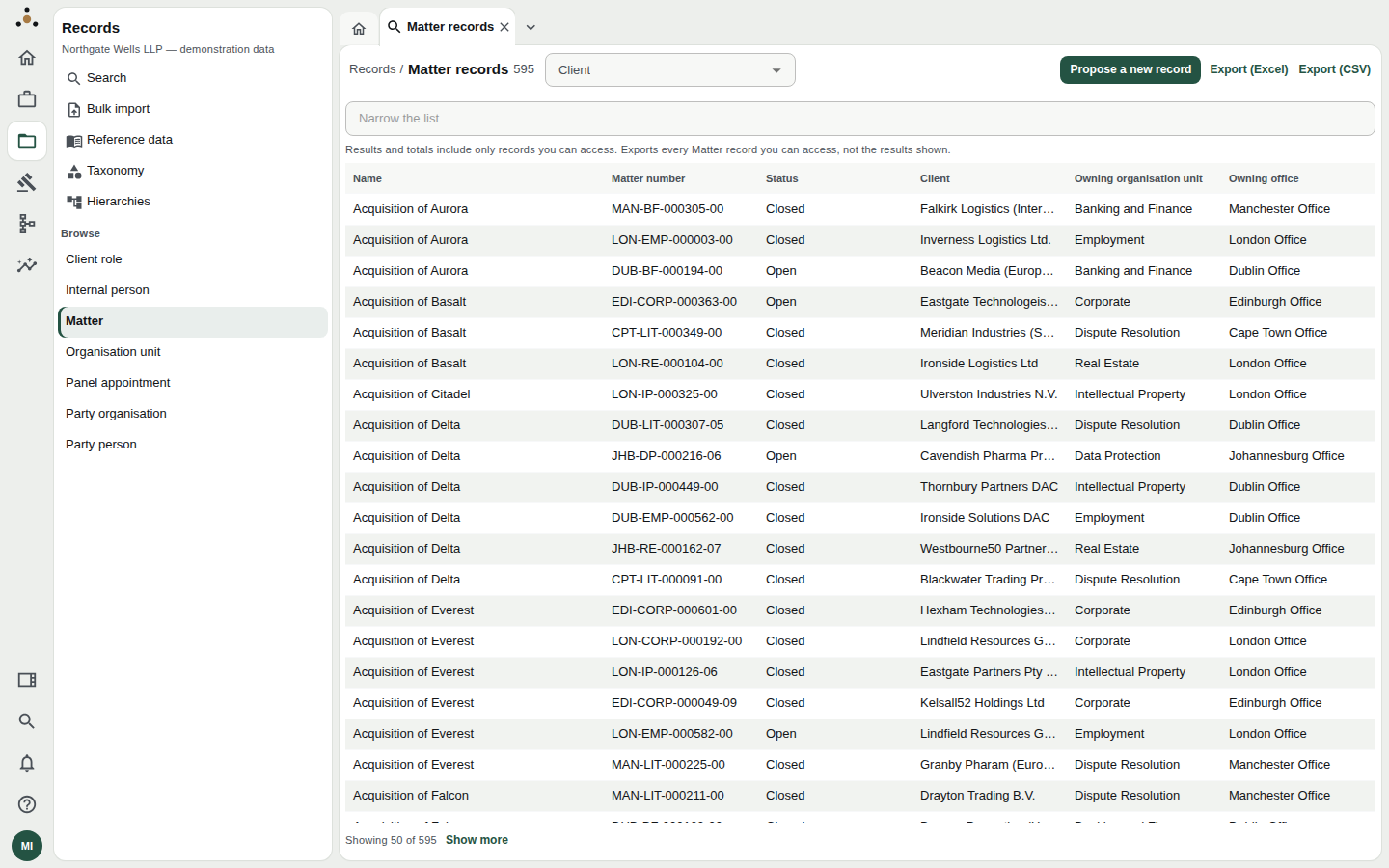
The same list as the screened partner: 595. Nothing on this screen says six matters are missing — it says what it says to everybody.
Opening one of the six by its address:
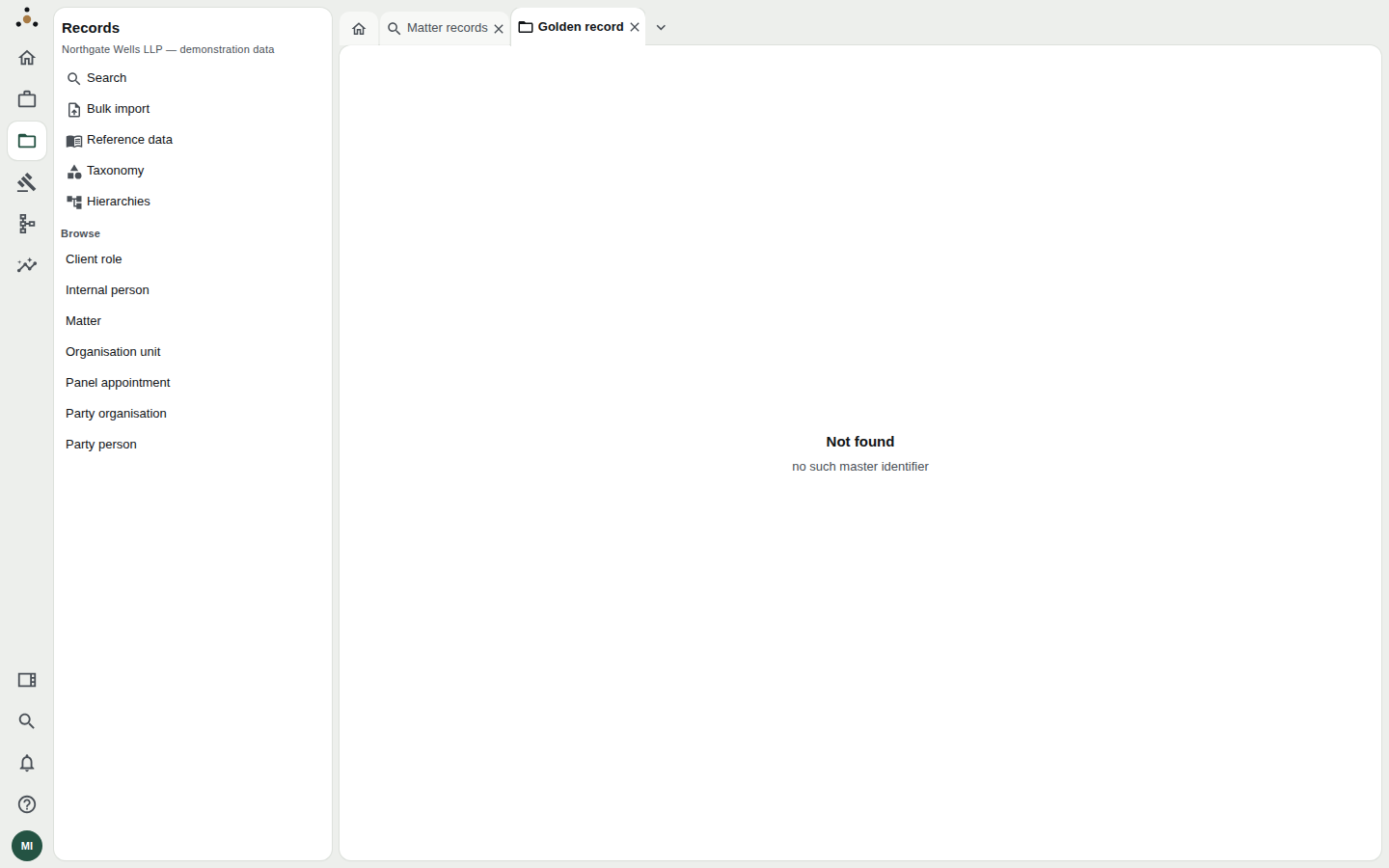
Not found — no such master identifier. The same answer as for an identifier that was never issued.
Whereas for the unscreened partner the same address opens the matter:
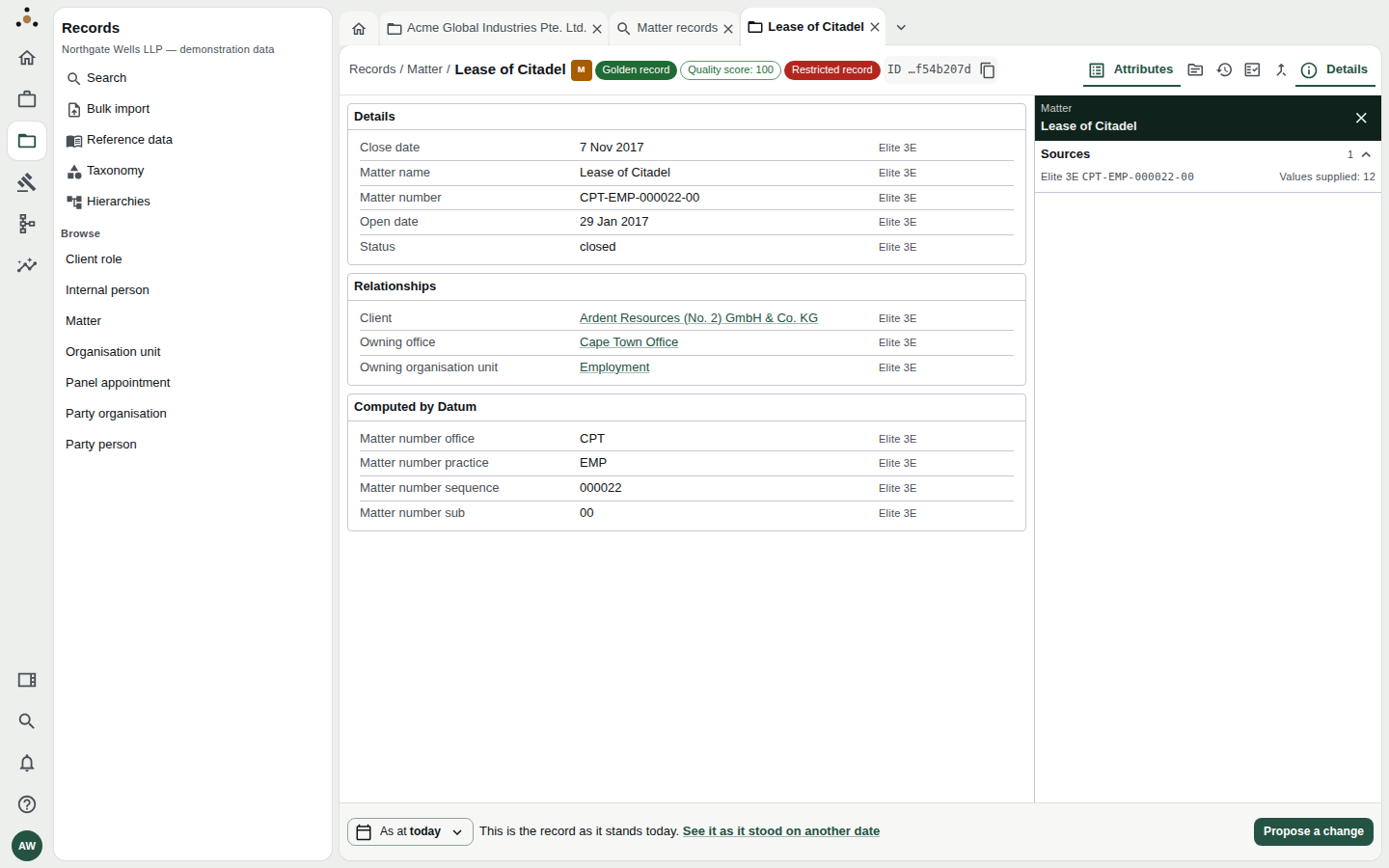
The same address, for the unscreened partner.
What a wall does not hide
A wall screens a client relationship, not an organisation. The company that is behind a walled client is still a party, and the party register is about parties, so it is still found by a name search:
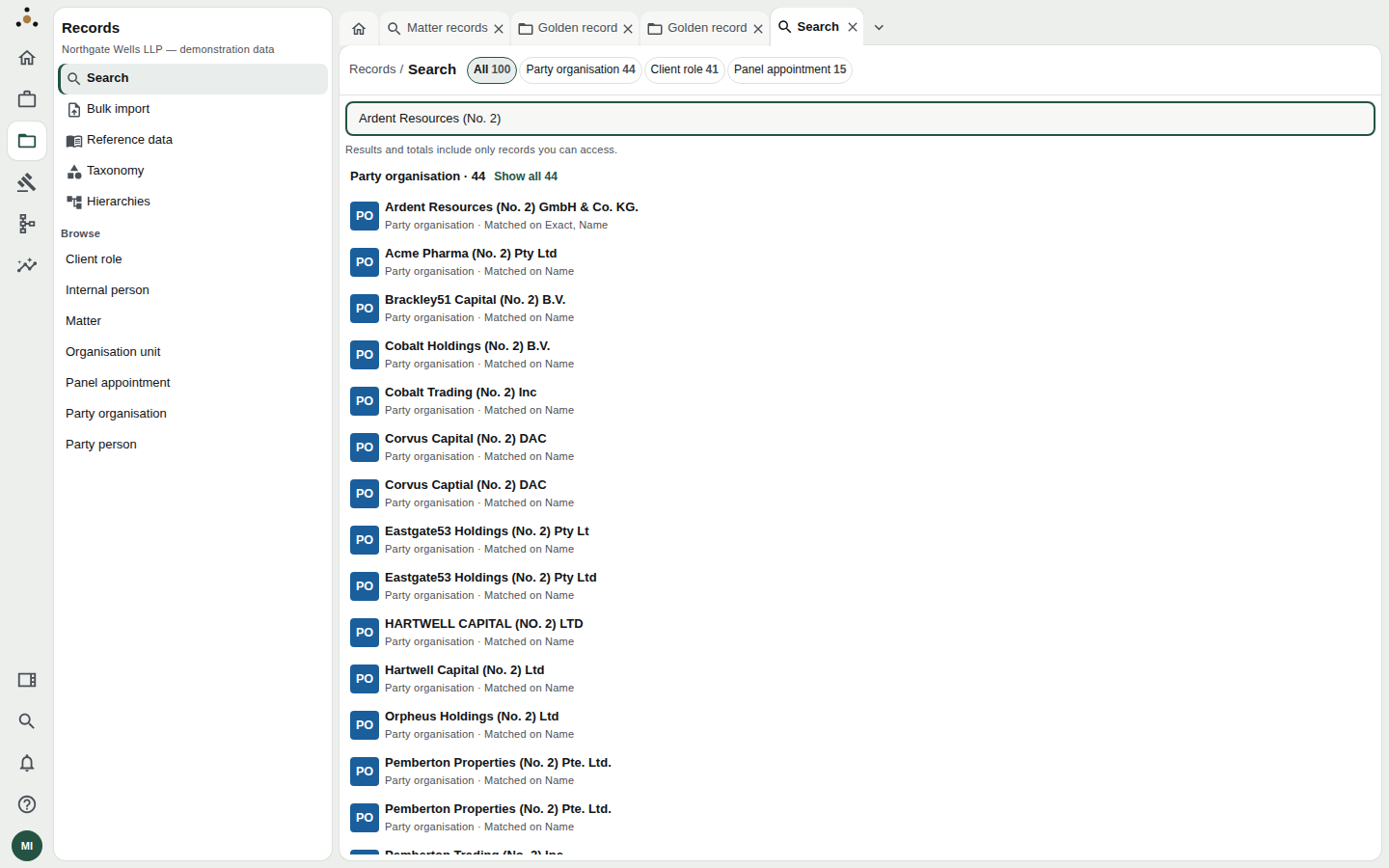
The screened partner searching for the walled client's name. The party is in the register for everybody; the screened relationship and its matters are what you do not get.
What the screened partner does not get is the walled matters: the party's entry lists its other matters, not those, and says nothing about the absence.
Two people's counts can differ, and neither can tell from their own screen whether theirs is complete. Do not treat a total, an export's row count, or the absence of a record as telling you anything about whether a wall exists. If a record you expect is missing, the right step is to ask someone who is not screened to look — through your normal channel, not by asking what the wall covers.
Walls are set elsewhere
Walls are raised, approved and lifted by administrators, with a second approver, and recorded on a register — see Ethical walls. You cannot raise one yourself, and nothing on your screens will let you find out whether one applies to you.
Privileges: single fields you will not see
A privilege is different: your role may read an entity but not certain attributes of it. You can open the record; some fields are withheld from you.
- The record shows the red Restricted record badge in its header.
- The withheld fields are left off the record: there is no row for them, so do not read their absence as "nobody supplied it". The Restricted record badge is the sign that some are held back, and your account panel names which.
- It applies to everyone who holds the role, not to you personally.
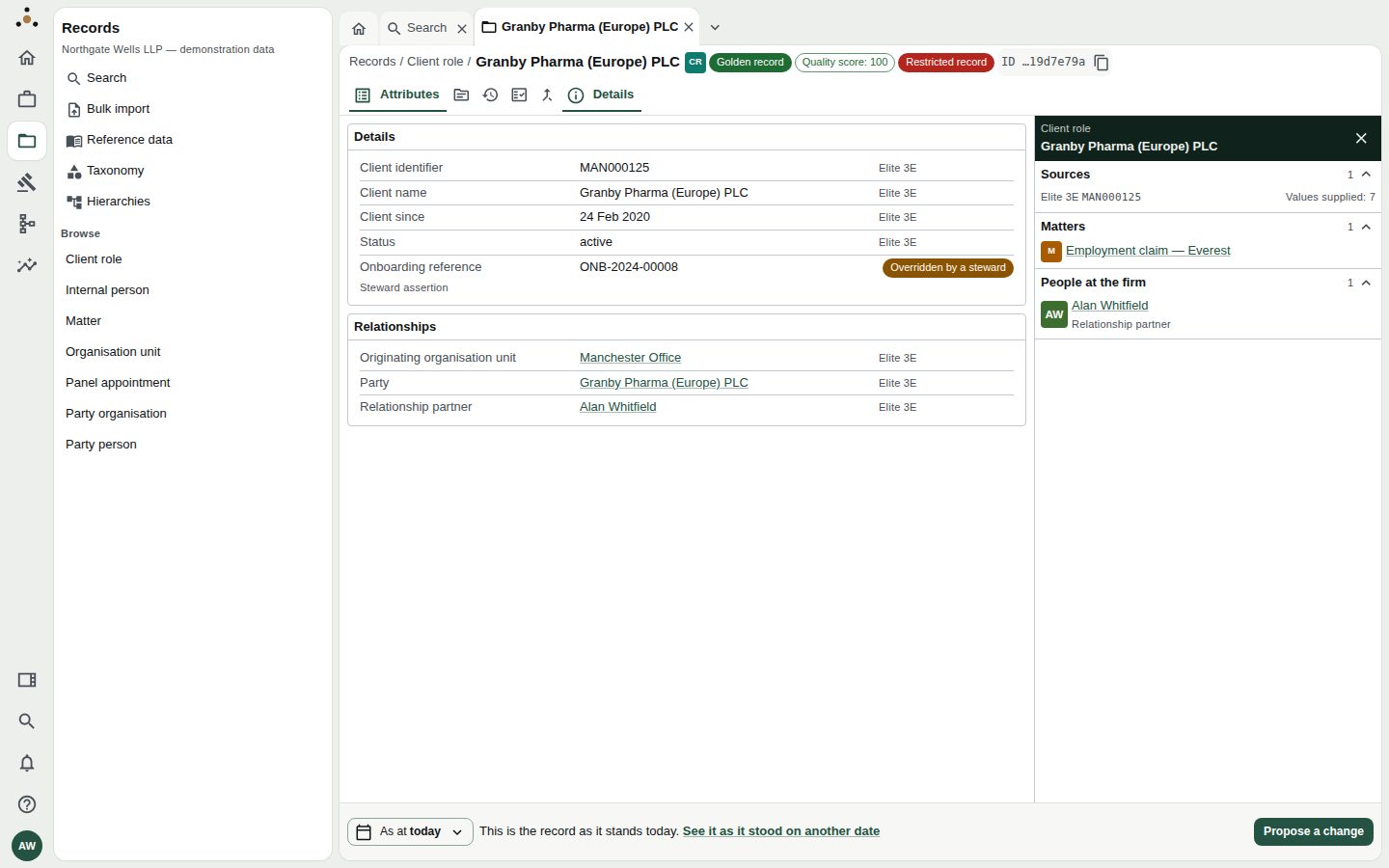
A client role as a fee earner reads it. The red Restricted record badge is the sign; there is simply no row for the withheld fields.
Fields withheld by your role
Your account panel lists them under Fields withheld from you, entity by entity, with this reminder: Withheld by your role, not missing from the record. Someone with the right role sees a value here. For the demonstration fee earner:
| Entity | Withheld |
|---|---|
| Client role | Billing currency, AML status |
| Internal person | Working pattern |
| Matter | Billing arrangement |
| Panel appointment | Tier |
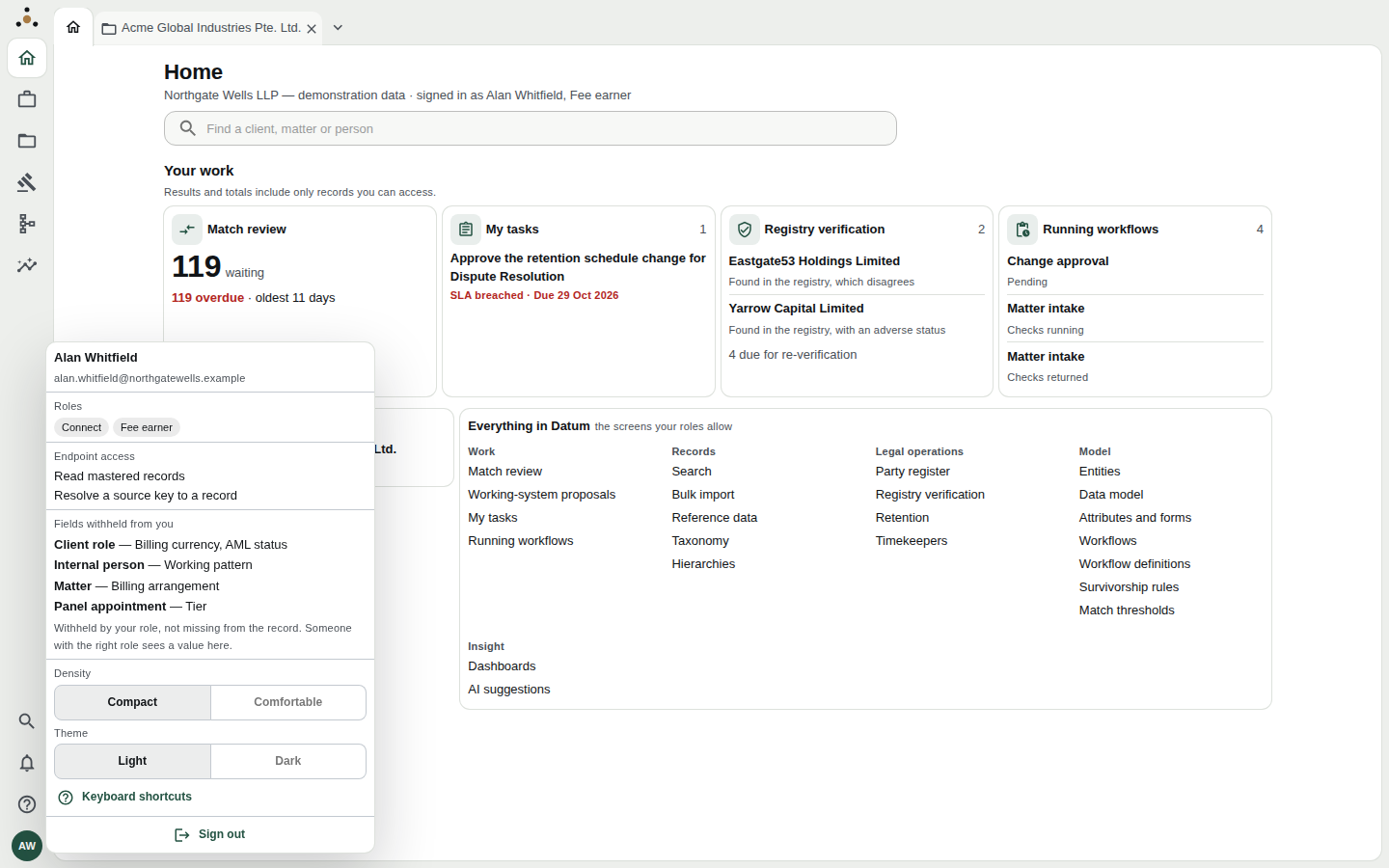
Where to look first when a value is missing: the account panel.
The same restraint covers every path to the value, not only the record screen:
- Search will not match on a withheld value. Otherwise searching "enhanced due diligence" would reveal a client's AML standing without ever printing it.
- Exports omit it.
- History still lists an edit to it, but the reason (which might describe the value) can show as Withheld.
- Comparing two moments names the withheld attributes rather than showing them.
| Wall | Privilege | |
|---|---|---|
| Removes | A record | A field |
| You are told | Nothing | That some fields are withheld (badge), and which (account panel) |
| Set per | Person or group | Role |
| Looks like | The record does not exist | The record exists; some fields are not on it |
Administrators
A platform administrator is subject to neither of these in the usual sense — they hold no data role at all, so they read nothing. That is intentional: administering the platform is not a read of the firm's records. See Roles and access.
If you think you are missing something
- Check your account panel for withheld fields. A missing field is usually this.
- Check you are looking at today. A past As at view shows the record as it was; a record created since will not be there.
- Check search has caught up if the record is brand new (it can take about a minute).
- Ask a colleague who works on the same matter to open it. If they can and you cannot, that is a question for your administrator or your firm's risk and compliance team, not something Datum can answer for you.