People directory
Needs: mdm:read.
Datum knows who works at the firm, where they sit and which bars they are admitted to. There are two ways to look a colleague up.
From Timekeepers
Timekeepers is under Legal operations in the rail, with the party register, registry verification and retention.
- Choose Legal operations, then Timekeepers.
- In Person, type a name or timekeeper number and choose the person from the list.
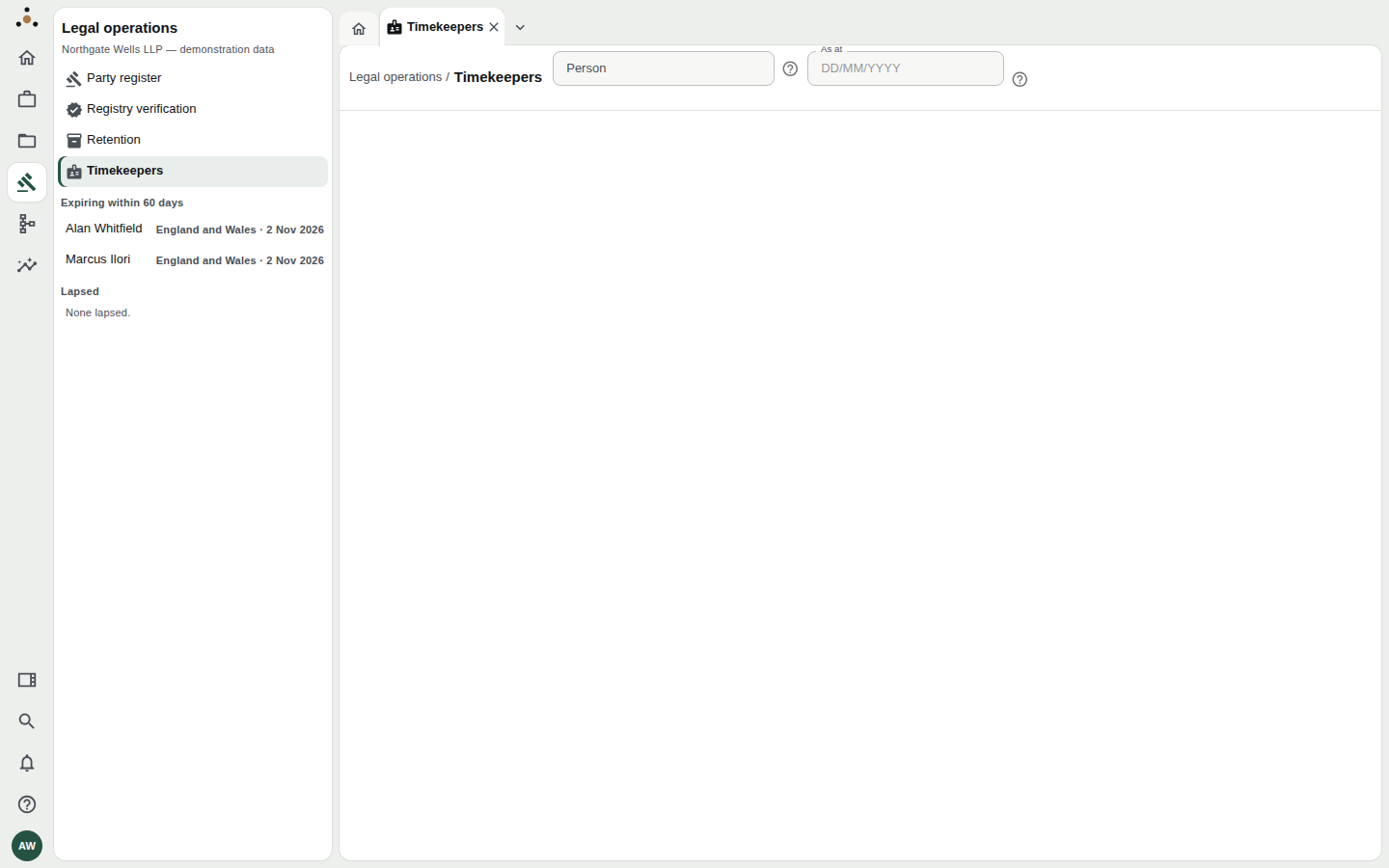
Before you choose anyone. The navigator already tells you something useful: whose bar admissions expire within 60 days, and whose have lapsed.
- Read the person's page.
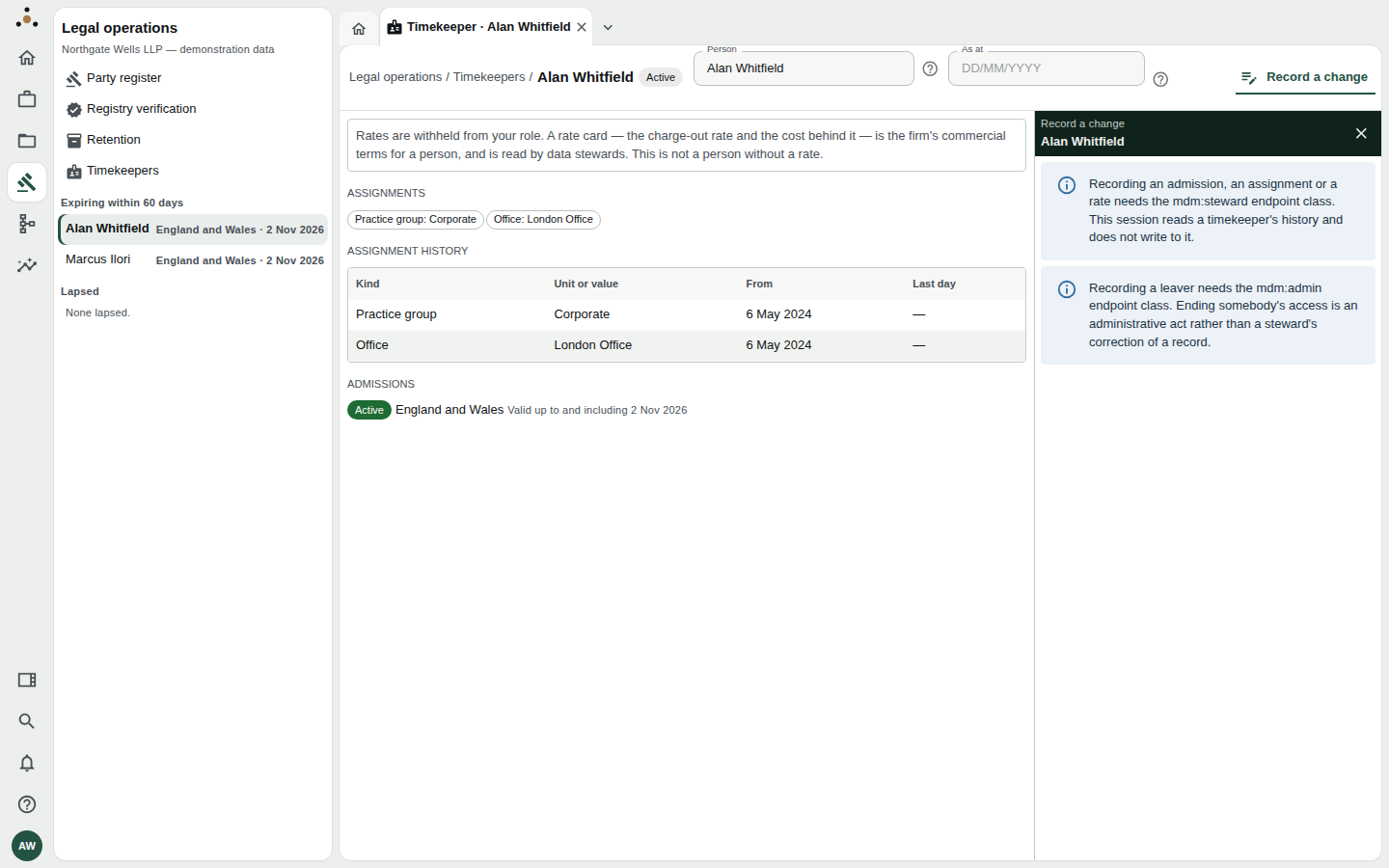
A timekeeper's page, read by a fee earner.
| Section | What it shows |
|---|---|
| Status beside the name | Active, Leaver or Alumnus |
| Assignments | Where they sit now: Practice group, Office, and any secondment |
| Assignment history | Every assignment with its From and Last day dates. An assignment is dated, so a 2023 matter is attributed to the practice group the person was in then |
| Admissions | Each bar admission or practising certificate: where, and valid up to and including a date. Marked Active, Expiring within N days or Lapsed |
As at — beside the person field — shows the page as at a past date (DD/MM/YYYY).
If your role is not a data steward's, you see: Rates are withheld from your role. A rate card — the charge-out rate and the cost behind it — is the firm's commercial terms for a person, and is read by data stewards. This is not a person without a rate.
The panel on the right tells a reader they cannot write here: recording an admission, assignment or rate needs mdm:steward, and recording a leaver needs mdm:admin — ending somebody's access is an administrative act, not a steward's correction. If you hold neither you can read; the stewards' guide covers the writes: People and timekeepers.
From the person's record
Each colleague is also an Internal person record, reached from Records, then Internal person under Browse, or from the People at the firm list on a client or matter (for example Relationship partner). It reads like any other record — see Reading a record — and some of its attributes (in the demonstration, Working pattern) are withheld from fee earners.
Common questions
Why is someone's admission marked "Expiring"? — Datum lists any admission with an expiry date within the next 60 days. It can only warn about dates it was given; an admission recorded with no expiry is never flagged.
A leaver is still listed. — Datum never deletes a person. A leaver is marked Leaver or Alumnus, their open assignments are closed and their access withdrawn, but their history stays.
I cannot find a colleague. — Search by timekeeper number instead of name, or ask a steward to check the record.