Workflow definitions
The Workflow studio shows what a workflow does. Model › Workflow definitions answers a different question: which version is in service, who put it there, and what is being drafted? It is the register of every version of every workflow.
A definition is written as a draft and put into service as a separate step, because a draft affects nobody and an activation changes how work routes for the whole firm.
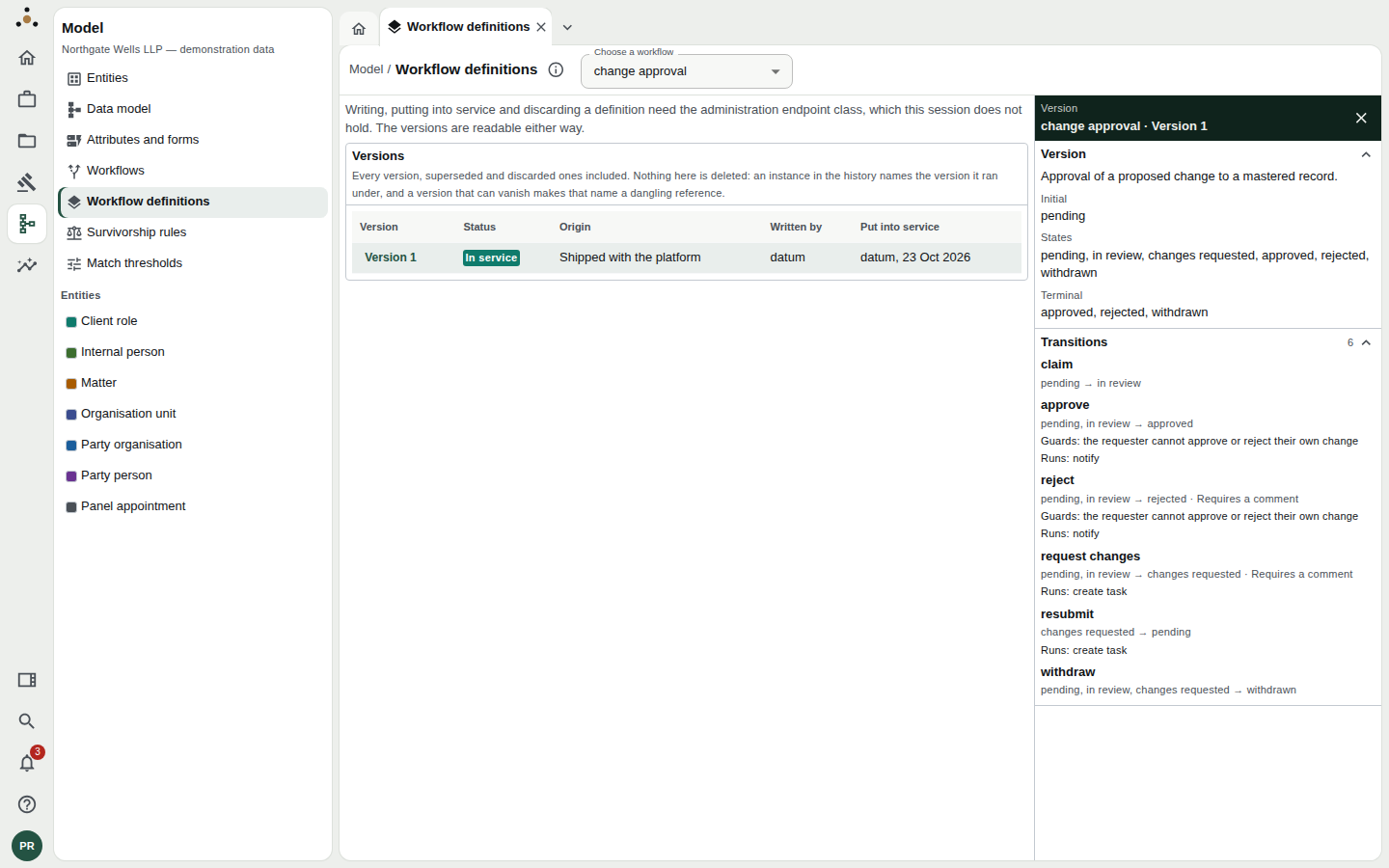
change approval, version 1: in service, shipped with the platform. The panel on the right opens when you select a version.
Reading the register
Choose a workflow in Choose a workflow. The Versions table lists every version, superseded and discarded ones included:
| Column | Meaning |
|---|---|
| Version | The version number. Select a row to open its detail panel. |
| Status | Draft — written, affects nobody. In service — new instances start under it. Superseded — replaced by a later version; instances still running on it finish on it. Discarded — a draft nobody put into service. |
| Origin | Shipped with the platform, or Written by the firm. |
| Written by | Who wrote it. |
| Put into service | Who activated it, and when; or Not put into service. |
An instance in the history names the version it ran under. A version that could vanish would turn that name into a dangling reference, so versions are kept, even discarded ones.
The detail panel
Selecting a version opens a panel on the right with its description, initial state, states, terminal states, and each transition. For each transition you see where it goes from and to, whether it requires a comment, which guards apply (such as the requester cannot approve or reject their own change) and what it runs (such as notify or create task). Guards and actions are the closed vocabulary the engine resolves by name, which is why they are shown here but never typed.
Who can do what
Reading is open to anyone who can read the model. Writing, putting into service and discarding need the administration class. A session without it sees the message "Writing, putting into service and discarding a definition need the administration endpoint class, which this session does not hold. The versions are readable either way."
Drafting a new version
Administrator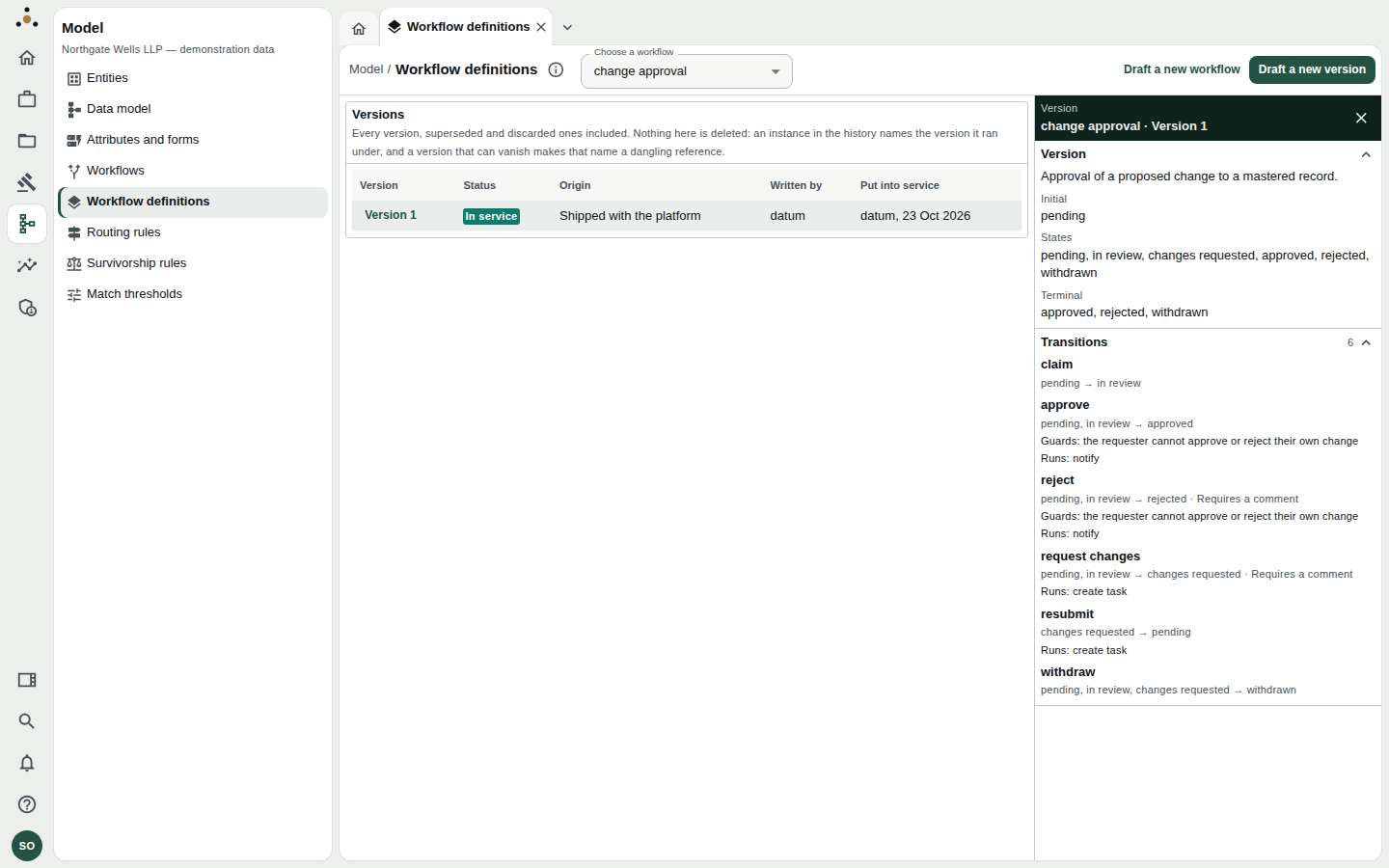
The administrator's view adds Draft a new workflow and Draft a new version.
- Choose Draft a new version to base it on the selected workflow, or Draft a new workflow to start a new name.
- The Draft dialog opens, pre-filled from the version it was drafted from.
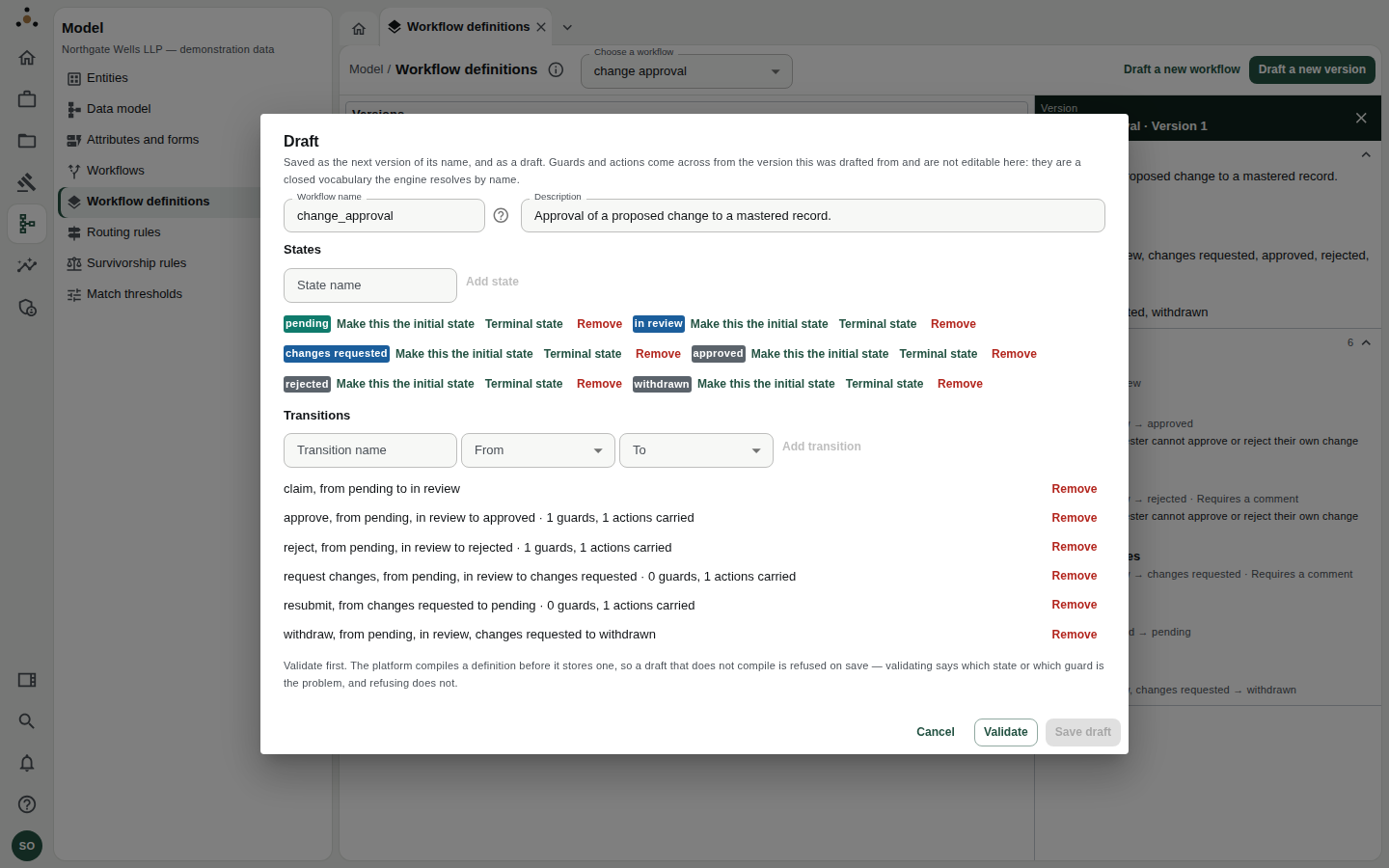
The draft dialog. States can be added, made initial or terminal, or removed; transitions are added with a name, a From state and a To state.
- Workflow name. An existing name adds a version to that workflow; a new name starts a new one.
- States. Add states by name. Mark exactly one as the initial state and any that end the workflow as terminal. A workflow needs at least the state it starts in.
- Transitions. Name the transition and choose its From and To states. For each existing transition the dialog shows how many guards and actions are carried, for example 1 guards, 1 actions carried.
- Choose Validate.
- Choose Save draft.
Guards and actions are carried over from the version you drafted from. You cannot type one: they are a closed vocabulary the engine resolves by name. If you need a transition to behave differently, you choose among those the engine already provides, by drafting from a version that has them.
The platform compiles a definition before it stores one, so a draft that does not compile is refused on save. Validating tells you which state or which guard is the problem. Refusing does not.
Putting a version into service
Select the draft; the panel's title bar reads Version N · Draft. Choose Put into service (re-authenticate).
You will be asked to confirm: "Put version N of NAME into service?" The dialog states the consequence plainly:
- Every instance started from now on runs under the new version.
- The version in service now becomes superseded.
- Instances already running finish under the version they started on.
Choose Put it into service. The platform asks you to re-authenticate first, because the change affects how work routes for the whole firm.
Because running instances keep their original version, a change of rule will not retroactively touch work already started. If you need something already in flight to follow the new route, it has to be withdrawn and begun again. Plan the cut-over with the stewards whose queues it affects.
Discarding a draft
Choose Discard on a draft you will not use. It stays in the register as Discarded; the version in service is unaffected.
Rolling back
There is no "undo". To go back, draft a new version from the earlier one and put that into service. The register then shows the full story: the version that was wrong, and the one that replaced it.
Related
- Workflow studio — visualise and sketch.
- Routing rules (administrators) — which version's tasks go to whom, and how quickly. See the administrator guide.