Survivorship rules
When several source systems describe the same client, they rarely agree. The CRM spells the name one way, the billing system another, the registry a third. Survivorship is how Datum chooses which value goes on the golden record. Model › Survivorship rules is where those choices are made.
Every value on a golden record names the system it came from, the record inside that system and the rule that chose it. The rules are not a black box: this screen is the whole of them.
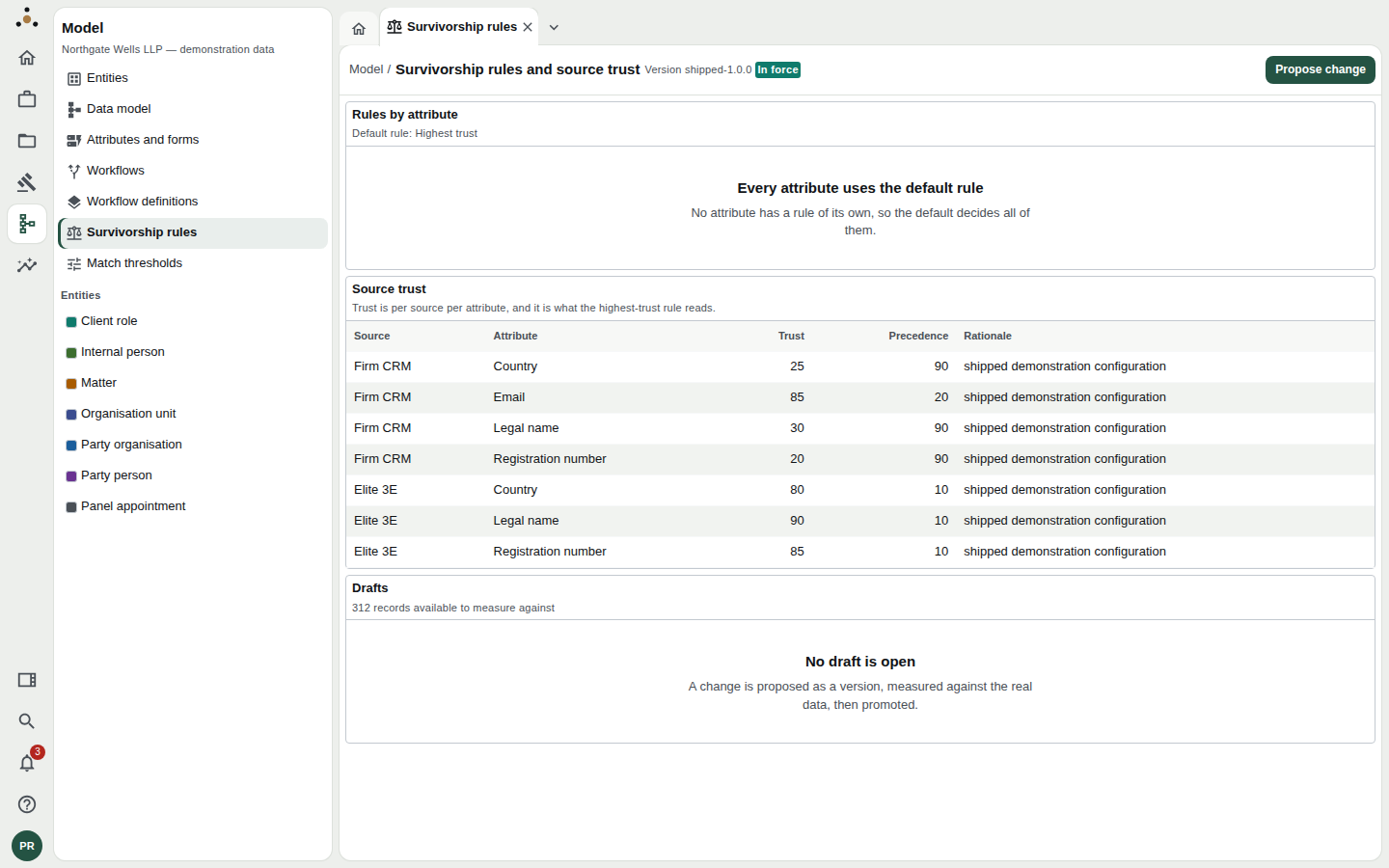
The rules in force: version shipped-1.0.0. No attribute has a rule of its own, so the default, Highest trust, decides all of them.
What is on the screen
The header names the version in force. Three panels follow.
Rules by attribute
Shows the default rule and any attribute that has a rule of its own. There are exactly seven rules to choose from. A closed set is what makes the result deterministic: the same inputs always give the same value.
| Rule | Chooses the value… |
|---|---|
| Highest trust | from the source trusted most for that attribute. |
| Source precedence | from the first source in an order you set (the Source order). |
| Most recent | most recently updated. |
| Most complete | with the most information in it. |
| Most frequent | that most sources agree on. |
| Steward pin | a steward has fixed by hand. |
| Escalate to a steward | nobody decides automatically: a steward is asked. |
Source trust
A table of trust scores, one for each source and attribute, from 0 to 100. In the demonstration firm, Elite 3E is trusted more for Legal name (90) than the firm CRM (30), while the CRM is trusted more for Email (85). The table also shows precedence and a rationale recording why the number was chosen. The default rule, Highest trust, reads this table. If a source has no rating it falls back to a default, and the screen warns that the highest-trust rule cannot discriminate between them.
A source is not trusted or distrusted as a whole. A billing system may be authoritative for a client's billing currency and unreliable for its legal name. That is why trust is rated attribute by attribute.
Drafts
Proposed versions waiting to be measured or put into service. It also shows how many records are available to measure against (312 records available to measure against).
Proposing a change
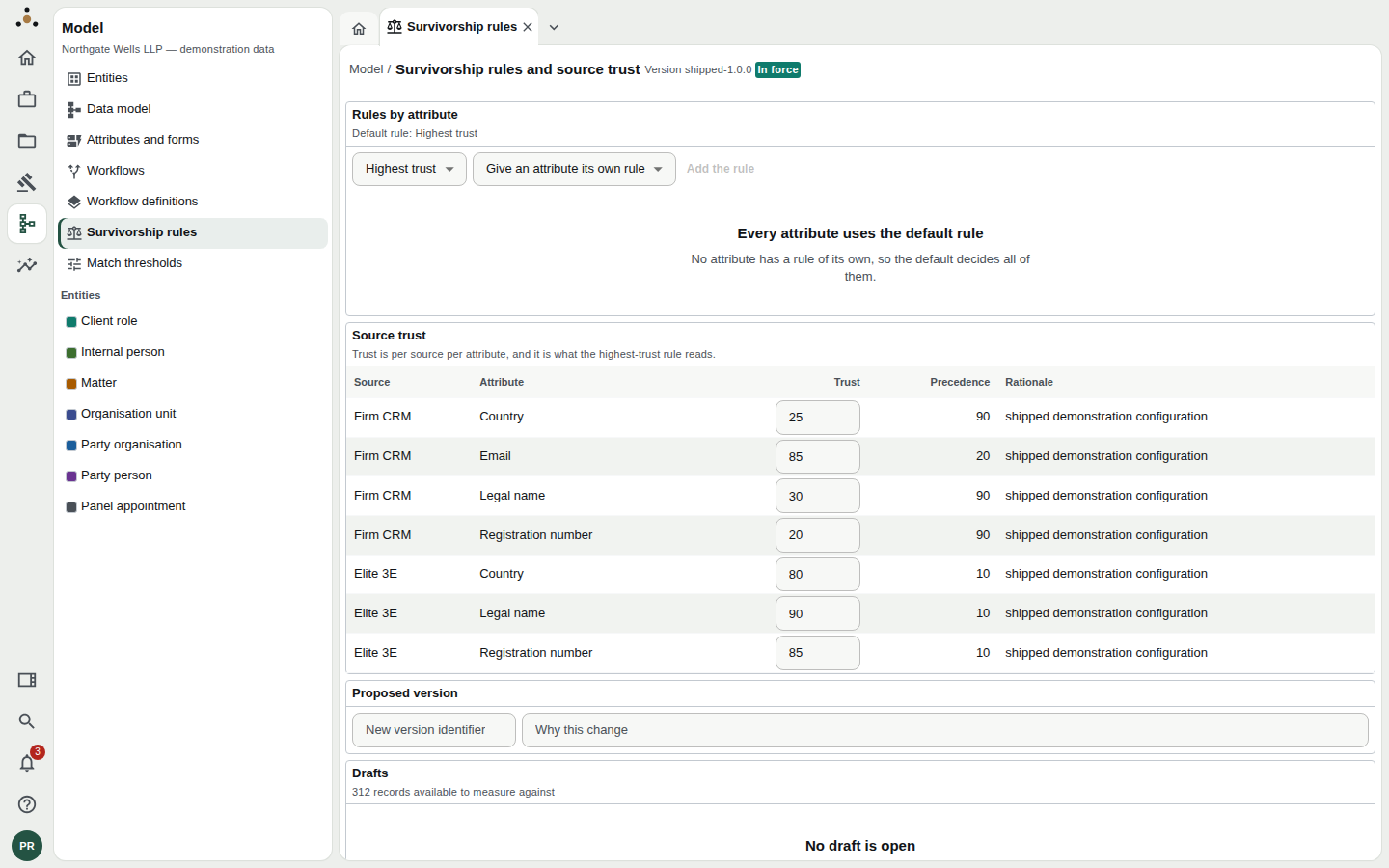
Choose Propose change and the screen turns editable.
- Choose Propose change at the top right.
- Change the default rule if you need to.
- To give one attribute its own rule, choose it under Give an attribute its own rule, pick the rule (and, for Source precedence, the order), then Add the rule. Use the default removes it again.
- Edit any trust number in the table.
- Give the change a new version identifier and say why this change is being made. The reason is kept.
- Choose Propose change again, at the bottom, to save it as a draft. (Cancel abandons it.) The new draft appears under Drafts, marked Not measured yet.
The reason is the only explanation a future colleague will have for the number. "Registry is authoritative for registration number since we integrated Companies House" is a good one.
Measure before you act
A draft has no effect until it is activated, and you can find out exactly what it would do first. Open the draft under Drafts and choose Measure this change. The platform re-runs survivorship over the real records, in memory, and reports:
- How many records would change (n of N records would change).
- Changed by attribute, so you can see whether the change is narrow or sweeping.
- Records that would change, each with the attribute, the value Now and the value it Would become. Up to fifty you may open are listed; open one to see it before the change is in force.
- Rule changes and Trust changes — a plain diff of what you proposed.
A draft you no longer want can be removed with Discard draft.
If nothing would change, the screen says so: "This change would rewrite nothing." If the measurement is stale the list tells you to measure the change again.
Contradictions
The screen flags Precedence disagrees with trust: attributes where you rank a source ahead of one you also say you trust more. Both are things the firm has said, and the platform cannot decide which was meant. Resolve them before you activate.
Putting a change into force
When the measurement is what you intended, choose Activate (re-authenticate) on the draft. Activation always asks you to re-authenticate, because a survivorship change rewrites values on records the firm is reading.
After activation the platform rewrites every record under the new rules in the background, from every source contributing to each. Values on records change when that has run, not instantly.
A client's name on a conflicts search or an engagement letter can change when survivorship changes. Warn stewards and the conflicts team before activating, and use the list of changed records to spot-check.
Who can do what
Proposing, measuring and activating a ruleset need the stewardship class, which data stewards hold. A session without it sees what is in force, with the message "What is in force is shown above." Administration alone does not read the firm's records, and does not confer this.